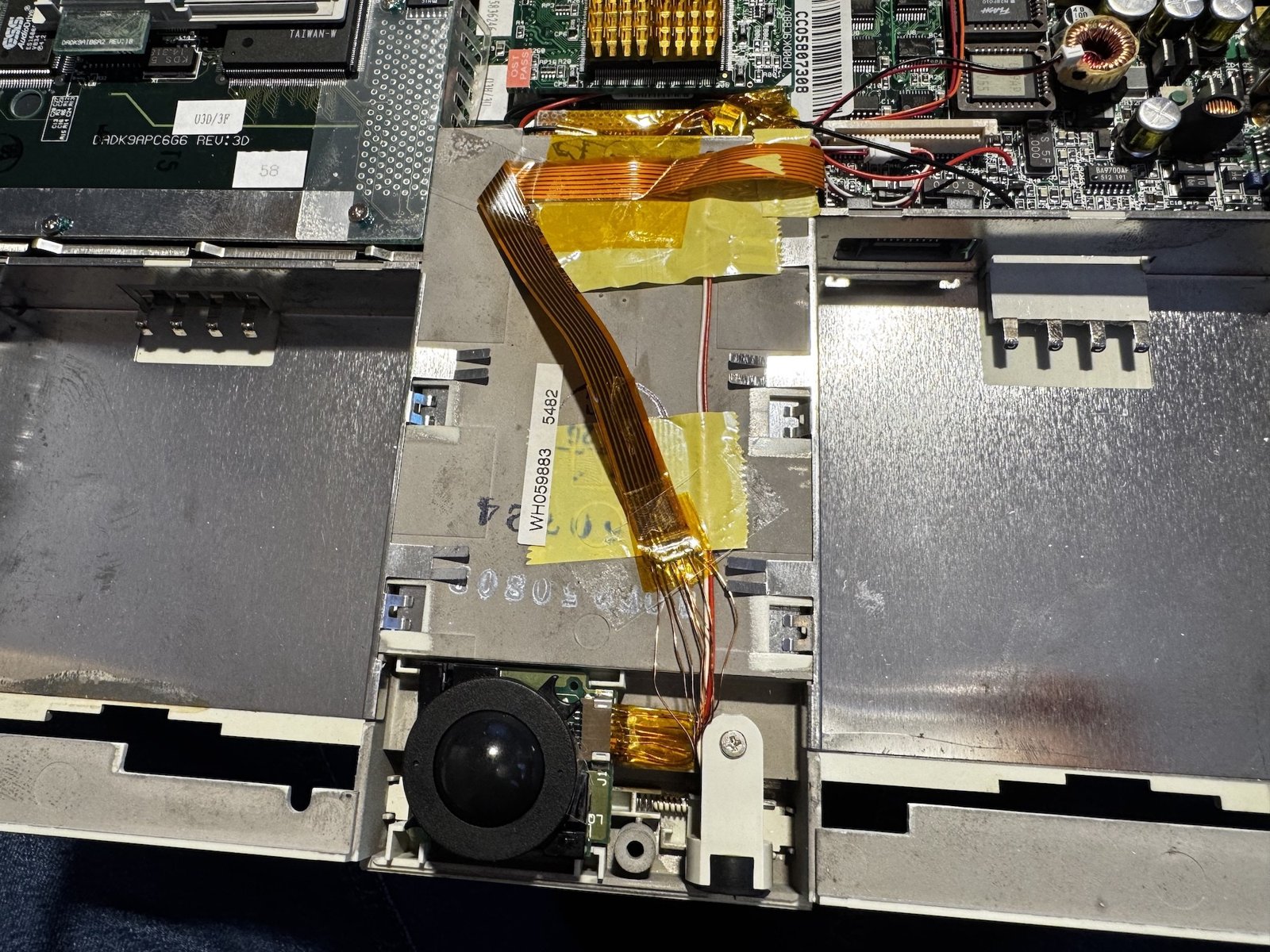
(Fig. 1: The repaired flat flex cable to the trackball, back in the Siemens Nixdorf PCD 4ND)
After I had repaired the display of my "new" Siemens Nixdorf PCD 4ND, I wanted to quickly replace the CMOS battery that had arrived the day before. While I was at it, I also wanted to clean the trackball. It worked, but got stuck from time to time.
Opening the PCD 4ND
I followed the instructions on retrospace.net to open the device, which went smoothly. The top part is only connected with a wide flat flex cable and two wires with a plug. Both can be disconnected easily.
The CMOS battery is a Panasonic VL1220-1VC (a rechargeable vanadium-lithium cell). Replacing it was quick and hassle-free:
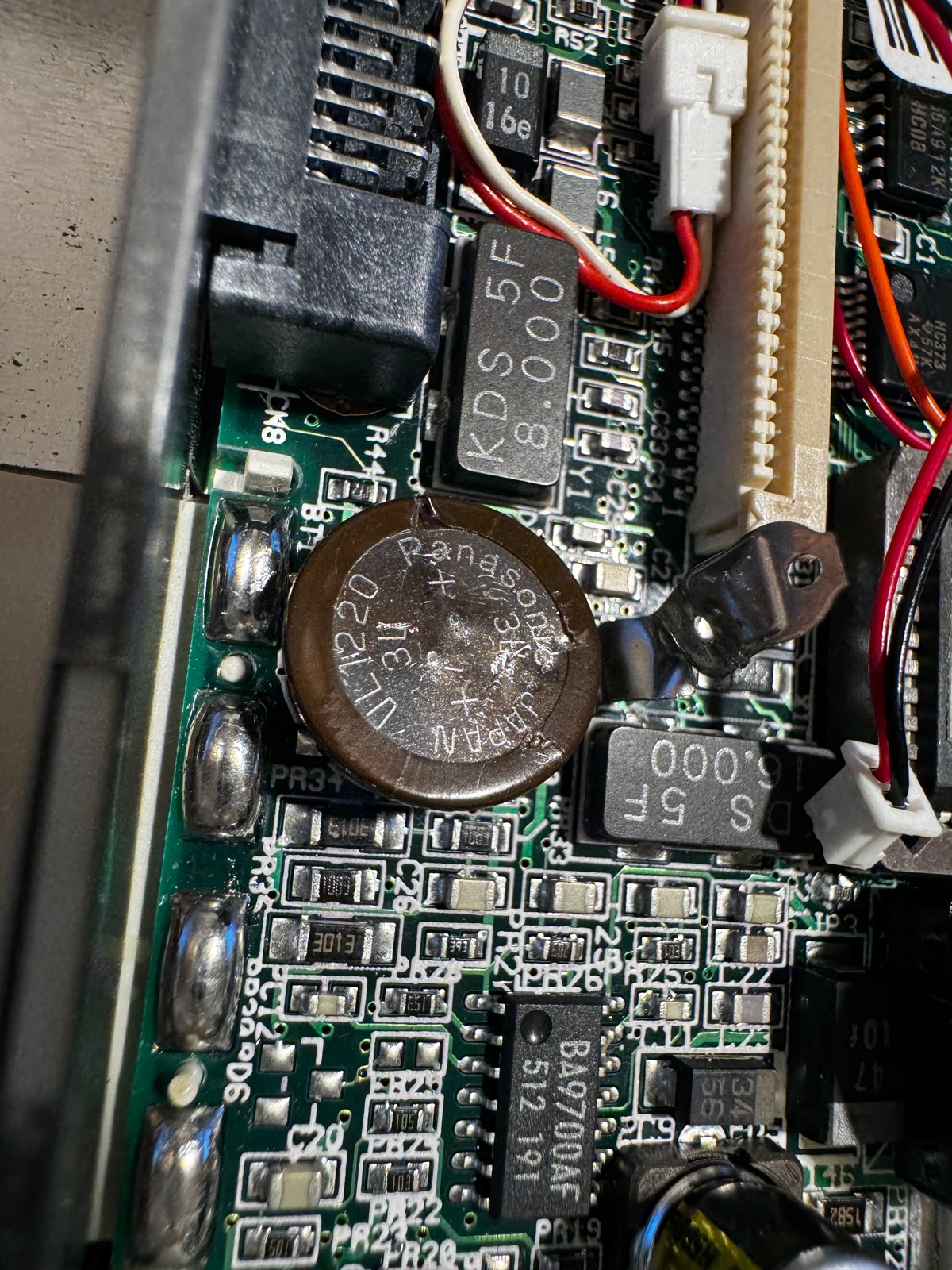
(Fig. 2: The Panasonic VL1220 CMOS battery on the mainboard)
How I Broke the Cable
To clean the trackball, I thought it would be easiest to remove the small flat flex cable that connects it. It is just plugged in. I tried to carefully pull it out, but I slipped - and this happened:
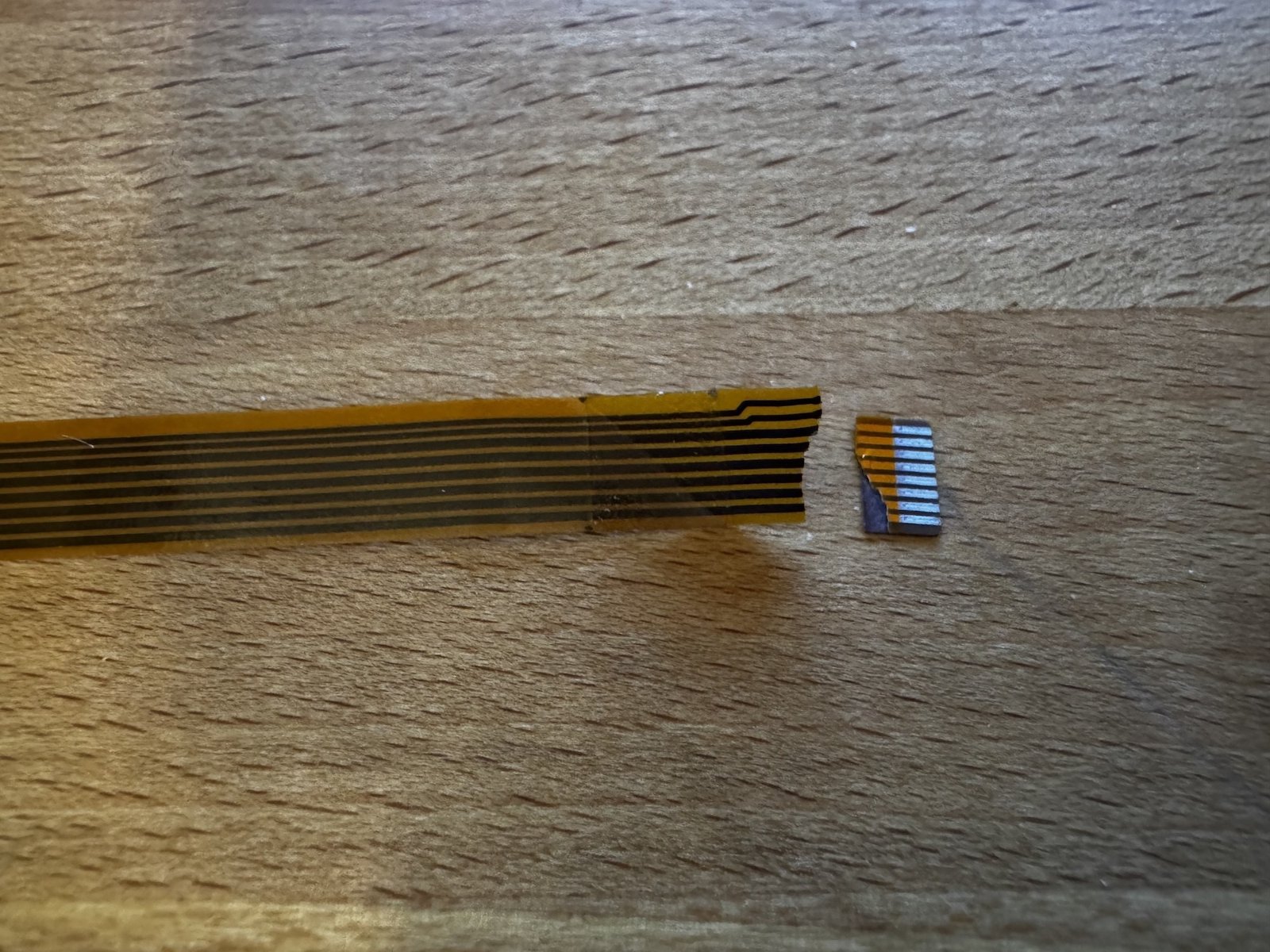
(Fig. 3: The broken flat flex cable)
Of course, you can find replacement cables online. But if I can, I prefer to repair things like this, so the device is up and running again quickly.
Preparing the Ends
First, I sanded down both sides at the break. 240-grit sandpaper was too fine, 80-grit worked better. With it, I only removed the rough parts. The remaining coating I carefully scraped off with a file:
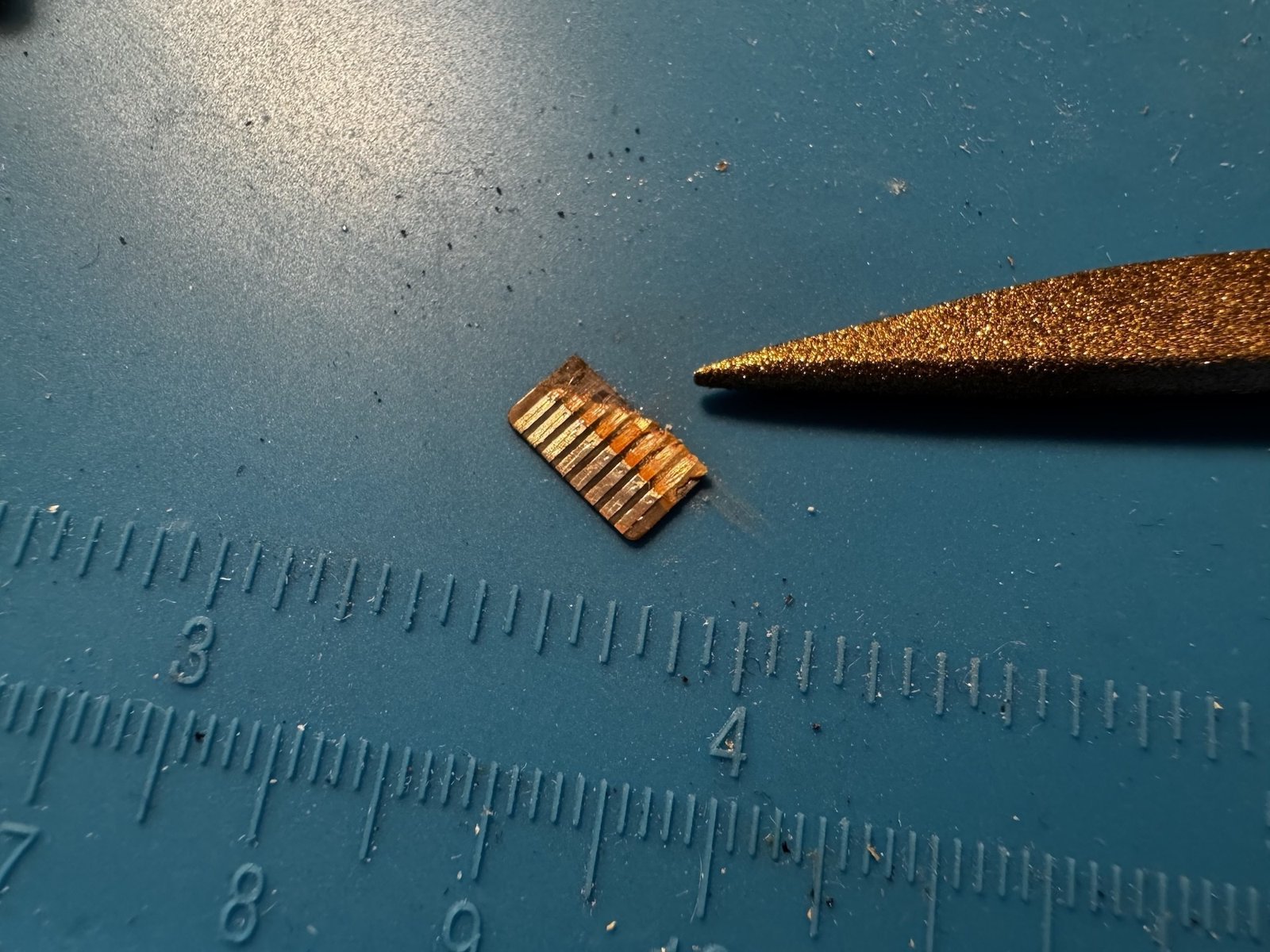
(Fig. 4: Scraping off the coating with a file)
Then I tinned the bare ends with flux and solder. That worked perfectly:
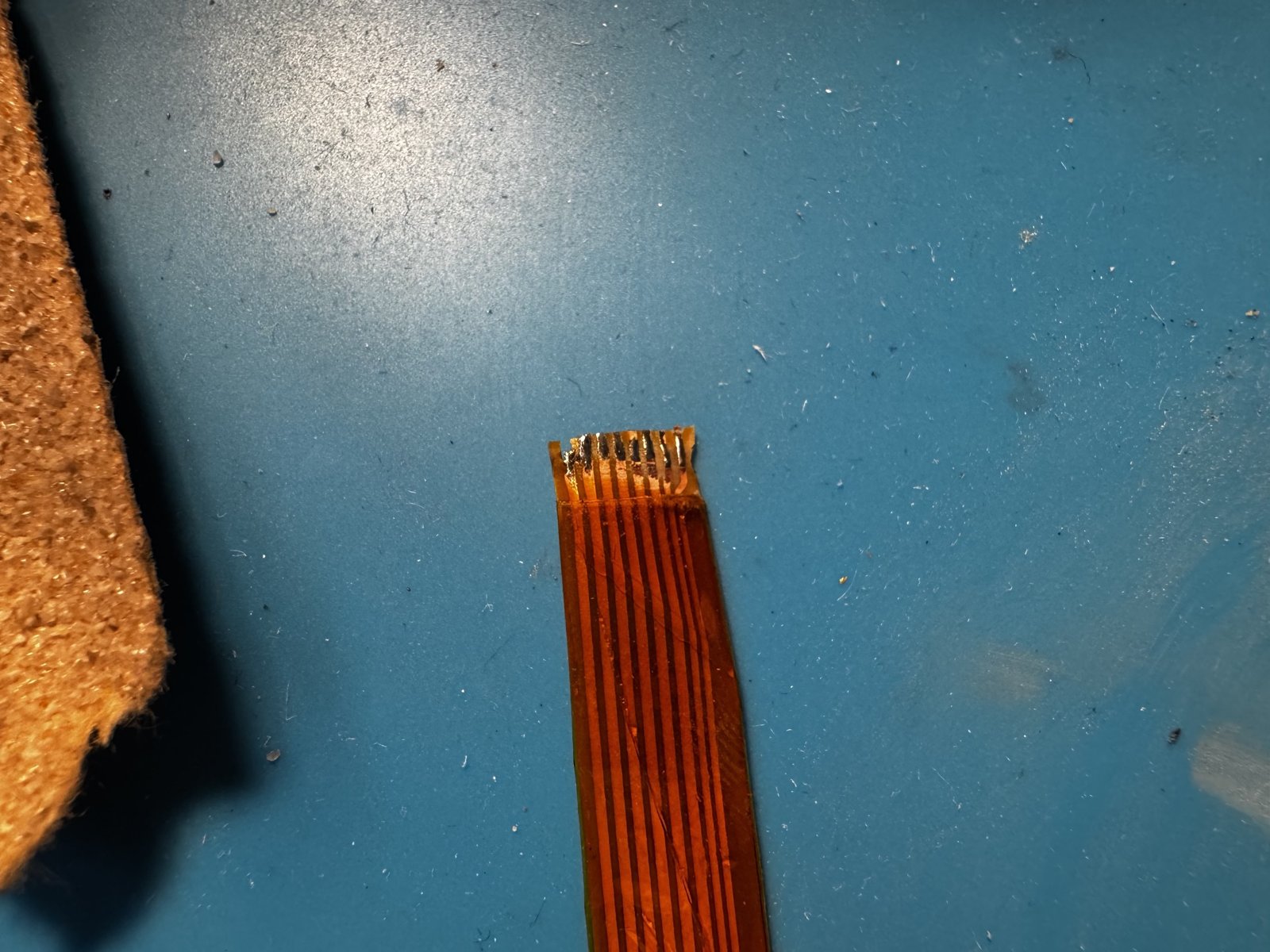
(Fig. 5: The tinned ends of the flat flex cable)
Soldering the Wires
Now came the fiddly part. The cable has 8 lines with a pitch of 1 mm (luckily not 0.5 mm). I found some 0.28 mm enameled copper wire, which was perfect for the job. (I should have used it for the patch wire on the Toshiba 440CDT, but I had forgotten that I had it.)
I cut pieces of about 4 cm and tinned their ends with solder. This also burns off the enamel. Then I soldered the wires to both broken ends of the cable:
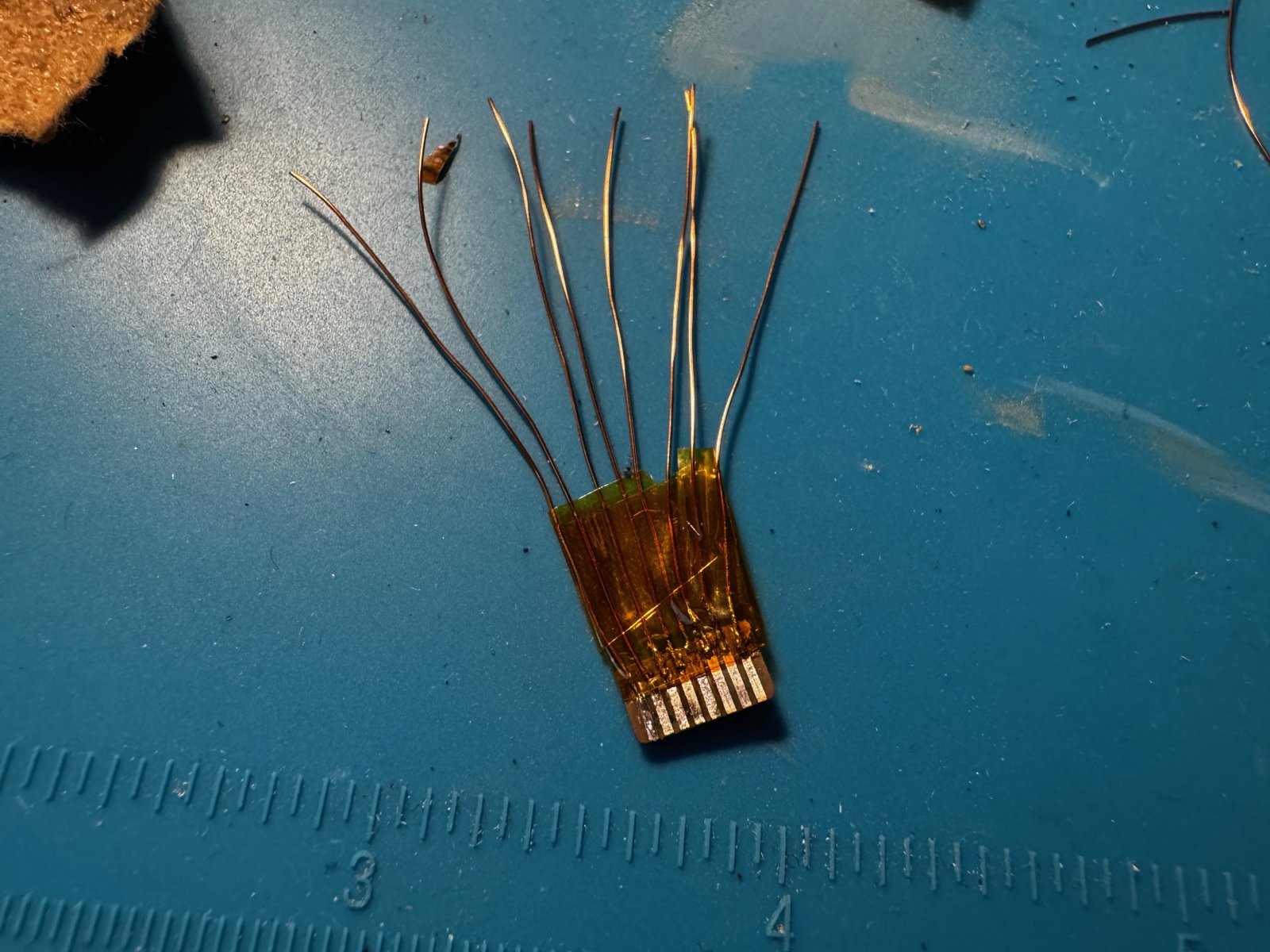
(Fig. 6: The wires on the short end)
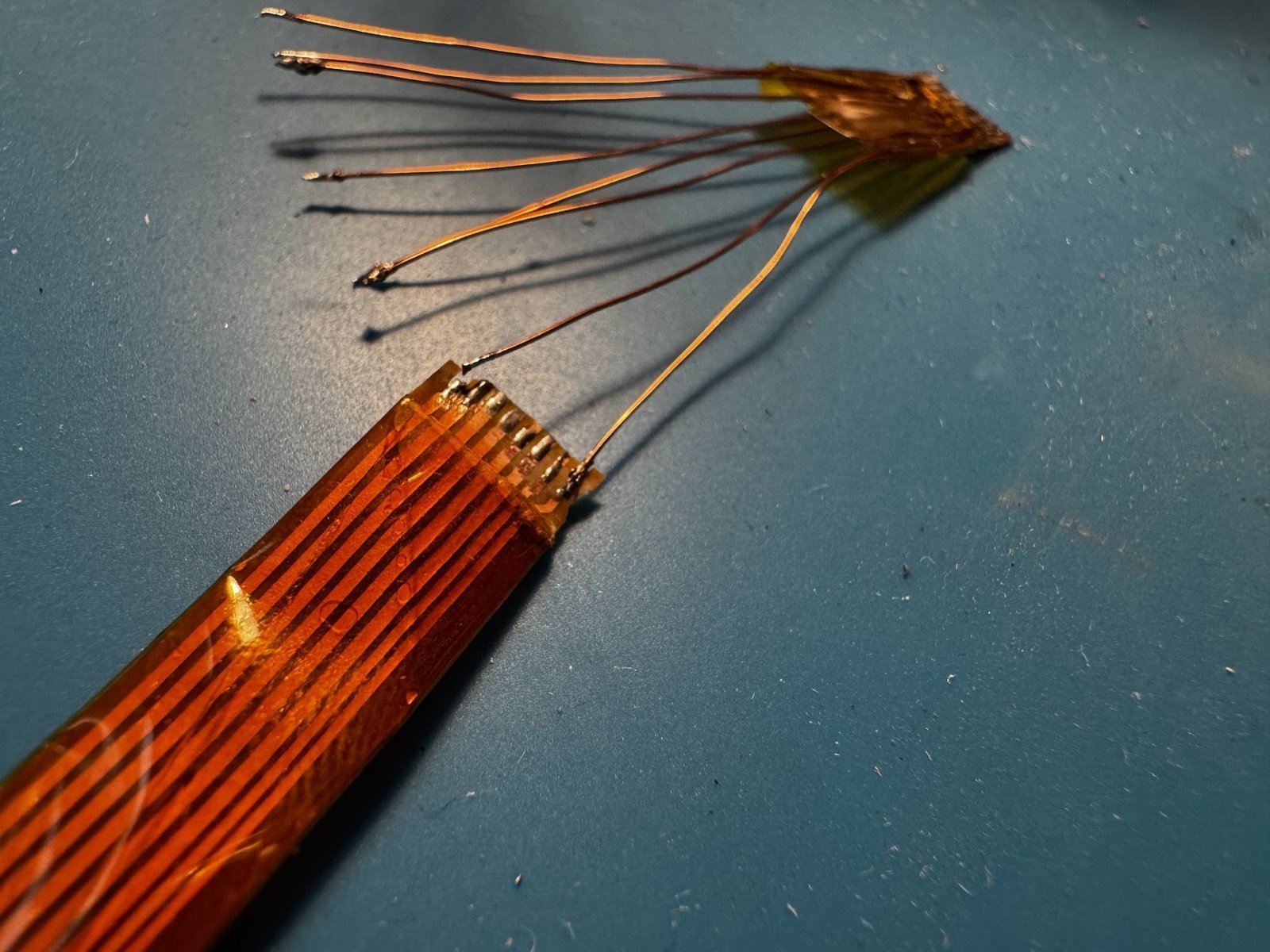
(Fig. 7: Both ends connected with eight wires)
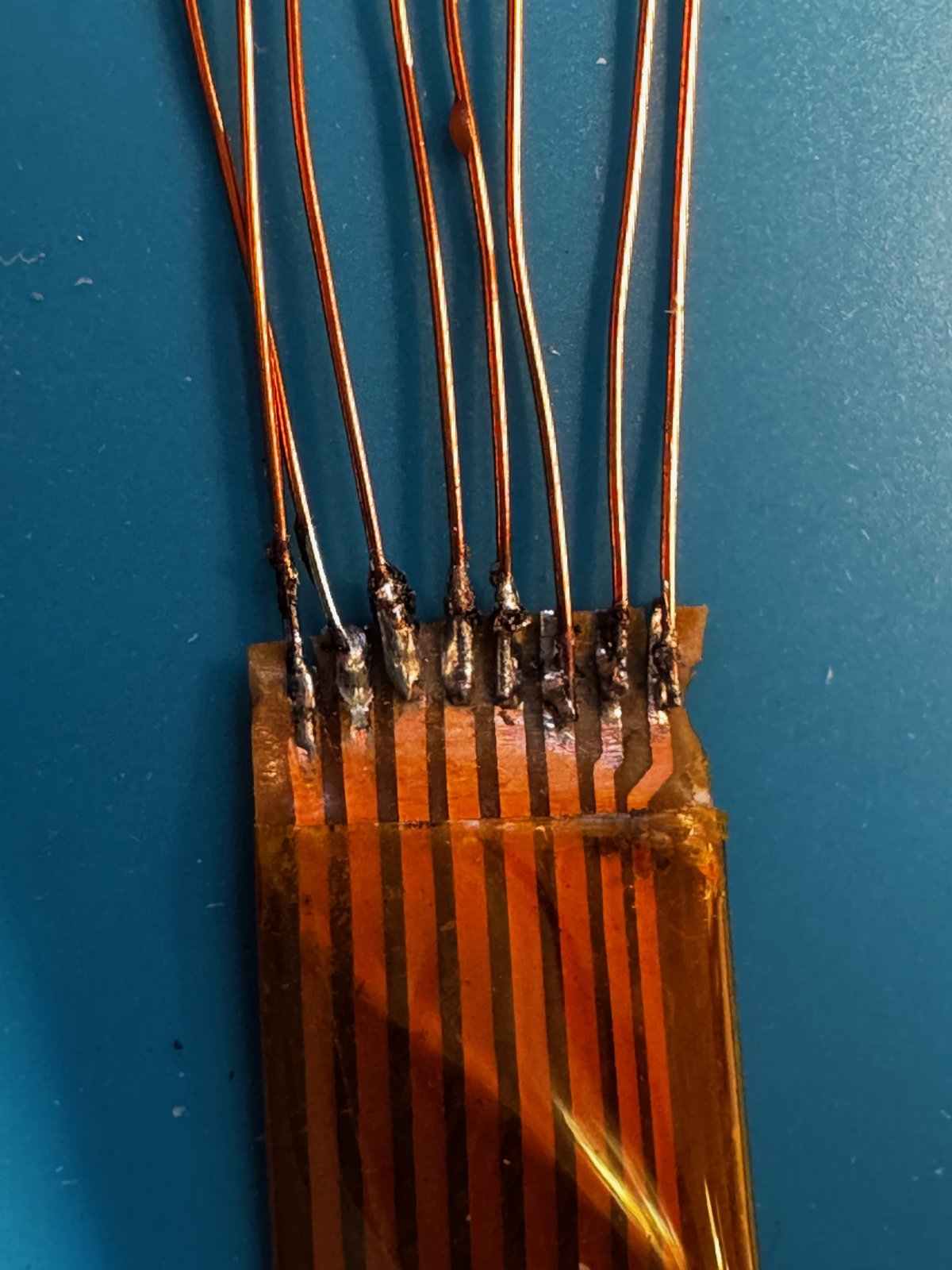
(Fig. 8: A close look at the solder joints)
After soldering and testing all the connections, I installed the cable. But the trackball only worked horizontally, not vertically. So I took it out again and found that two solder joints had come loose. I re-soldered them, tested again, installed it again - and now it works perfectly.
Result
Sure, it doesn't look pretty:
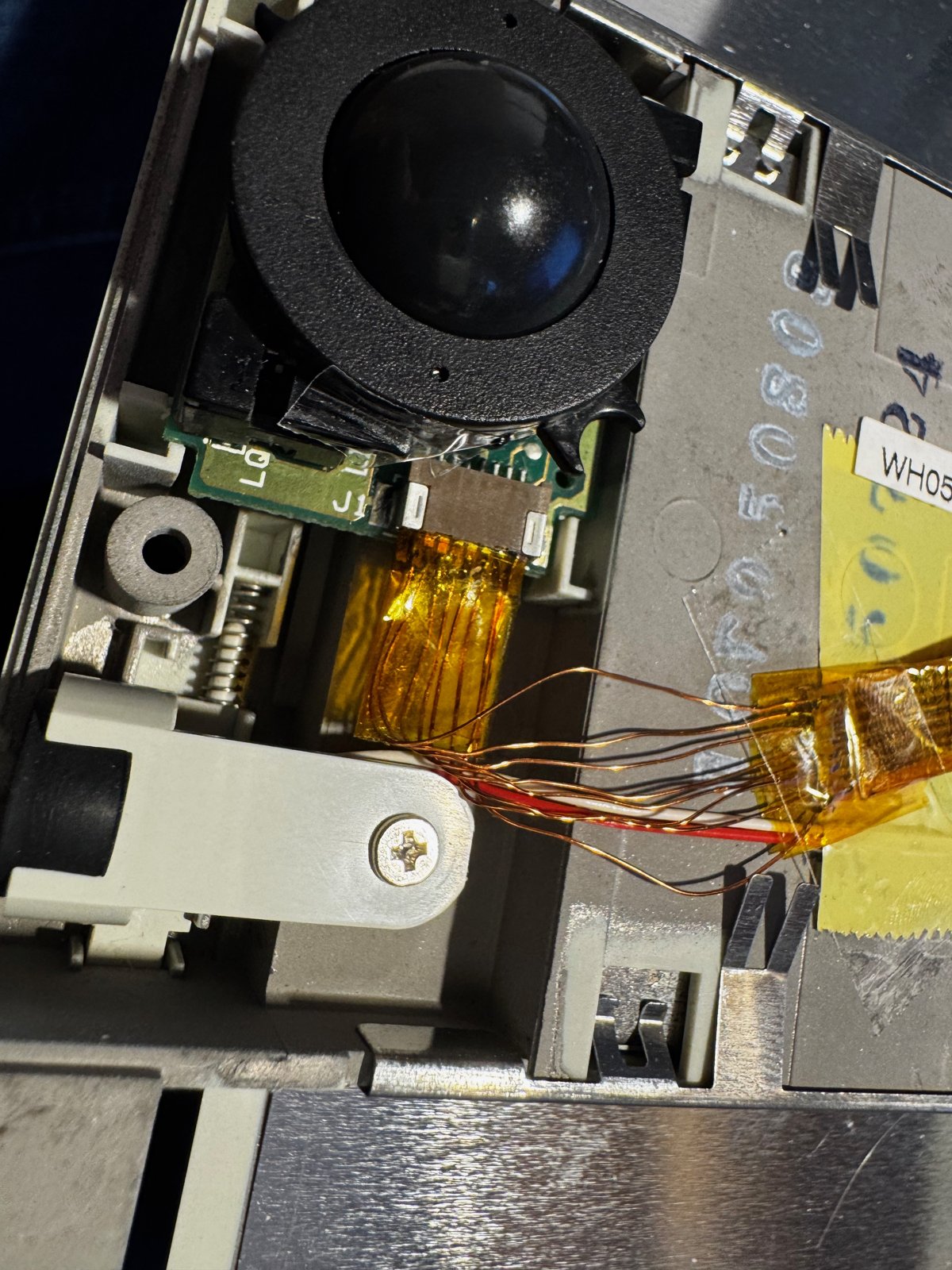
(Fig. 9: The repaired cable at the trackball)
But the main thing is: it works. Here is a short video as proof:
(Video: The trackball works again - moving the cursor in The Secret of Monkey Island)
A Spare Cable
I don't know how long this repair will last. The cable has the same connector on both ends:
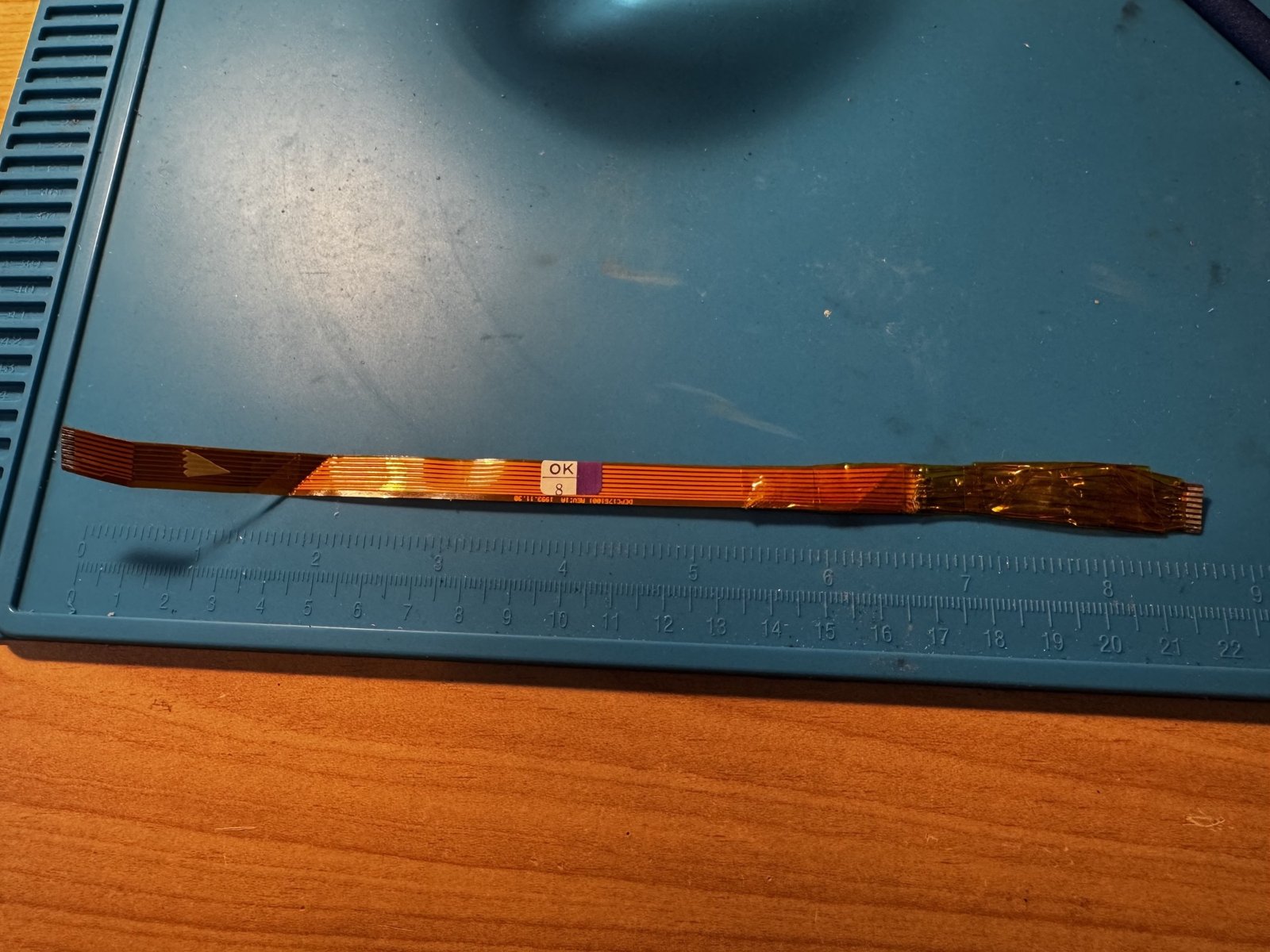
(Fig. 10: The cable has the same connector on both ends)
So I ordered replacement cables from AliExpress for a few Euros, to see if a generic cable works as well. On eBay, I also found an original replacement cable for the PCD 4ND for 10 Euros and bought it just in case. If you are looking for rare spare parts, search notifications on eBay are worth it - sometimes you are lucky.
So far, the repair has held up until today. The original replacement cable from eBay and the cables from AliExpress are lying in a drawer as a reserve.
The original thread on Vogons: How I broke and repaired a flat flex cable to the trackball of my Siemens Nixdorf PCD 4ND
Comments on "Fixing a broken flex cable"
Comments are moderated before publication. Only substantive and constructive comments will be approved.