Source code: github.com/User7142/pocket-adventure-fx - engine and build tool, no game data included.
Update, 2026-10-03: the game now shows four shades of grey - backgrounds, characters and objects. How that works on a black-and-white screen, how I picked the look on the device and what went wrong on the way is described in the new part Greyscale.
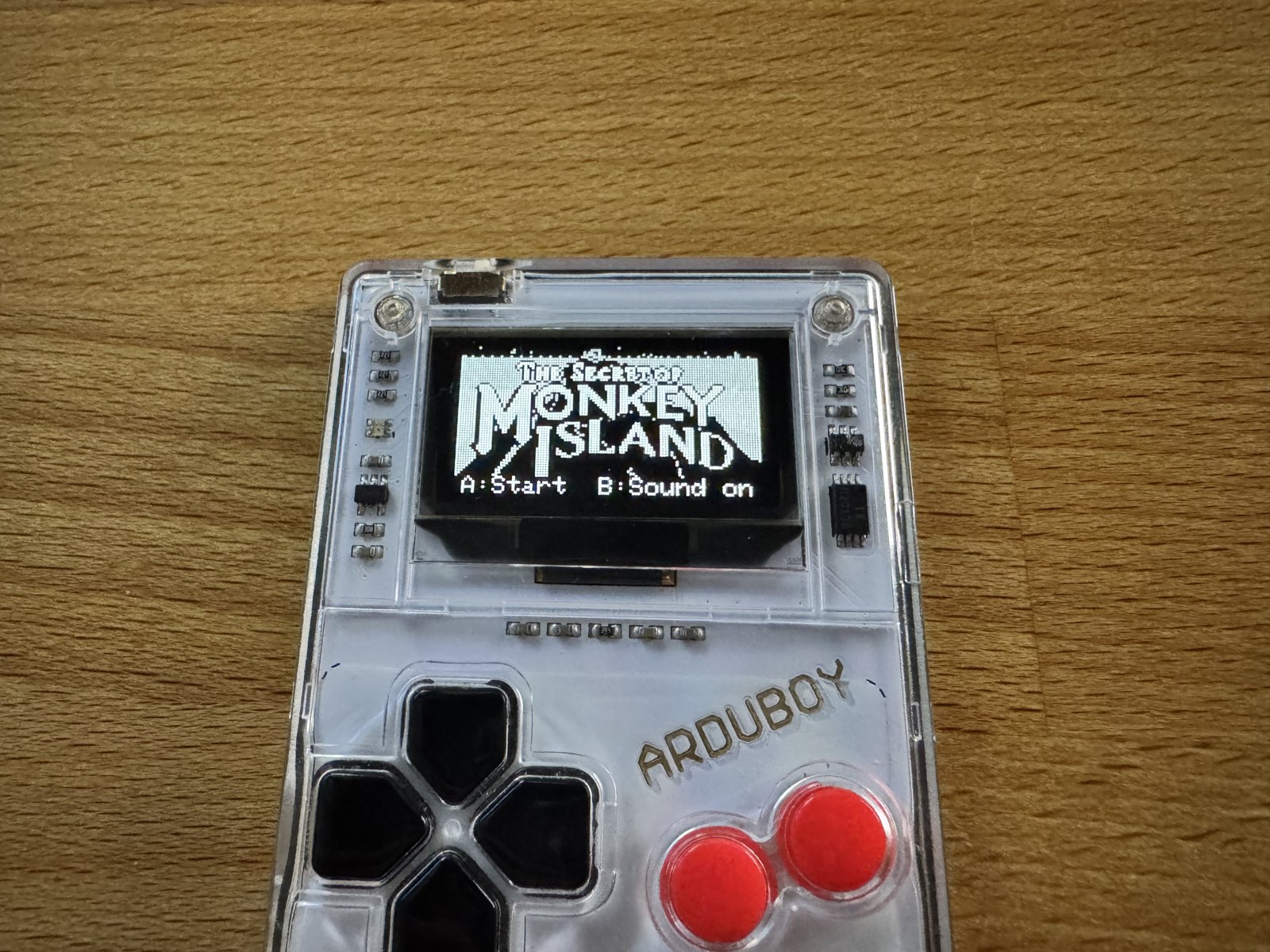
(Fig. 1: The title screen on the Arduboy FX - 128×64 pixels in four shades of grey; the logo comes from your own copy of the game)
After Monkey Island on the STM32F429I-Discovery I wanted to know how far down it goes. The Arduboy FX is a game console the size of a credit card: an 8-bit ATmega32U4 with 2.5 KB of RAM, a 128×64 pixel black-and-white screen, six buttons and a piezo speaker. Running ScummVM on it is impossible. But the first scenes of The Secret of Monkey Island - with the original backgrounds, characters, texts and music - turned out to be possible.
Demonstration
(Video 1: The greyscale version - title, lookout, chapter card, dock, street, SCUMM Bar and ghost ship. The camera turns the greys much darker than they look on the device.)
(Video 2: The first version in black and white - from the language selection via the lookout, the dock and the SCUMM Bar to the ghost ship and the street)
You need your own copy of the game
Graphics, texts and music belong to Lucasfilm Games / Disney. None of it is part of this project. What I wrote is Pocket Adventure FX: a small adventure engine for the Arduboy FX plus a description of the scenes - and that description contains no texts, only references like r38.s203#1 (“first text in script 203 of room 38”).
When you build the game, a converter reads your own copy of the VGA floppy version (DISK01.LEC … DISK04.LEC), takes the backgrounds, characters, music and texts from it and writes everything into one .arduboy package. If you pass an English and a German copy, the game asks for the language at start. The package is for your own Arduboy only.
Hardware
| Console | Arduboy FX (mine is an original Arduboy with the FX modchip) |
| CPU | ATmega32U4, 8 bit, 16 MHz |
| Memory | 32 KB flash (29 KB for the program), 2.5 KB RAM, 1 KB EEPROM |
| FX chip | 16 MB SPI flash |
| Display | 1.3 inch OLED, 128×64, black and white - four shades of grey by switching image planes |
| Sound | piezo speaker |
Without the FX chip none of this would work: all graphics, texts, scripts and music live there - about 230 KB for this part of the game in one language, most of it the greyscale images. The program itself is 24 KB, and it uses 2.1 KB of the RAM - half of that is the screen buffer.
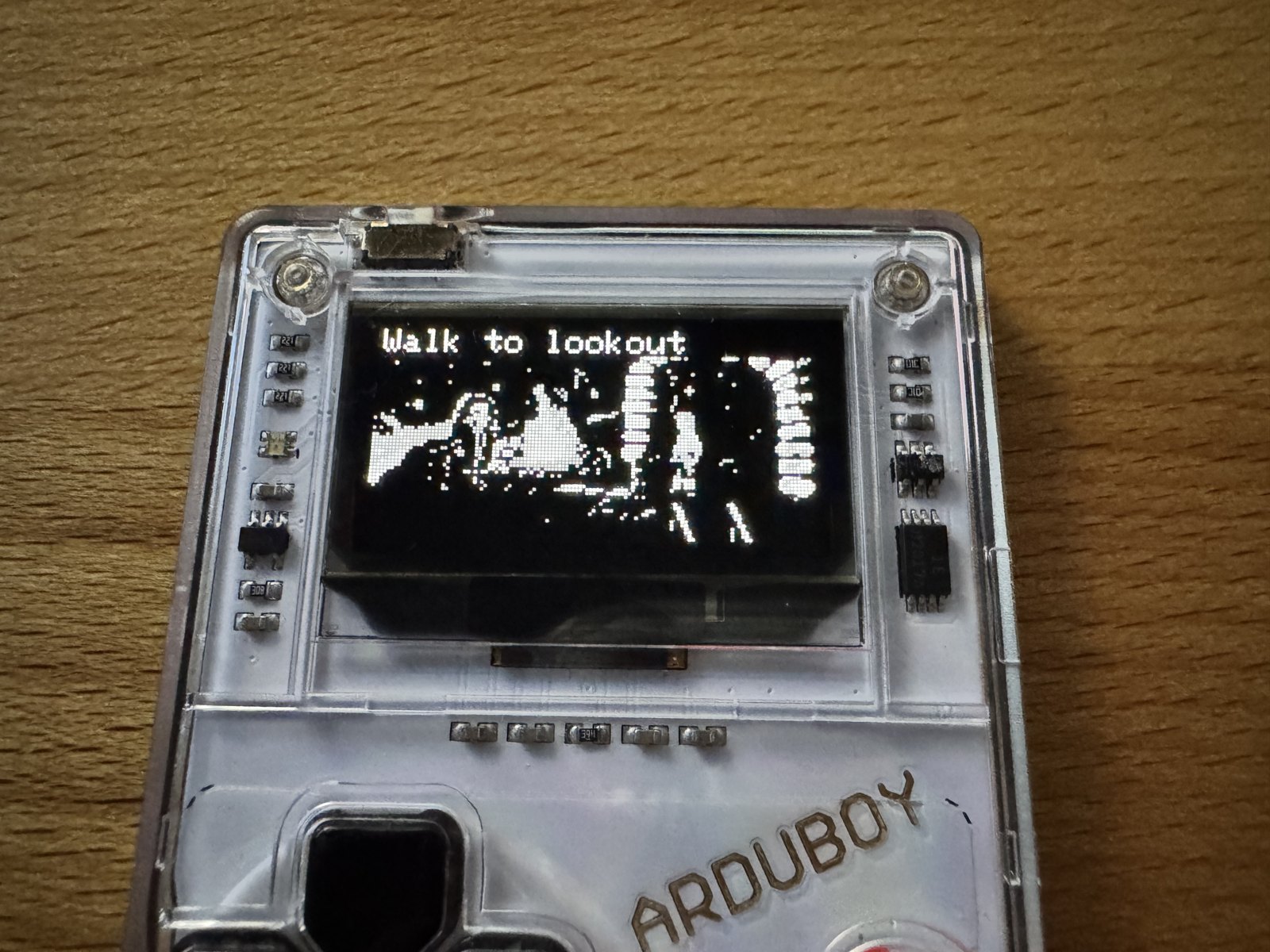
(Fig. 2: The lookout point on Mêlée Island in greyscale - the lookout in front of the fire)
Controls
- D-pad: moves the cursor (it accelerates when you hold it)
- A: executes the sentence - “Walk to” or the selected verb
- B: opens the menu with the nine verbs and the inventory
Dialog options are selected with up/down and A. Long options are shown in full above the list. In the menu, the line below the verbs switches between greyscale and black and white; the game remembers the choice, like the language.
What is in it
The first scenes of Part One, “The Three Trials”:
- the intro with the title melody and the conversation with the lookout
- the chapter card “Part One” with its music
- the dock, the SCUMM Bar with the important-looking pirates and the kitchen with the cook - who leaves his kitchen every 30 to 50 seconds, just like in the original
- the ghost ship in the river of lava when you leave the bar for the first time
- the street with the men of low moral fiber, their rat, the citizen of Mêlée and the four doors
- the Voodoo Lady
- the map of Mêlée Island, where you can walk around; only the village and the lookout can be entered
Everything else says “Not included in this version.”
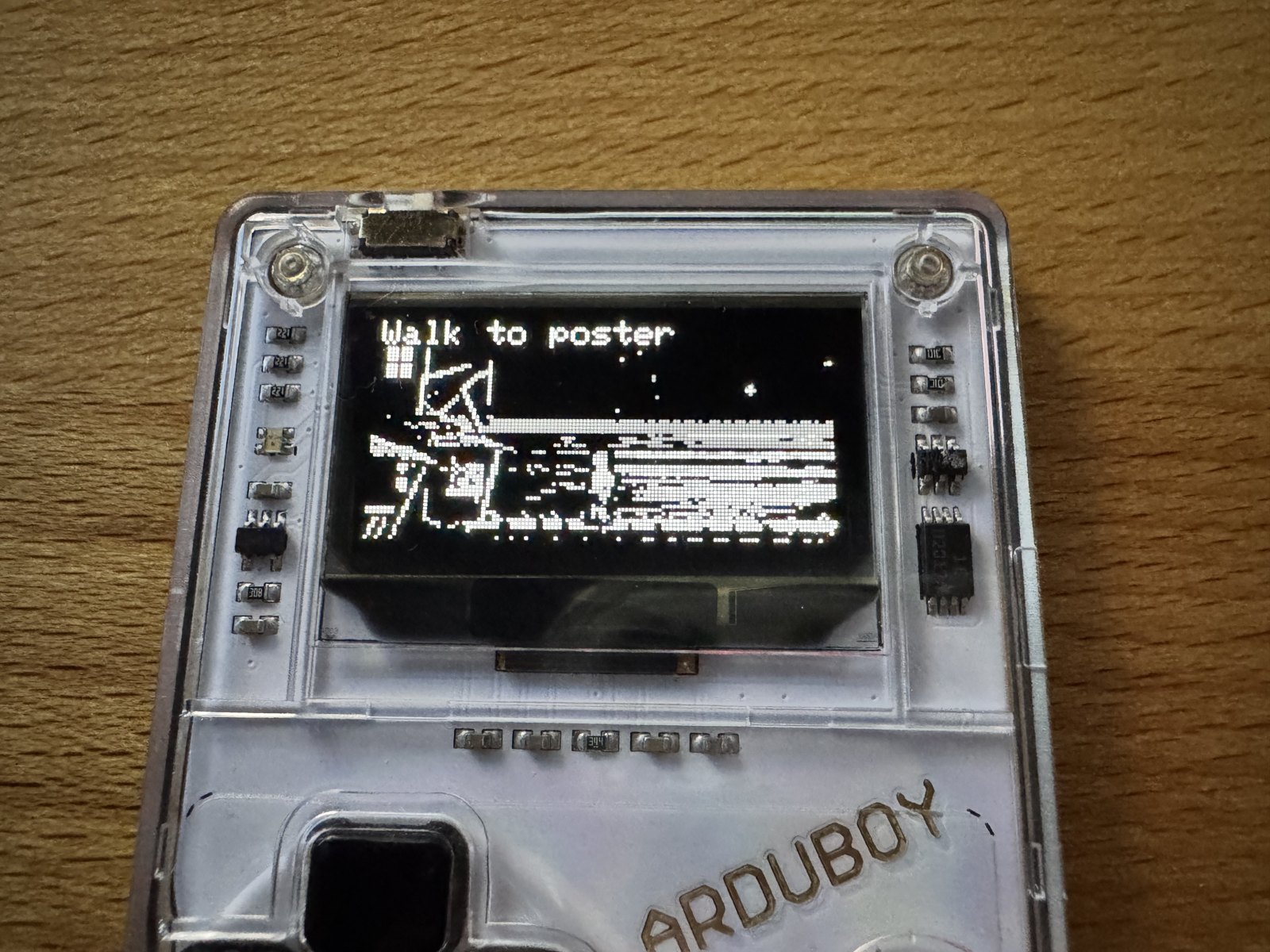
(Fig. 3: The dock in greyscale - the room is wider than the screen and scrolls with Guybrush)
How it works
First attempt: the original scripts
My first plan was to run the original SCUMM scripts on the Arduboy, like ScummVM does. On the PC this worked - I wrote a small virtual machine that played the intro, the bar and the kitchen from the original bytecode. Then I measured what the Arduboy would need: the interpreter core alone was 30.7 KB of program code. The whole program may have 29 KB, and the game state did not fit into the 2.5 KB of RAM either. So I stopped and went the other way.
Second attempt: a small engine and a translated scene description
The engine on the Arduboy knows only what this part of the game needs: rooms with walk boxes, characters, objects, verbs, an inventory, dialogs and two background routines (the cook, the rat). The scenes are written in a small script language. I read every original script I needed with the disassembler from the first attempt and rewrote it step by step - the same lines, the same conditions, the same timings. A compiler written in Python turns this into data for the FX chip.
A scene in that language looks like this - the references instead of texts are what keeps the game itself out of the repository:
object old_man o498.name
  on talk
    choose
      option r38.s202#14 if not told_name
        say guybrush r38.s202#14
        set told_name
      option r38.s202#21
        done
    end
  end
end
The data on the flash chip
The FX chip is not memory-mapped: the program asks it for an address and then reads byte by byte over SPI, about one microsecond per byte. So the engine keeps nothing in RAM that it can read again later. RAM only holds what changes while you play: the positions of the characters, one byte per object (in the inventory, hidden, which image), flags, a few number and text variables. Everything else - rooms, walk boxes, scripts, texts, images, music - stays on the chip and is read when needed.
The compiler defines every record of this data format exactly once. From that one definition it packs the bytes and also writes the matching C++ structs for the engine, each with a static_assert on its size. Engine and data cannot drift apart unnoticed, and a build ID makes the engine refuse data from another build instead of reading garbage.
Texts exist once per language: the data starts with a small language directory, and everything that contains text (verbs, object names, scripts, room descriptions) is stored per language. Images, walk boxes and music are shared. Texts are converted to the Arduboy’s character set (CP437) and already wrapped into speech bubbles of four lines of 21 characters - the compiler knows the font, the engine only prints.
Scripts
The scenes become a small bytecode with about 40 instructions - say, walk, room, wait, conditions, jumps, dialog options. There is always at most one foreground script: as long as it runs, the input is blocked, so every action is a little cutscene, as in the original. Two background routines - the cook and the rat - run alongside and pause while the foreground script runs.
The interpreter does not loop over a script until it is done. It runs until an instruction has to wait - a speech bubble, a walk, a dialog choice, a pause - and remembers what it waits for. The next frame it checks only that condition. That is how a whole dialog fits into a few bytes of RAM. The compiler also calculates how deeply subroutines can call each other and how many dialog options can be visible at once, so the engine reserves exactly as much RAM as this game needs.
Walking
As in SCUMM, the walkable areas are convex quadrilaterals, the walk boxes; they may collapse into a line or a point for stairs and narrow paths. The compiler finds out which boxes touch and calculates for every pair of boxes the next box on the shortest way. The engine only has to look that up: it walks to the nearest point of the next box, then the next, until it reaches the target box. Positions are kept in sixteenths of a pixel, so diagonal paths stay smooth; vertically a character walks half as fast, because the rooms are squashed in perspective.
The walk boxes of the map of Mêlée - 46 of them - would need more than 500 bytes of RAM, so the engine reads them from the flash chip whenever it needs one. In the original, every walk box also says how big a character is there. Guybrush is stored in eight sizes, and the engine picks the right one - in the street he becomes tiny when he walks towards the back.
Music
The songs are AdLib tracks with up to nine voices. The converter picks the melody voice and turns it into notes for the piezo. Many notes of the title theme last only 10 to 18 milliseconds, shorter than a frame. So the music does not run in the game loop: a timer interrupt at 1 kHz counts the length of each note, and a second timer produces the pitch directly on the speaker pin. The interrupt only reads from a small ring buffer in RAM, which the game loop refills from the flash chip between two frames - the interrupt and the reads from the flash chip never get in each other’s way.
Testing
Two test setups play the game automatically in both languages: the same engine source compiled for the Mac with a small replacement of the Arduboy libraries, and the real .arduboy package in the Ardens emulator, controlled by reading the emulated RAM. Both compare every line of text with the texts from the original copy.
Greyscale
Shortly after the first version, spinal asked in the Arduboy forum whether I planned to use greyscale - the screen is too small for a good conversion to one bit. I didn’t even know that the Arduboy could do greyscale.
Grey on a black-and-white screen
The OLED itself only knows on and off. The library ArduboyG by Peter Brown (tiberiusbrown) shows three image planes one after another, 156 planes per second. A pixel that is lit in one of the three planes looks dark grey, in two light grey, in all three white. ArduboyG synchronizes the planes with the display’s own refresh - it “parks” the display on its bottom row while a plane is transferred, so the price is that the bottom row of pixels is not visible.
Finding the look
The first test was a single image: the ghost ship in the river of lava, converted with four shades instead of one bit. On the screen the lava was almost as bright as the ship, and the ship got lost. The OLED shows grey much brighter than its numbers suggest - what looks balanced in a preview on the Mac looks washed out on the device. So the conversion has to be tuned on the device, not on the computer.
For the ship I tried five variants with a number in the corner and switched between them with the B button: darker lava, brighter lava, the ship cut out by its colour (it is the only blue thing in the image) with a black outline, and without. The winner: the original 1:1 converted with a strong weight on blue, and the ship outlined in black.
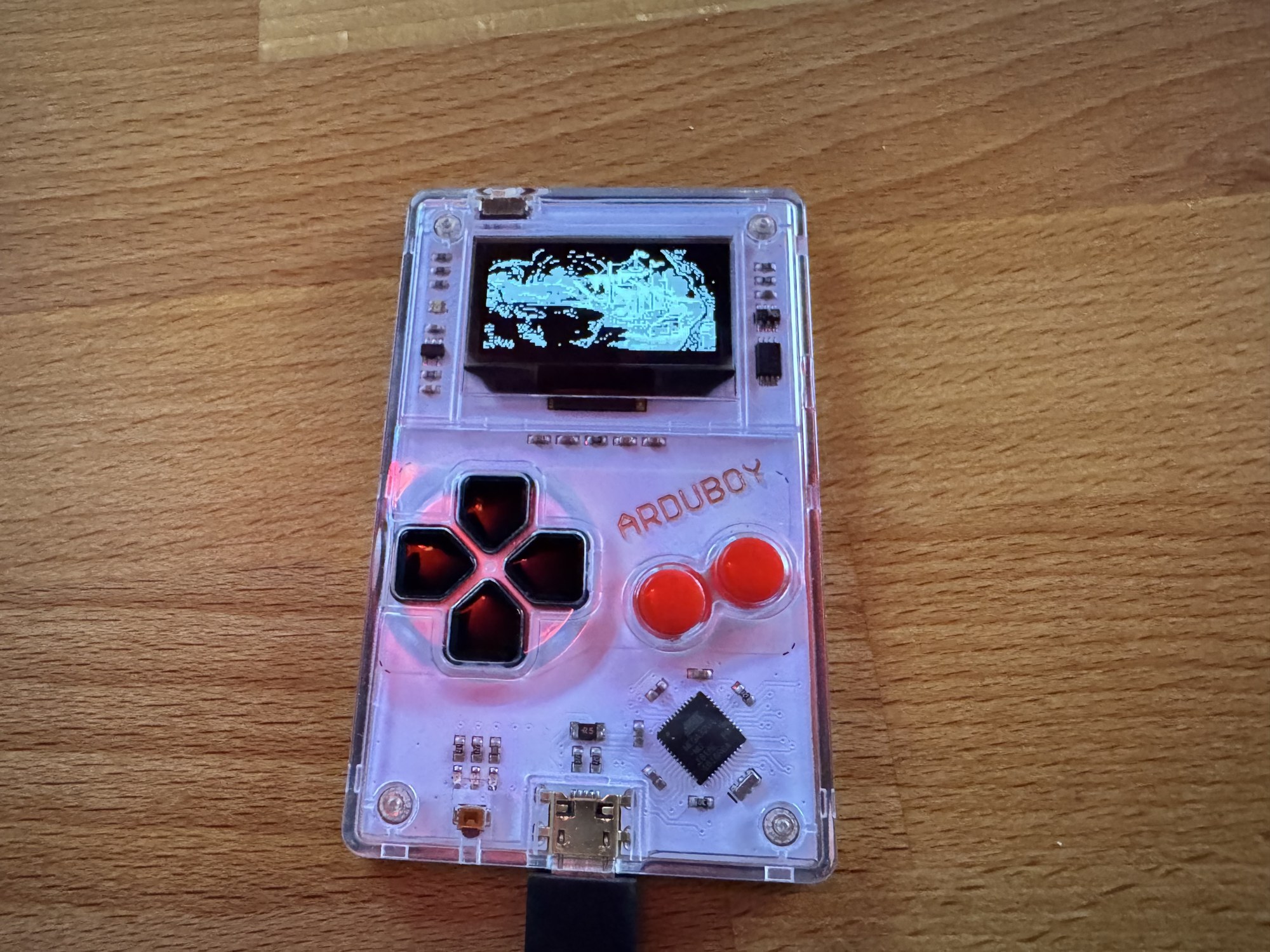
(Fig. 4: An early test of the ghost ship - the lava is as bright as the ship; the final version gives the ship a black outline)
For all other images I wrote a viewer for the Arduboy: all eleven images of the game (title, chapter card, nine rooms), each in five or more variants - flat, darker, dithered, with stronger edges, with an automatic tone range - about 300 KB on the flash chip. Left and right switch the image, up and down the variant, and a number in the corner says which one it is. I went through them on the device and noted the best one per image. Some observations:
- Flat shades instead of dithering. Dithering made the 1-bit version possible, but on the device the flat variants won almost everywhere. Only the chapter card, which is just text, keeps dithered edges.
- A little gamma, darker middles. Most rooms use the 1-bit tone range of the room, stronger edges and a gamma of 1.3.
- Outline what gets lost. The logo on the title is cut out by its colour (magenta), gets its own, brighter tone curve and a black outline - against the light grey sky it would disappear otherwise.
- Rooms with two parts. The kitchen is dark inside and has the dock and the sea outside. Each half got its own setting, split at the wall. The dock outside has the same purple as the water, so it can’t be found by colour; its outline is drawn by hand as a polygon in the coordinates of the original image. A black outline alone didn’t help - black on dark grey is invisible - so the dock also gets its own, brighter tone curve, like the ship.
The chosen settings are part of the scene description, one block per image:
greyscale room ghostship
  layer weights 0.4 0.3 0.9 tone 20 170
  subject hue blue outline
end
The characters were the last step. In the 1-bit version they are white silhouettes in which only the darkest parts (hair, trousers) are black - otherwise they would get lost in the dithered backgrounds. In greyscale they keep their black outline but show the brightness of their costume in three shades: Guybrush now has a face, a shirt and trousers, the cook his striped apron. The tone range is the same for all frames of a character, so he doesn’t change brightness while walking.
What went wrong
The viewer did not start. On the Arduboy it showed the loader’s start screen and nothing else. The display and the flash chip share the SPI bus; when the FX library starts, it deselects the display and only selects it while it transfers an image itself. ArduboyG talks to the display directly - its images went nowhere, and the screen just kept showing the loader. The fix: select the display exactly while ArduboyG transfers a plane.
The game flickered - the more text, the worse.
(Video 3: The first greyscale build - with a speech bubble the screen flickers)
With three planes, the whole screen is drawn three times as often as before: 156 times per second instead of 60. That leaves about 6.4 milliseconds per plane, minus the transfer to the display - about 5 milliseconds for game logic and drawing. If a plane is late, it stays on the screen too long, and the eye sees it as flicker. A first build with the time per plane in the corner showed 18 milliseconds.
My first suspect was the text: the Arduboy2 library draws every character from 48 single pixels. I wrote a version that copies whole columns of the font into the screen buffer - the screen buffer is organized in pages of eight rows, one byte per column, and a column of the 5×7 font is exactly such a byte. It still flickered. Guessing wasn’t getting me anywhere, so I measured: a test build recorded the longest time of every part of the drawing in RAM, and I ran it in the Ardens emulator, which emulates the Arduboy cycle by cycle, flash chip included, and read the numbers from the emulated RAM.
The real culprit was fillRect - the black box behind a speech bubble. The library function fills a rectangle column by column, each column pixel by pixel; its own source comment calls it the “stupidest version”. A speech bubble box cost 8 milliseconds per plane. Filled page by page - one byte per column and page - it takes 0.35 milliseconds.
The text itself was still slow after that: about 30 microseconds per character. The machine code showed why. In the drawing loop so many values were in use at the same time that the compiler kept moving them to the stack and back, in every column. I measured a loop of known length to make sure the numbers were right, then moved the work for one character into its own small function in which everything fits into registers. Characters that are aligned to a page are now simply written, byte by byte.
The rest came from the same question - what is drawn three times per frame although it doesn’t change? The background is now read straight from the flash chip into the screen buffer when it is aligned to the pages, instead of being mixed in byte by byte. Closed doors are not drawn at all, because they show exactly the background. And which sprite a character needs - its size depends on the walk box - is decided once per game step instead of once per plane.
| Per plane, with a speech bubble | Before | After |
|---|---|---|
| Background | 2.8 ms | 1.7 ms |
| Speech bubble (box and text) | 12.6 ms | 1.7 ms |
| Two characters | 1.7 ms | 0.9 ms |
| Closed doors | 0.4 ms each | 0 |
| Whole plane | 18.4 ms | 4.9 ms |
(Measured in the Ardens emulator; the 18.4 ms on the device)
White text that wasn’t white. When I looked at a screenshot of the test setup, the speech bubbles were light grey. The Arduboy2 library starts with its own white, the value 1; for ArduboyG, 1 means dark grey, white is 3. As long as nothing had set the text colour - before the menu was opened for the first time - the speech bubbles were only lit in one of the three planes. On the device the OLED made even that look white, so nobody noticed.
The flash that never came. When the Voodoo Lady has her vision, the screen flashes inverted. The command for that went to the display while the flash chip had deselected it - it probably never arrived, also not in the first version. It is now sent together with the planes.
What it costs
Every image with a greyscale version is stored three times, once per plane. The data on the flash chip grew from 84 KB to about 230 KB for one language, the program by about 2.5 KB, the RAM by about 100 bytes. The game logic still runs 60 times per second - walking speed, speech durations and music are unchanged. And who prefers the old look can switch back to black and white in the menu.
Source code
The project is called Pocket Adventure FX - a neutral name, because it is an engine and a build tool, not a release of the game: github.com/User7142/pocket-adventure-fx
The engine, the compiler and the tools are licensed under the GPL v3 (or later); ArduboyG is included under the MIT license. Building needs macOS or Linux (or Windows with WSL - thanks to spinal for the guide), Python 3.10 or newer and curl:
./build.sh ~/Games/MONKEY ~/Games/MONKEY-DEThe result is dist/PocketAdventureFX.arduboy for the Arduboy Toolset, a cart editor or the Ardens emulator.
Limits
- Only the first scenes of Part One are included; the forest, the town beyond the street and the three trials are not.
- The screen is 64 pixels high, the original 144. Characters are drawn a little larger than the backgrounds so you can still recognize them.
- In greyscale the bottom row of pixels is not visible, and cameras don’t show the greys as the eye sees them.
- Music is one voice on a piezo speaker.
- There is no save game - the cut is short enough to play it in one go.
Thanks
- spinal from the Arduboy forum, for the suggestion to use greyscale, the guide for building on Windows and the tip for extracting the files from the original floppies.
- Peter Brown (tiberiusbrown), for ArduboyG and the Ardens emulator, without which I could not have measured where the time went.
What's next
(added: 2026-10-03)
After the first version, several people asked whether this means that all SCUMM games - or even Leisure Suit Larry - could run on the Arduboy now. In theory, yes. But even with modern tools, AI included, there is still a lot of manual work: every scene has to be translated and checked against the original, and that takes time.
Other SCUMM games would be the easier part: the converter already reads SCUMM v4 data, other versions would need some work there. Leisure Suit Larry is a Sierra game and runs on a different engine (AGI or SCI), so it would need a completely new converter and a much bigger engine. Not impossible, but time-consuming. On the other hand, quite a few people seem to be interested in projects like this, and now there is a template to start from - in the end it’s “just” a matter of putting in the work.
The real limit is the program memory: 29 KB, and the engine already uses 24 KB of it. New rooms, graphics and texts don’t count against it - they live on the 16 MB FX chip. New features in the engine do, though, such as the logic for the sword fights.
Kevin Bates (bateske), the creator of the Arduboy, pointed out a way around this: an Arduboy program can launch another program while it is running. That means loading times, but perhaps short enough not to be noticed - that still needs to be tested. Parts like the sword fights, or individual chapters, could then become programs of their own, and the 29 KB would never fill up. A nice side effect: the game state has to survive the switch anyway, so a save function comes almost for free.
At the moment this is still theory. But with this much positive feedback I’m really looking forward to continuing - and now with four shades of grey there is even more to see.
Comments on "The first scenes of The Secret of Monkey Island on the Arduboy FX"
Comments are moderated before publication. Only substantive and constructive comments will be approved.