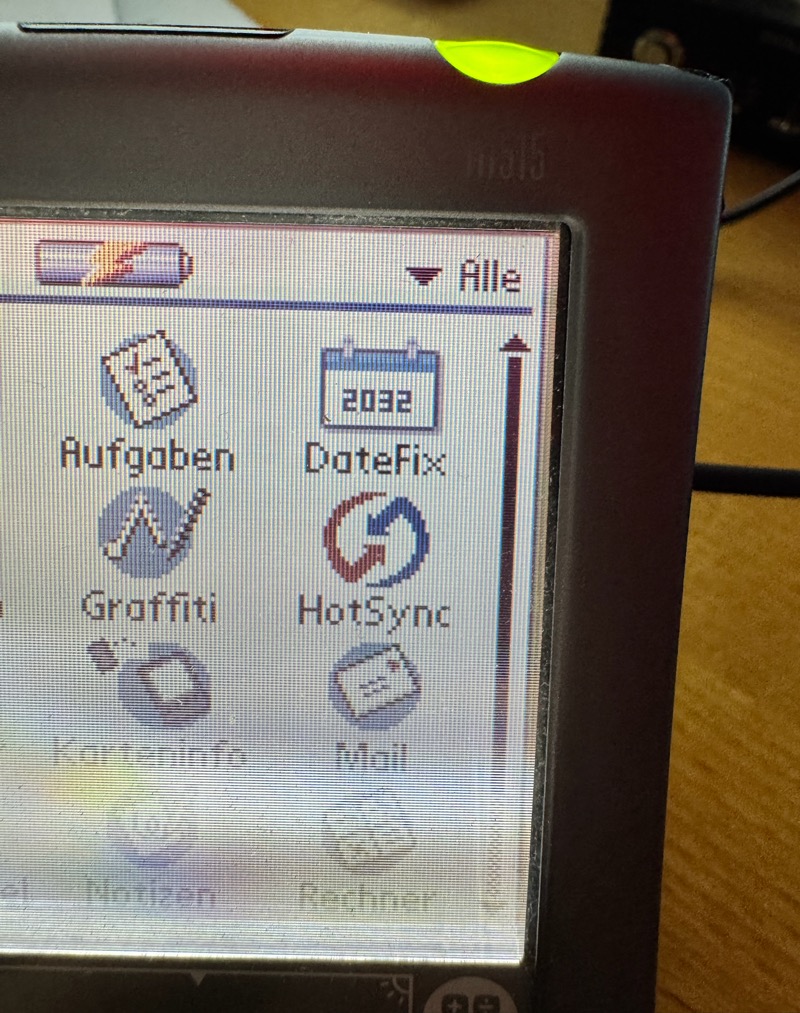
(Fig. 1: DateFix on a Palm m515 (Palm OS 4.1) - the icon shows the year that used to be impossible)
Hint: Most images can be enlarged by downloading or opening them in a new tab.
Palm OS has a date problem, and it has a date: 31 December 2031, 23:59:59. After that second the calendar cannot go on. Appointments in 2032 cannot be created, the clock resets itself, and in the worst case an application stops with a fatal error. The community calls it "Palm Day", and as of this writing it is five years away - every Palm in my collection will reach it, whether it is used or not.
I wanted to know exactly what happens, and I wanted a Palm that simply keeps working afterwards: Calendar, Tasks, alarms, reminders, the clock in the status bar. This article is about DateFix, the result, and - since I think that is the more useful part - about everything that did not work on the way. It runs on Palm OS 5 (tested on a Tungsten T3) and on Palm OS 3.5 to 4.x (tested on a Palm m515), and it is open source.
A note on credit first: the basic idea - run the Palm's clock some decades in the past and add the offset whenever a year is shown - is not mine. NaivePalmdayMitigation by Tavisco, published in 2024, does it for Palm OS 3.5 to 4.x, and I only found that out while I was already deep into this. What DateFix adds is mostly automation and coverage; the details are in Related work at the end.
If you only want to use it, skip to Using DateFix. Please read the safety notes there first.
What exactly ends in 2031?
Palm OS stores a date in a 16-bit value, the DateType: 7 bits for the year, 4 bits for the month, 5 bits for the day. The year counts from 1904, so the largest possible year is 1904 + 127 = 2031. The clock is a 32-bit number of seconds since 1 January 1904, 00:00:00. The SDK even has a constant for the last valid value: maxSeconds = 0xF0C3EFFF, which is 31 December 2031, 23:59:59. A 32-bit counter would last until 6 February 2040, but the date conversion stops eight years earlier.
The date picker of the Tungsten T3 shows it nicely. Here it is on 31 December 2031 - the year arrow is at its end:
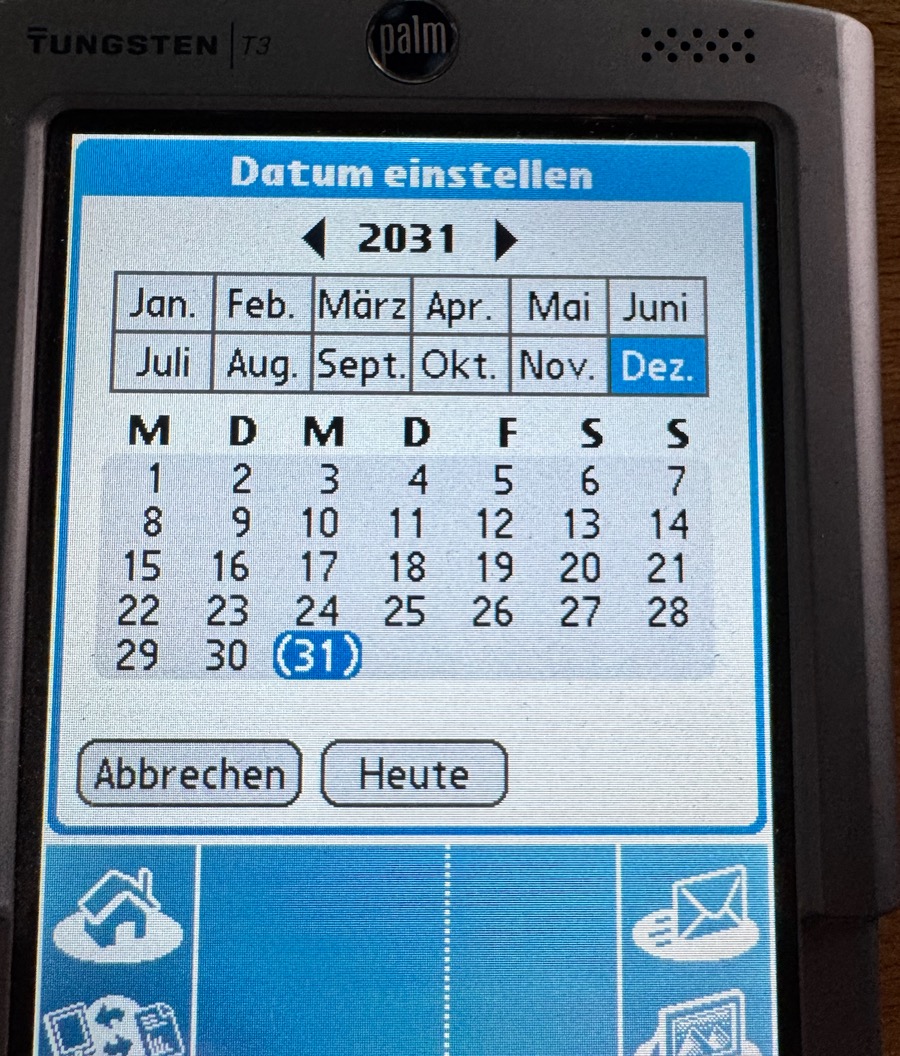
(Fig. 2: The system date picker on a Tungsten T3: 2031 is the last year you can select)
To see what the clock does, I wrote a small diagnostic application, ClockProbe. Every half second it shows the raw value of TimGetSeconds() in hexadecimal, the distance to maxSeconds, and the date that TimSecondsToDateTime() makes of it. I set the clock of the T3 a few seconds before the end of 2031 and watched. This is the last second:
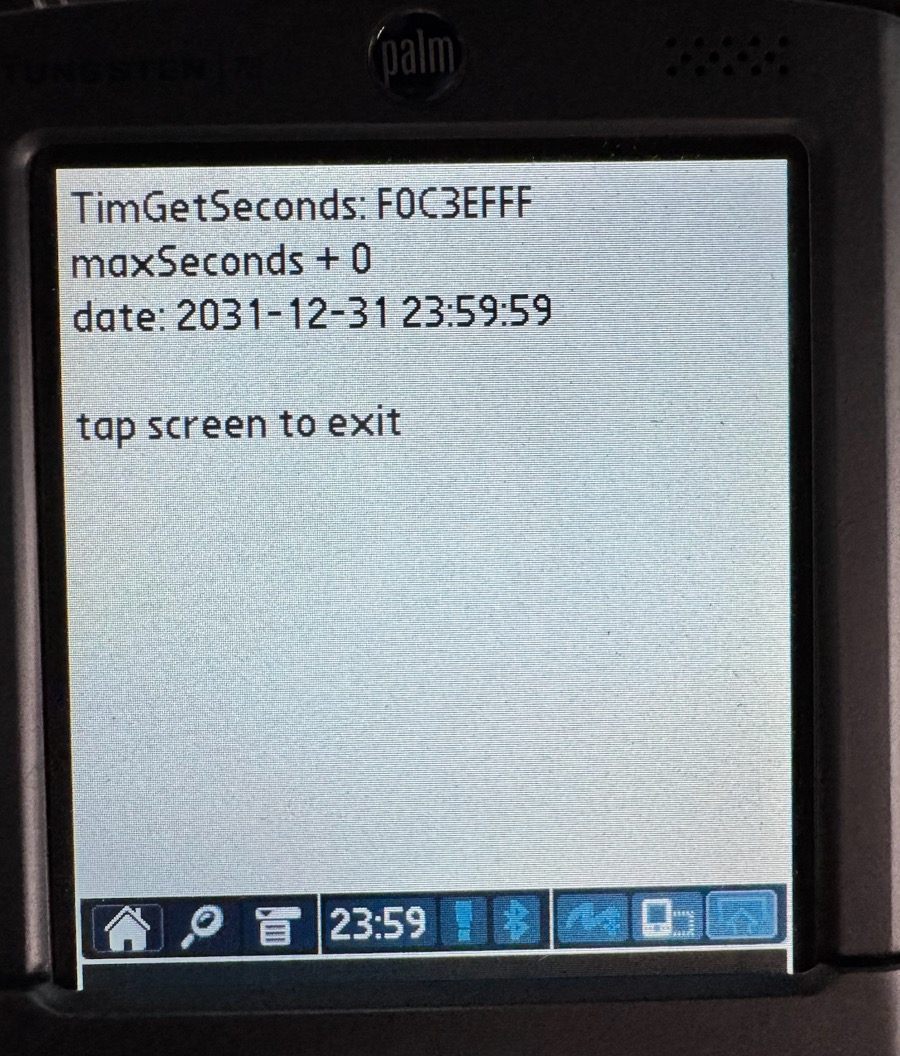
(Fig. 3: ClockProbe on the T3, without any fix: the clock is exactly at maxSeconds, 2031-12-31 23:59:59)
And this is 15 seconds later:
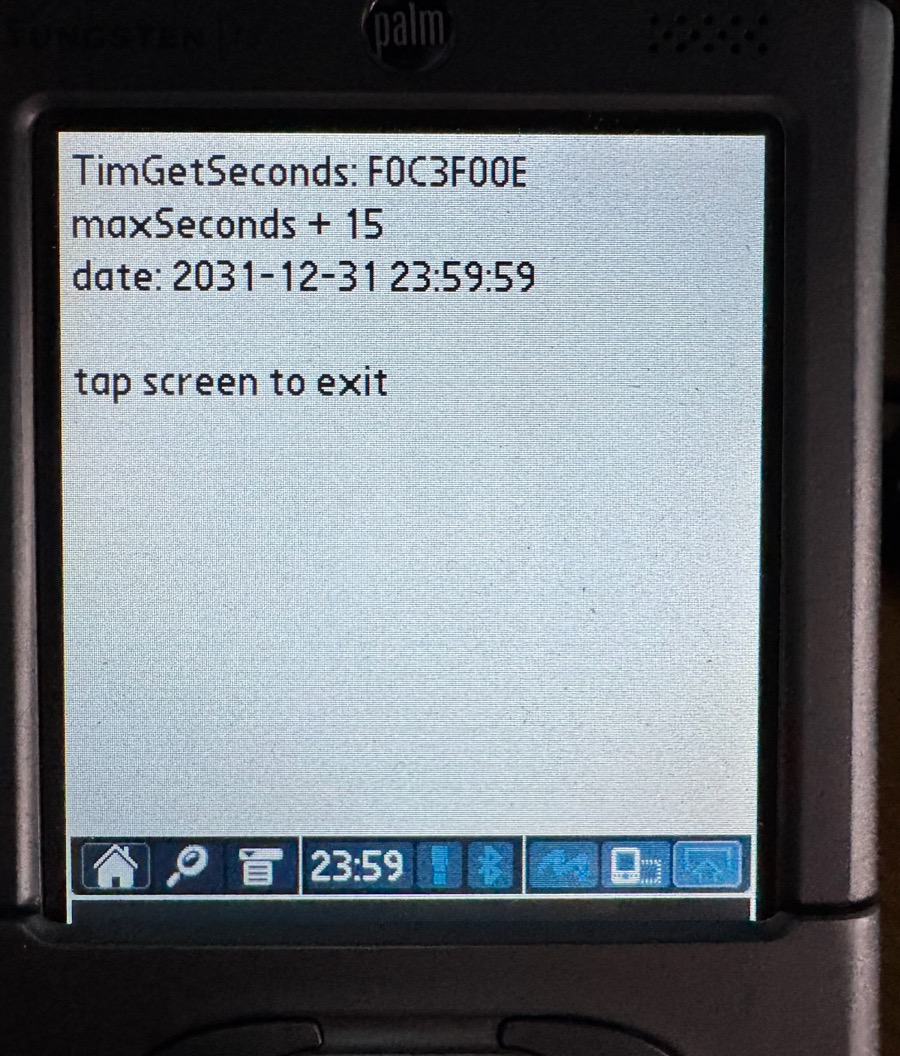
(Fig. 4: 15 seconds later: the raw clock value counts on (maxSeconds + 15), the converted date stays at 23:59:59 forever)
That is an important finding: the hardware clock does not stop. The 32-bit counter happily keeps counting; only the conversion to a date clamps at maxSeconds. What breaks is the interpretation of the number, not the number itself. That leaves room for a fix.
The first idea: slide the window
My first approach was the obvious one: keep everything stored as it is and change only how it is read. The 7-bit year 0…127 means 1904…2031. If I read years 0…35 as 2032…2067 instead of 1904…1939, the window becomes 1940…2067 - and real Palm data from the last 30 years lies in 1940…2031 and is not touched at all. Nobody has appointments in 1910 anyway. I replaced the date conversion functions of the system and, on the T3, the clock ran through the end of 2031 into January 2032:
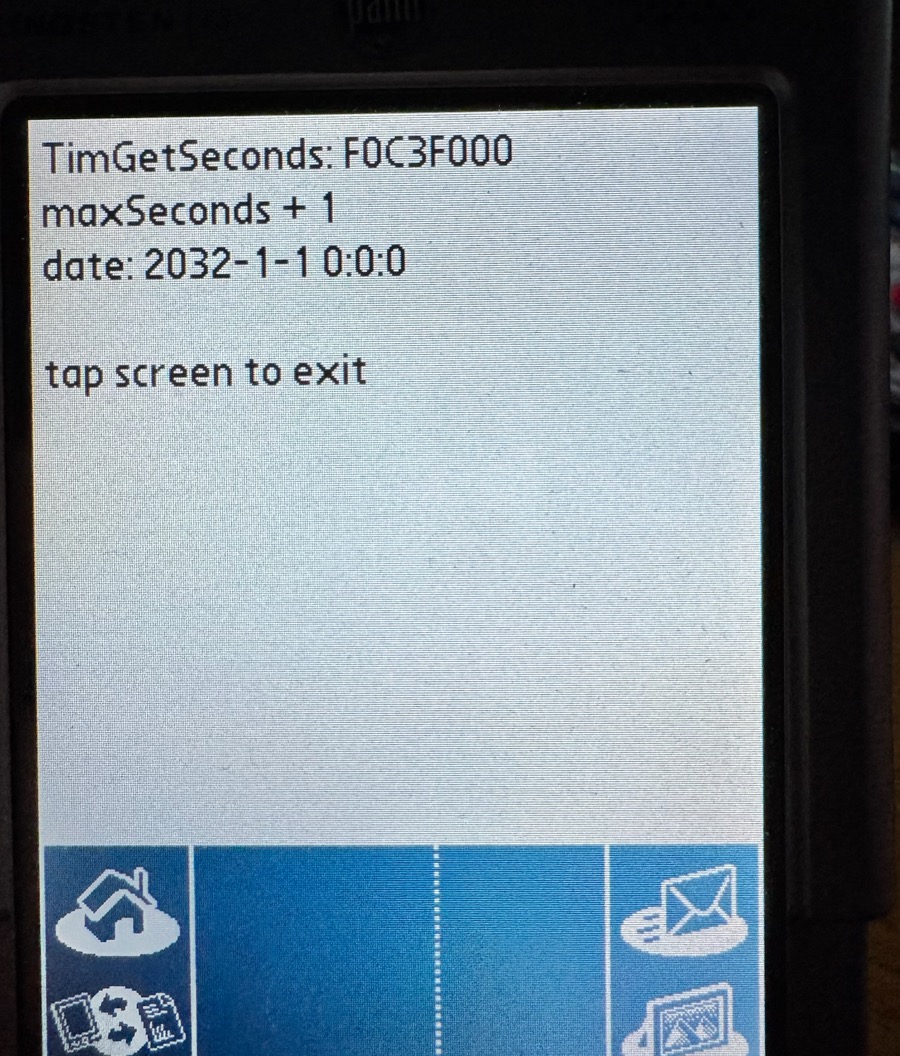
(Fig. 5: The same ClockProbe with the first version of DateFix: one second after maxSeconds it reads 2032-1-1 0:0:0)
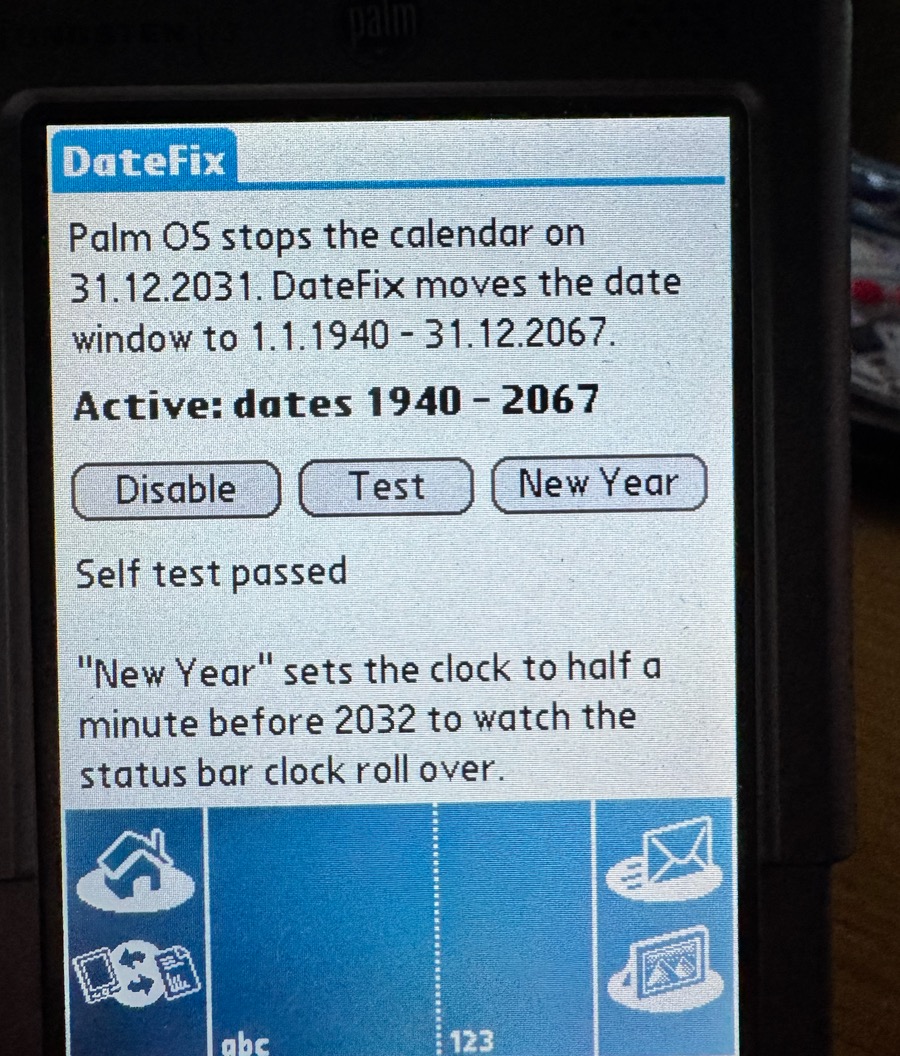
(Fig. 6: The first version of DateFix (1.0): "Active: dates 1940 - 2067")
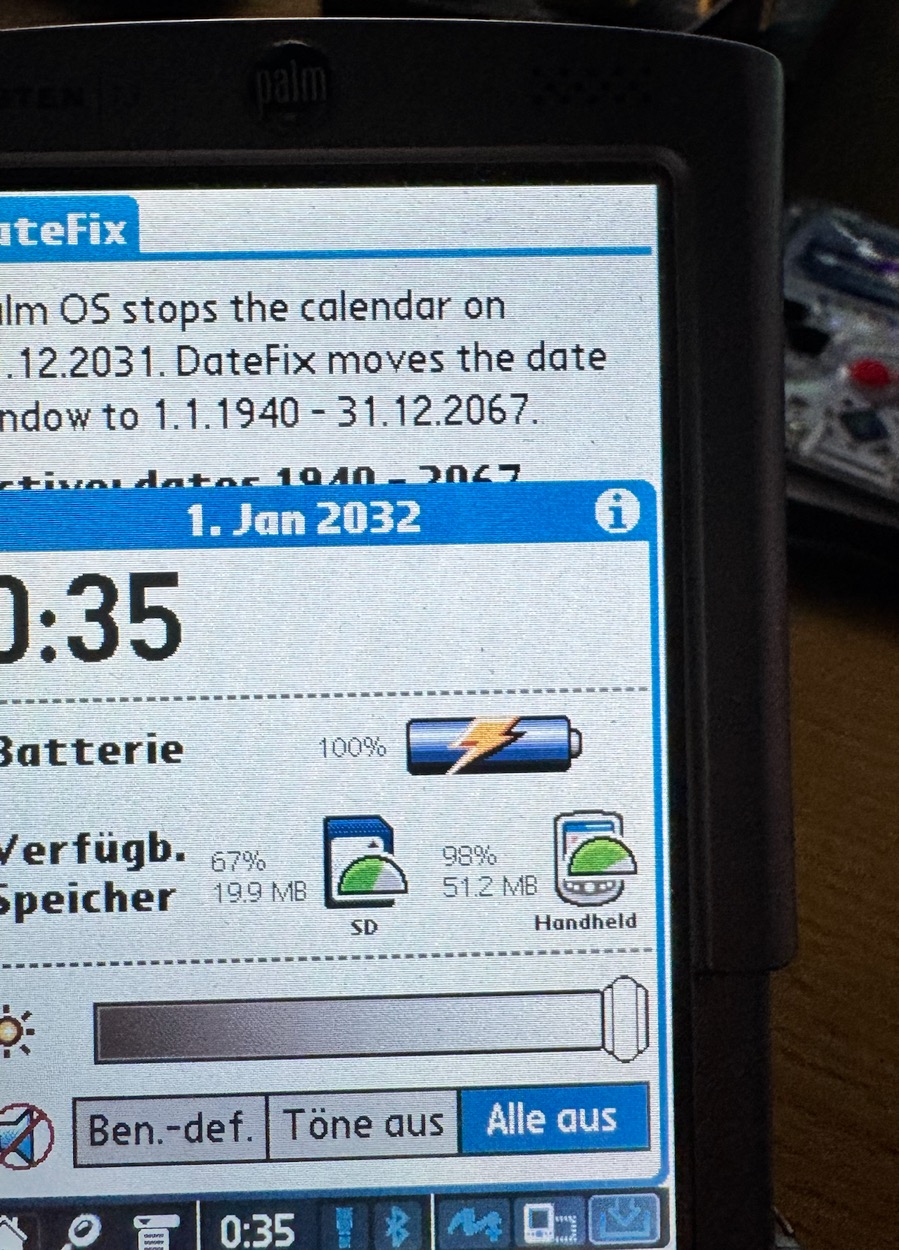
(Fig. 7: The status bar clock popup shows "1. Jan 2032" - the system's own native code uses the replaced functions)
The clock showed 0:00 on 1 January 2032, even the native status bar popup agreed. I was quite happy. Then I tried to use the device.
Failure 1: a fix that only reads differently is not a fix
With the window slid, the Calendar was a wall at 31 December 2031. Dates compare as plain numbers in the applications: 2032 is stored as year 0, which is "smaller" than 1940 stored as year 36. The Calendar could not step forward from 2031. When I created an appointment in 2032 anyway, the Calendar stopped with a fatal error:
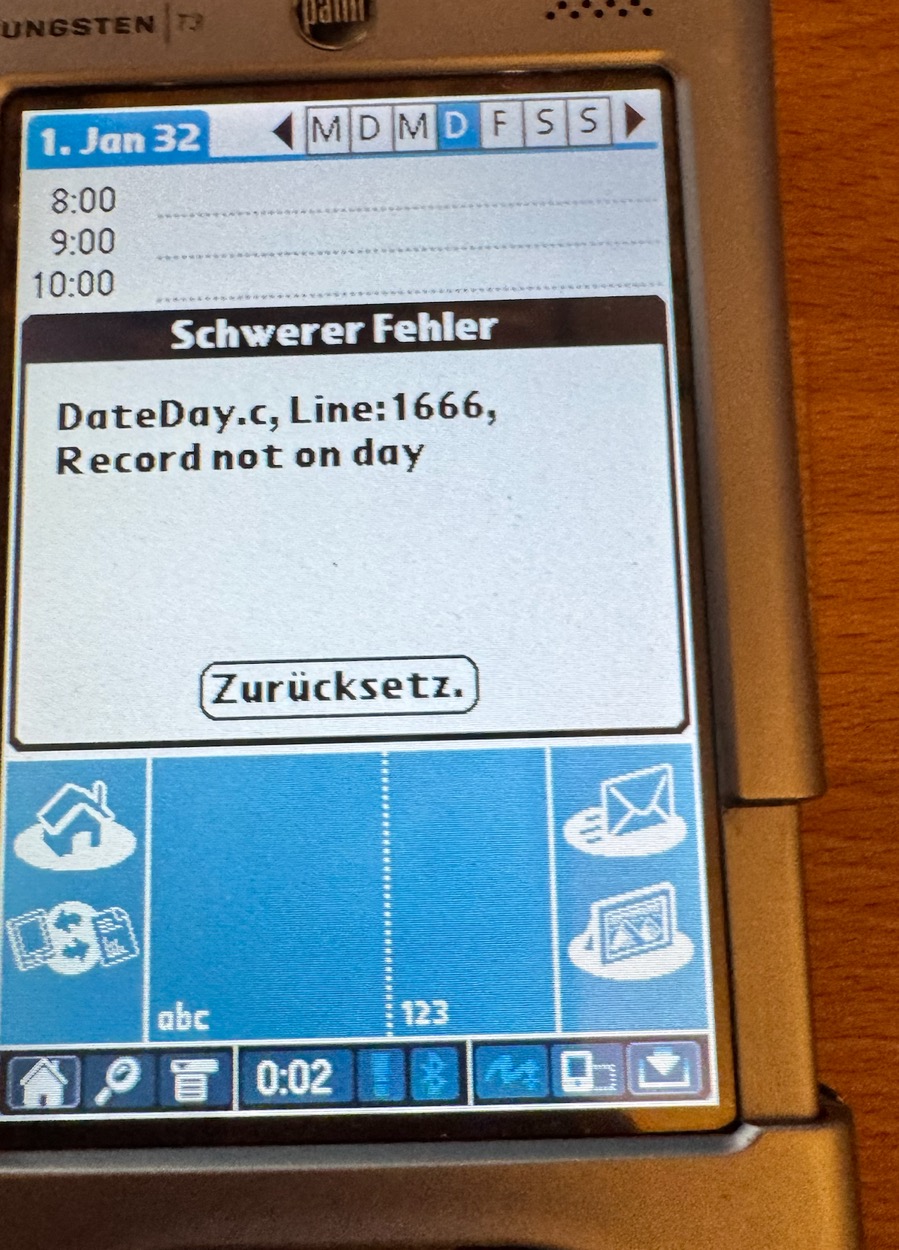
(Fig. 8: Calendar on 1 January 2032: "DateDay.c, Line:1666, Record not on day" - the application's own date logic disagrees with the slid window)
In Tasks the due date picker started at 1904, and dates after 2032 could not be entered at all, because the applications compute the full year as DateType year + 1904:
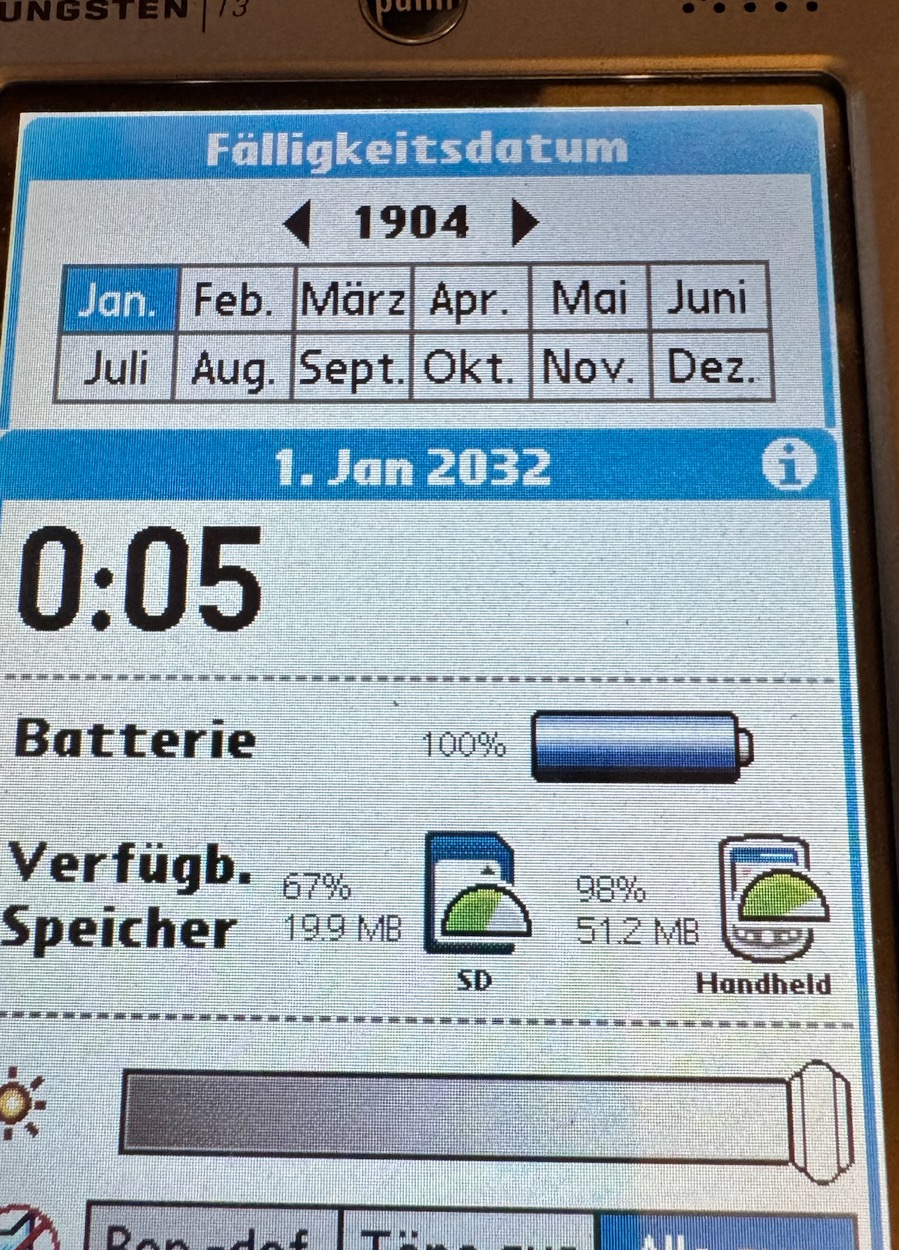
(Fig. 9: Tasks, due date: the picker opens on 1904 because the application computes 1904 + 0)
And there was a third problem: after a soft reset with the clock in 2032, the Palm came back with the date 2002. The clock value is above maxSeconds, and the system throws it away while booting - before any extension has a chance to run. (That is what I observed on the T3; I did not disassemble the boot code for this.)
What is common to all three: an application that does its own arithmetic with stored dates cannot be fixed by changing one conversion function. The stored values themselves have to make sense.
The idea: move the epoch
So the second version moves the epoch. It is as if the Palm had been shipped with the counter starting in 1940 instead of 1904:
- The clock counts seconds since 1 January 1940. A date in 2032 is then a clock value of 1.9 billion seconds - far below the limit. The limit is not reached before 2067, and a reset does not hurt, because the value stays valid.
- A stored
DateTypeyear counts from 1940 as well. The year value 92 means 2032. - Applications do not notice anything. They still see "internal" years 1904…2031, a normal, gap-free calendar with normal comparisons. Internally, "1996" is really 2032.
That shifts the problem to a small set of places where the real calendar differs from the internal one. There are only two:
- The weekday. 1 January 1996 was a Monday, 1 January 2032 is a Thursday. The internal calendar is three days off against the real one, because 36 years are exactly 13,149 days and 13,149 mod 7 = 3.
- The year that is shown to the user, in every place where a date is turned into text.
Everything else - month lengths, day counting, adding days, sorting, repeating events, alarms - works unchanged, and that is not luck: the shift is exactly 36 years, a multiple of four, and the window stays below the year 2100, so internal and real years have the same leap years (1964 is a leap year as 2000 is; neither window contains 1900 or 2100). That is also why the start year can only be 1904, 1908, … 1972: steps of four keep the leap-year pattern aligned. The default is 1940, which gives 1940 - 2067.
Update (beta.2): the default is now 1932, which gives 1932 - 2059. Because 28 years are 10,227 days, exactly 1,461 weeks, and the leap-year pattern repeats every 28 years, an offset of 28 (or 56) makes the weekday identical internally and in reality. With 1940 the internal calendar was three days off, as described above. With 1932 an application that does its own day arithmetic gets weekdays and leap years right without any patch; only the year it shows remains. Installations that were enabled with 1940 keep their setting. The screenshots in this article were taken with the 1940 default of beta.1.
The arithmetic is a small C file without tables or system calls (calendar.c), so the same code runs on the Palm and in a host test. The test checks every single day from 1904 to 2031 for all 18 possible start years (841,536 days) against Python's datetime - zero differences.
How Palm OS 5 reaches a date function
To replace the conversion functions of the system, I first had to find out where they live. On Palm OS 5 the system is native ARM code, and the 68k applications run in an emulator called PACE. A 68k application calls a system function through a trap. On Palm OS 5 the trap table points into a small stub in RAM, eight bytes long:
4E4F 07FE  <32-bit native address, little-endian>
TRAP #15, function 07FE (call native code), address of the ARM function
The native address is a small Thumb function, the shim. It reads the 68k arguments from the emulated stack, converts them, calls the real function, and converts the result back. For TimSecondsToDateTime (trap A0FC) I disassembled it from the ROM of the Tungsten E2:
push  {r0-r5, r7, lr}
bl    read 68k argument 0 (seconds)
bl    read 68k argument 1 (pointer)
blx   0x20450d60                  ; the function
bl    copy DateTimeType back to 68k
And the function at 0x20450d60 is not the function but a two-instruction veneer into the export table of a system module:
ldr  ip, [r9, #-8]       ; export table of module 1 (Boot)
ldr  pc, [ip, #0x92c]    ; entry number 587 (0x92c / 4)
That is the Palm OS 5 calling convention between modules: register r9 points to a list of export tables ([r9-4] is the DAL, [r9-8] the Boot module, [r9-12] the UI module), and every call from one module into another goes through an entry of such a table. And those tables live in RAM and can be written. This is how Palm OS 5 system hacks work - and it is what makes the fix possible: if I replace entry 587 of the Boot table with my own function, then everyone who calls TimSecondsToDateTime gets mine - 68k applications through their shims and native modules like the status bar alike. That is the reason why the status bar popup above already showed 2032.
DateFix does not contain a single ROM-specific number. The 68k part decodes the stub, the shim and the veneer at run time (FindExport()): it checks that the stub bytes are exactly 4E4F 07FE, finds the blx in the shim, checks that the target consists of exactly the two expected instructions, and reads module and index from their offsets. Nothing is patched if any instruction does not match. The result on the T3 (Palm OS 5.2.1) - the same numbers I found on the E2 emulator ROM (5.4):
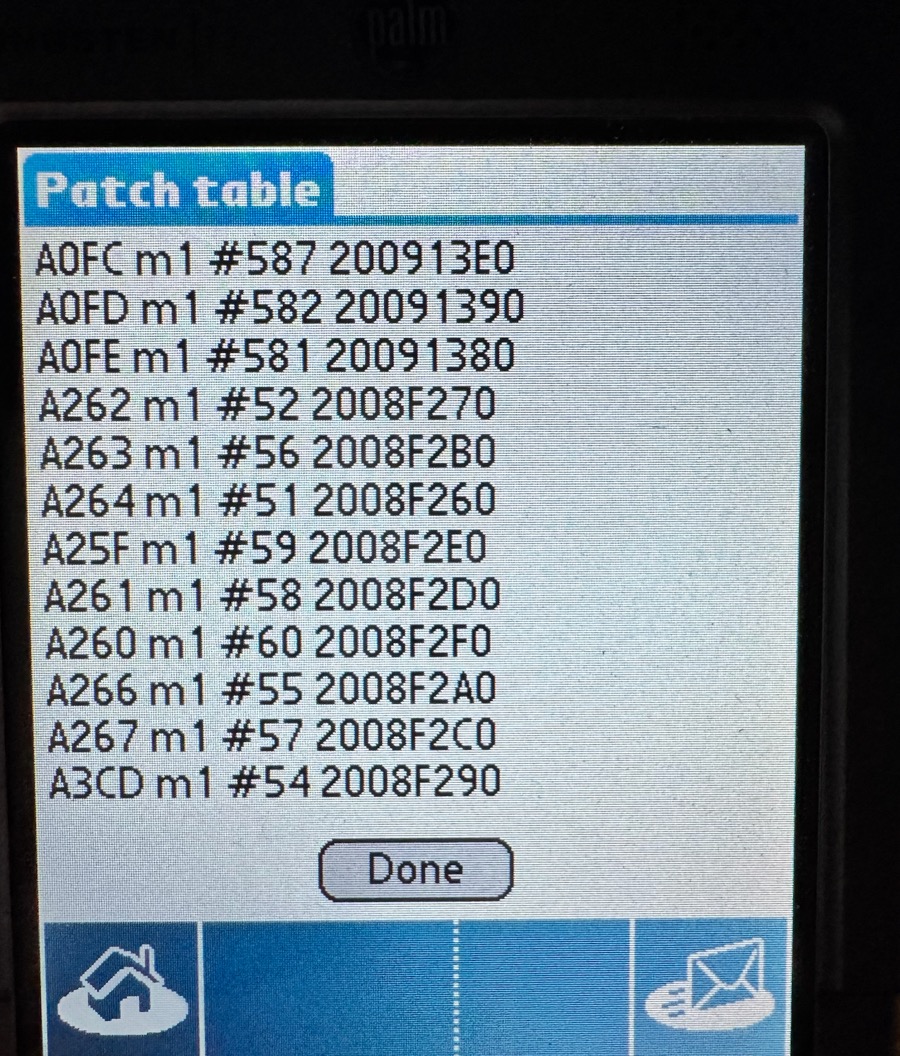
(Fig. 10: Options → Patch table (first version): trap, module, export number and current address of every function DateFix found on the T3)
The table shows, for example, that TimSecondsToDateTime (A0FC) is entry 587 in module 1, DayOfWeek (A25F) is 59 and DateToAscii (A266) is 55. DateSecondsToDate has no entry of its own - its shim calls TimSecondsToDateTime and packs the result, so it is covered as well.
What DateFix replaces
Only six functions, and no more:
| Function | What DateFix does |
|---|---|
TimSecondsToDateTime |
converts seconds (counted from the start year) to the internal date, and sets the weekday of the real date; clamps at the end of the window |
DayOfWeek, DayOfMonth |
compute the real weekday of an internal date |
DateToAscii, DateToDOWDMFormat, DateTemplateToAscii |
call the original function (it knows the language, month names and formats of the device) - but with the real year |
Functions that only count days - DateToDays, DateAdjust, DaysInMonth - stay the system's: internal and real years have the same leap years.
The formatting functions revealed the first subtle bug. The original DateToDOWDMFormat calls DateTemplateToAscii and DayOfWeek internally, and those calls go through the same export table - so through DateFix again. The result: the year was shifted twice. In the event details of the Calendar, Wednesday 30 September 2026 was shown as "Sat 9/30/62": 2026 + 36 = 2062, which is a Saturday. The same thing had already happened earlier with the weekday names in the agenda (Friday instead of Tuesday). The fix is a counter: while one of the formatting wrappers runs, the functions it calls see "depth > 0" and leave year and weekday alone. The counter lives in a small memory chunk in the dynamic heap, because the code itself sits in a write-protected storage heap.
Code that runs in every application
The replacement functions are native ARM code in a resource of the DateFix application. That code has several unusual constraints, and I found out about each of them the hard way.
No globals, no absolute addresses. The code is called from many contexts (status bar, Calendar, a game). It must be position independent and is linked twice, at address 0 and at 0x10000; the build compares both results byte by byte and fails if they differ. The few values it needs (the epoch offset and the addresses of the original functions) are in a small table inside the code that the 68k side fills with DmWrite before anything is patched.
Failure 2: the crash at boot. A patch must survive a reset, so DateFix installs itself again when the system sends sysAppLaunchCmdSystemReset. In the emulator the Palm did not come up anymore after the first reset with DateFix enabled. The cause: an application launched with that command has no globals - register A5 points nowhere. My table of functions to patch was static const, which I thought was safe. But prc-tools keeps initialised data, even const data and string literals, in the globals of the application. The installer read the table through lea %a5@(-240) and died in a fatal exception during the boot of the Palm. I found it in the emulator, a no-notify reset (holding navigator up) brought the device back. The table is a switch now, and the build runs a small script (check_reset_path.py) over the 68k disassembly that follows every function reachable from the reset launch and fails on any A5-relative access. Built against the broken source it names exactly the faulty line.
Failure 3: the unaligned load. The 68k side passes a request block (command, entries) to the ARM installer. The installer read it with 32-bit ldr. On a 68k stack data is only 2-byte aligned, and Palm OS 5 answers an unaligned word load with a fatal exception. A first probe had only worked by accident, because its buffer happened to be aligned. All request data is now read and written byte by byte, big-endian. A second trap in the same place: my "write, then read back to verify" check was optimised away by the compiler until I made the read volatile.
The lifetime. The export tables are rebuilt at every reset, so the patch lasts exactly until the next reset. DateFix then installs it again, before anything else needs a date. The code resource stays locked, and while the patch is active the database of DateFix is protected against deletion, because the table points into it.
Converting the data
With the epoch moved, all stored dates have to move as well. A date written in 2026 as year 122 must become year 86 (2026 − 1940), or it would jump 36 years into the future. DateFix converts the records of the built-in applications, in the record formats documented by palmOne (Calendar, Tasks, Contacts) and by the old Palm SDK sources:
| Application | What is converted |
|---|---|
| Date Book / Calendar | date, end date of a repeat, every exception |
| To Do / Tasks | due date, completion date, start and end of a repeat |
| Address / Contacts | birthday, and the anniversary in a blob after the strings |
| Expense | date of the record |
| all databases in RAM | creation, modification and backup date (seconds) |
Only the year field changes: the shift is a multiple of four years, so month and day stay valid - 29 February included. "No date" (a due date of 0xFFFF, a repeat that never ends) stays untouched. The packed records have a variable layout, so the converter walks each one the way the application does. A Datebook record, for instance, starts with start time, end time and the date, then comes a flags word that says whether an alarm (2 bytes), a repeat (8 bytes, with the end date at offset 2) and an exception list follow. A record that does not parse is left unchanged and counted.
Before the first record is touched, DateFix counts what it is going to convert, asks, and copies the affected databases to the SD card (/PALM/DateFix, using VFSExportDatabaseToFile). Each record is converted in a copy and written back in one piece, and it is not marked as modified, so the next HotSync does not send the epoch change to the desktop. A flag in the preferences marks a running conversion; if the Palm is reset in the middle of it, DateFix says so at the next start.
What cannot be represented: a date before 1940 (a birthday in 1935) has no place in the new window. DateFix sets such a date to its first year and tells you how many there were. Conversely, going back to the 1904 epoch is only possible for entries before 2032 - more on that below.
The date picker
With the functions, the clock and the data in order, one thing was still wrong, and it was in plain sight: the system's "Go To" dialog.
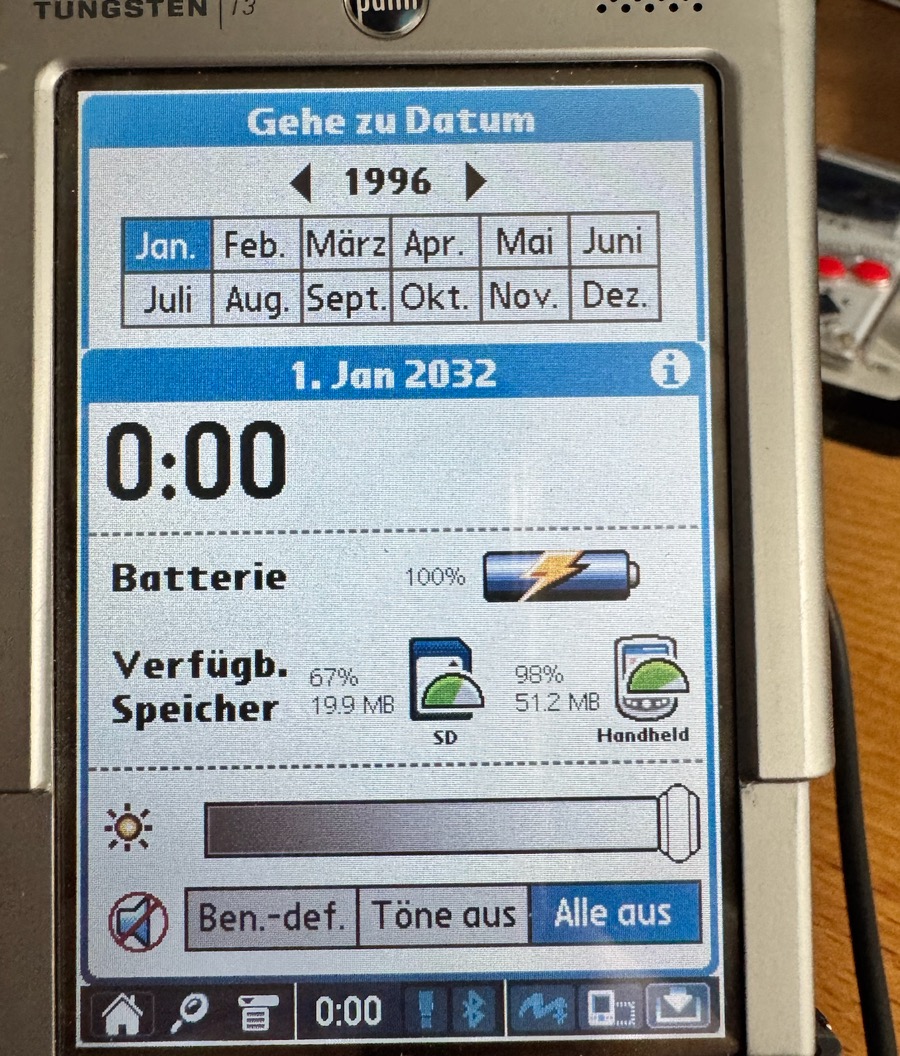
(Fig. 11: Go To Date in the Calendar, on 1 January 2032: the picker shows 1996, the internal year)
The picker is a native function of the UI module (SelectDay, trap A2D0, export number 265). It draws the year itself from the year it gets, which is the internal one, and the weekday header of its grid is computed from a reference date with the unpatched calendar - it was three days off, the header read W T F S S M T over a grid that was right.
Failure 4: replacing the trap. The obvious route is SysSetTrapAddress with a picker of my own. I wrote a complete replacement in 68k (with real years, the locale's month names, by-day/by-week/by-month semantics). On Palm OS 5 the call returns sysErrNotAllowed - PACE only lets a few traps be replaced.
Failure 5: overwriting the stub. If the trap cannot be redirected, what about the eight bytes of the stub behind it? I overwrote them with a 68k JMP to my picker. In the emulator nothing changed in the Calendar - and shortly afterwards the emulated Palm stopped responding. A change that can freeze a device is not a fix; I reverted it and kept the attempt as a diff in the repository. (I never found out whether the semaphore I used to unprotect the stub, PACE's decoded-stub cache, or something else caused it.)
What worked: the export table again. The picker is native code, so its entry in the UI export table can be replaced just like the date functions. The replacement does almost nothing: it raises a counter ("picker running"), calls the original SelectDay, and lowers the counter. While the counter is set, a second replaced function, StrIToA (number to text - the picker draws its year with it), shows a value between 1904 and 2031 as the real year, and the formatting wrappers leave the year alone so that the weekday header agrees with the grid. The picker itself keeps working with internal years, so what it returns is exactly what the applications store. One detail: the shim of SelectDay does not call its veneer directly but through a shared Thumb function one bl deeper, so FindExport() learned to follow one more step - but only if the shim itself contains no veneer call, so the six original functions are found the way they always were.
Palm OS 3.5 to 4.x: the same idea, easier plumbing
Everything above was Palm OS 5. The Palm m515 runs Palm OS 4.1 on a 68k Dragonball, so there is no PACE and no ARM: the system functions are 68k code and their traps can be replaced directly with SysSetTrapAddress. The six wrappers are plain C functions (m68k.c), and the 68k picker I had written before - the one that failed on Palm OS 5 - is the picker there. The configuration lives in a heap chunk that is owned by the system and referenced by a feature, because the wrappers run inside other applications where an A5 world of their own does not exist.
For testing I downloaded the ROM of my m515 and ran it in CloudpilotEmu. That is when the next failure showed up. My first build on the real m515 answered with:
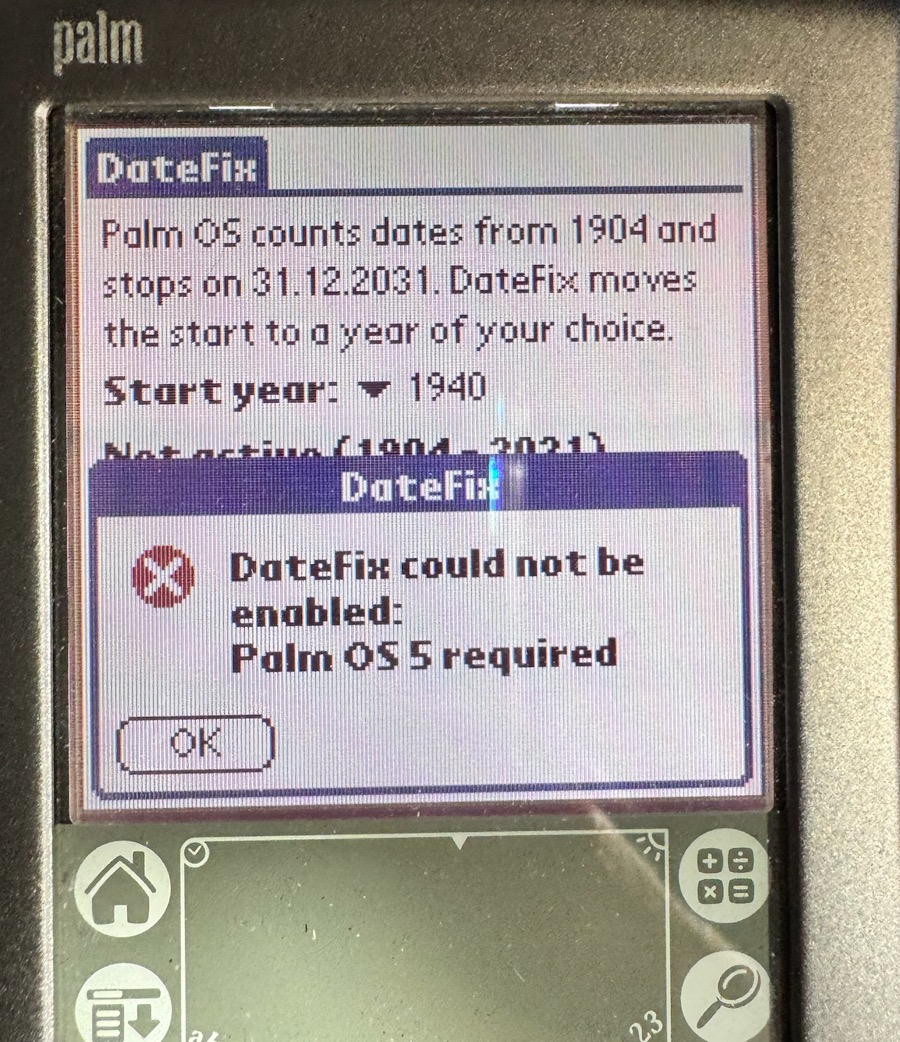
(Fig. 12: A Palm m515 with the first version that knows only Palm OS 5: "DateFix could not be enabled: Palm OS 5 required")
Expected - a version that only knows Palm OS 5 says so. The real problem was the order of things: DateFix converted the stored dates first and only then found out that the patch cannot be installed. The undo converted them back, but dates before the start year had been clamped to 1940 by then - for good. On the m515 that could have been a birthday in 1935. Failure 6: nothing may be touched before it is certain that it can be finished. CanInstall() now runs first - Palm OS version, every export found - and only then are dates counted, the user asked, and records converted.
Seen on a Handspring Visor: Date Book+
The next problem showed up on a Handspring Visor. The Visor (Palm OS 3.5.2H3) comes with a calendar application called Date Book+ (a version of Pimlico's DateBk3). The built-in Date Book was fine. Date Book+ was not:
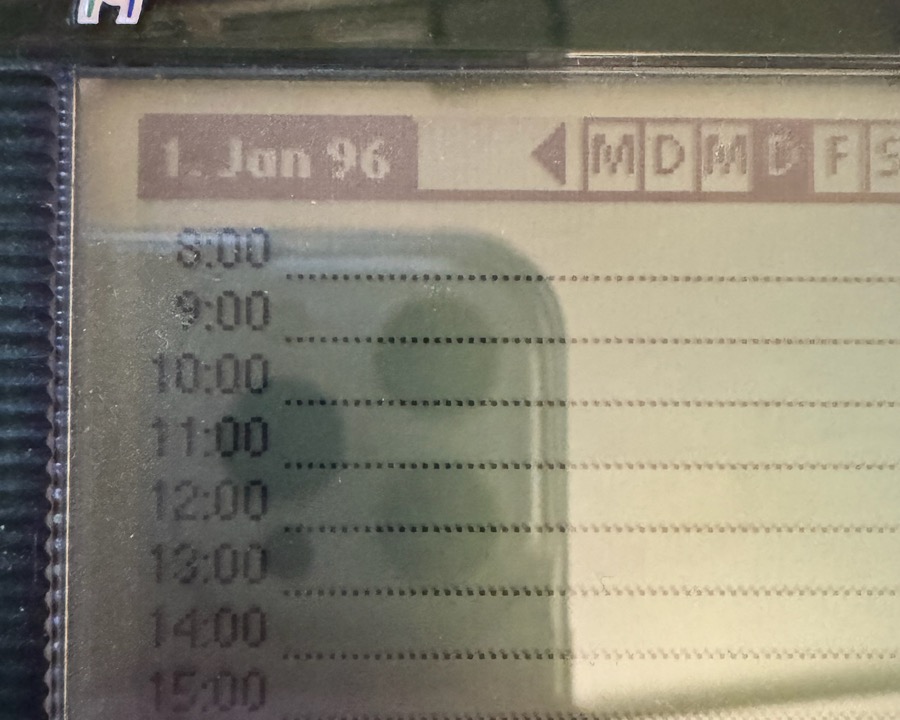
(Fig. 13: Date Book+ on the Visor with an early DateFix build: "1. Jan 96" instead of "1. Jan 32")
To see what Date Book+ passes to the date functions, I needed it in an emulator, together with a trace function in DateFix (Options → Show Trace, it lists what applications pass to the date functions). CloudpilotEmu does not know the Visor, and the download of Date Book+ on PalmDB returned a 404. The application is part of the ROM of the Visor Deluxe, though, so I extracted it: the ROM contains the resource database DateBk3h (creator HsDB) with 192 resources, every resource has a local ID relative to the ROM base, and in front of each resource is a chunk header with its size. Together with a copy of the header, that is a .prc file - and it installed into the m515 emulator. There the trace showed it:
TPL 26-9-30 > 26
D2A 26-9-30 > 26
Date Book+ does not pass 2026 to DateToAscii and DateTemplateToAscii, but 26 - only the last two digits of the year. DateFix mapped only 1904…2031, so the 26 passed unchanged. The fix is exact and needs no guessing: the real year is the internal year plus the offset, so the last two digits of the real year are always (y + offset) mod 100 - 26 + 36 becomes 62, 96 + 36 becomes 32, whatever the century. With that, the day view and the month view are right:
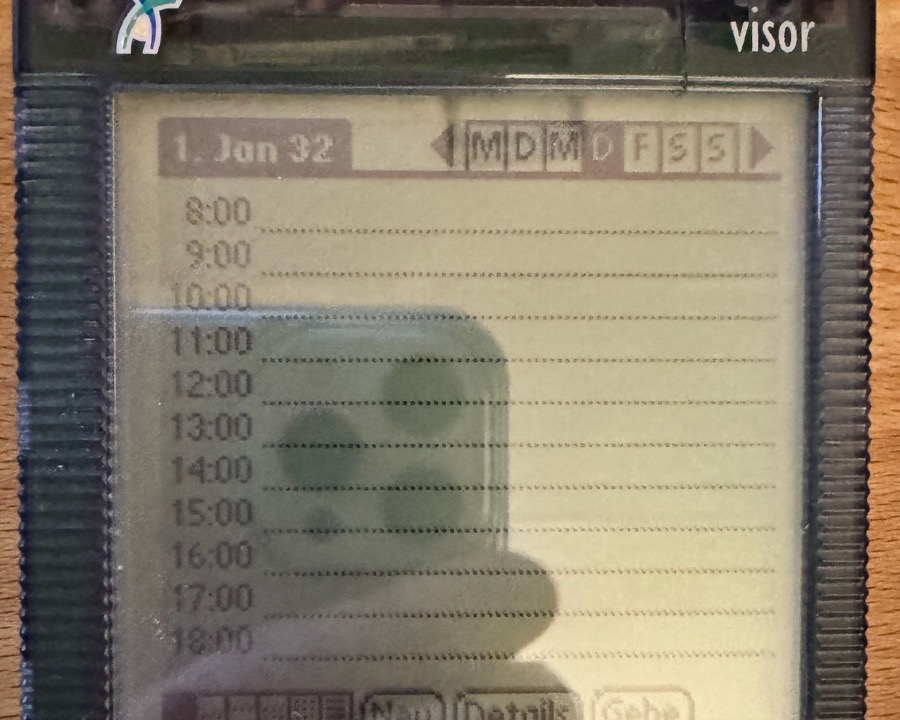
(Fig. 14: Date Book+, day view: "1. Jan 32")
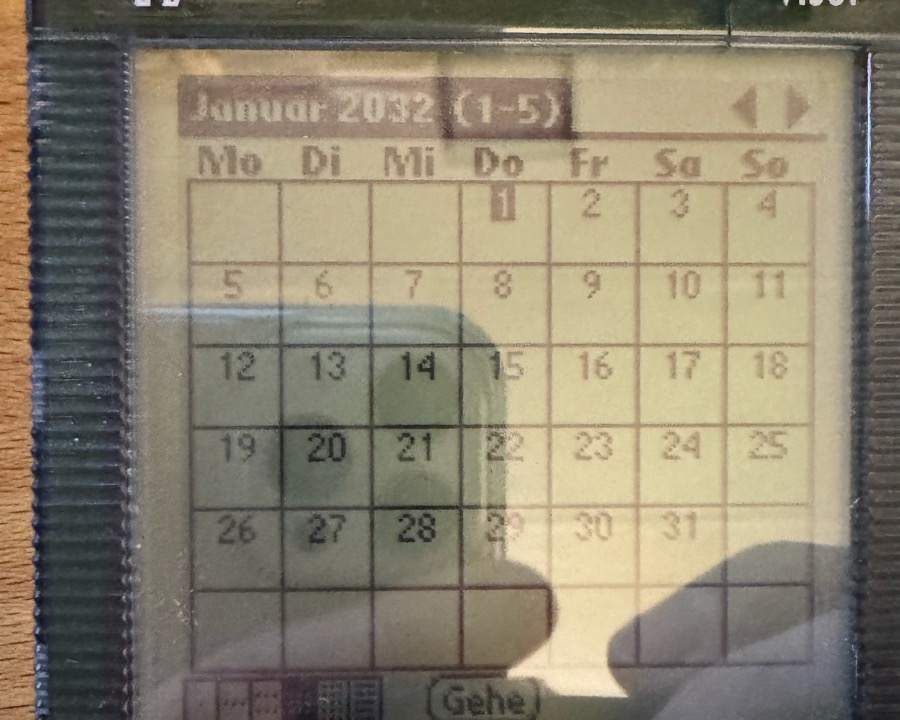
(Fig. 15: Month view: "Januar 2032", with the right weekdays)
But the week view, the two-week view and the year view are still wrong:
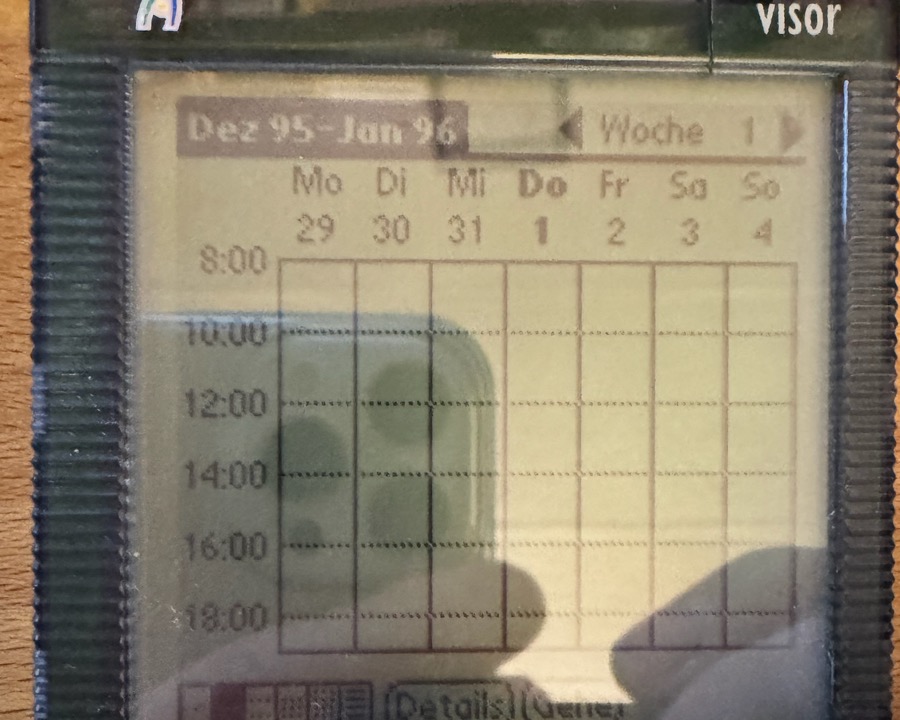
(Fig. 16: Week view: "Dez 95 - Jan 96")
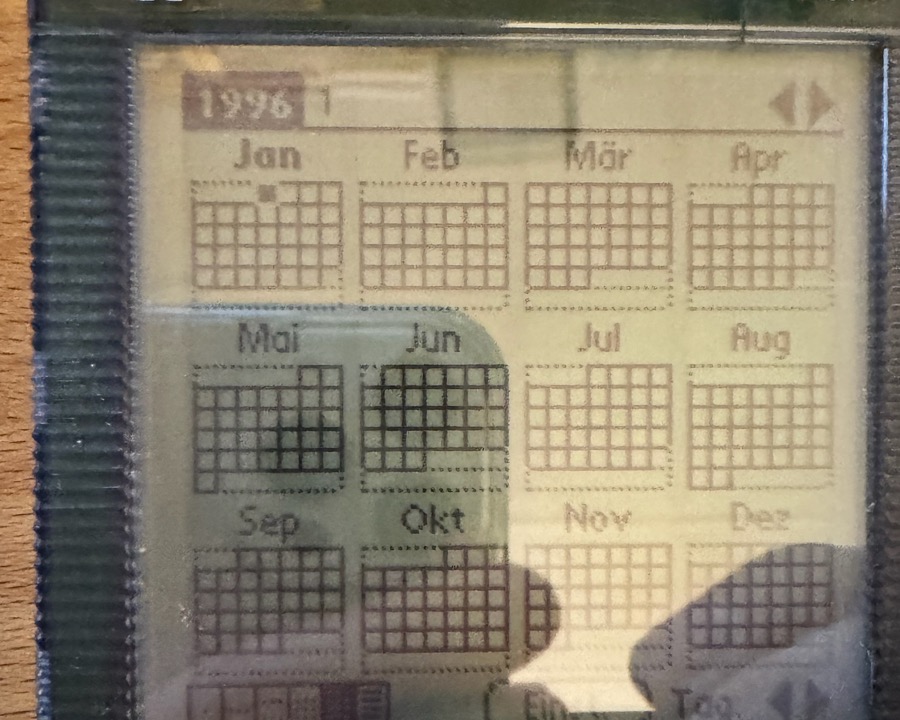
(Fig. 17: Year view: "1996")
I searched for the reason with the same trace: these views never call a date formatting function. The application writes the year itself, with StrIToA or StrPrintF, so there is nothing at the level of the date API that DateFix could convert. A global hook on StrIToA would rewrite every number between 1904 and 2031 in every application - and it could not tell the two-digit year 26 from the 26th day of the month. I decided against it. The clean solution is a table of known applications and versions with the exact places that draw a year, changing only there. That is what the next section is about.
Fixing the applications that draw the year themselves
Finding the places. An application that draws the year itself computes DateType.year + 1904 (the SDK calls the 1904 firstYear), then hands the sum to StrIToA or StrPrintF. I wrote a search tool, tools/yearfinder in the repository. It disassembles every code resource of a .prc, finds every place with the constant 1904, follows the sum in its register until it is pushed as an argument, and looks at the first call after that: a string function means the year is drawn, a date function means the system formats it, a call of the application's own function is followed for two levels. Date Book+ has 112 such places. 51 go to date functions and need nothing, 11 are range checks, and five draw the year: the title of the year view, and four calls of a function that writes the year (four digits or two) into the week and two-week title.
Why not a hook after all? The obvious idea is a hook on StrIToA that adds the offset at exactly these five places. It does not work for the two-digit title: that function cuts the year to two digits and then pads it with a zero from its own copy of the internal year when it is below ten. For the internal years 1904-1909 and 2000-2009, which are the real years 2032-2037, the padding would turn a correct "32" into "03". A fix that fails in the first years after 2031 is no fix.
Changing the constant instead. At each of the five places the code adds 1904 with addi.w #1904,Dn. If that constant is the start year, the application computes the real year, and everything it does with it afterwards, two digits and padding included, stays right. DateFix writes the start year into the application's stored code (a write to the storage RAM, with a table of the application, the size of the code resource and the offset; a place is only touched if size and bytes match exactly) and writes 1904 back when it is disabled. The Test button shows how many places are in place (apps: n), how many belong to another version (other) and how many databases could not be written (locked). The first table entry is Date Book+ 3.0H. In the emulator the week title changed from "Sep-Oct 26" to "Sep-Oct 54" with the same DateFix and the same clock, and the year view from "2026" to "2054". On a Tungsten E2 (Palm OS 5.4) a small test application that draws the year the same way showed the real year after DateFix had patched it, and the old one again after Disable.
The Visor ran the wrong copy. On the Visor, Date Book+ is in the ROM, and the ROM cannot be written. I installed my RAM copy, and the first report was "everything is right" - because only the day and month view had been looked at. The week title still read "Dez 03 - Jan 04". The Test line said apps: 5, locked: 1: the copy was patched, the ROM version was the one that ran. Even a higher database version did not make the system prefer the copy. What worked is a copy under its own name and creator, which shows up as a second launcher icon ("DB+ (RAM)"); tools/ramcopy/make_ram_copy.py makes it from the .prc. It uses the same appointments, and on the Visor all views are right. The price: the hardware button and alarms still start the ROM version.
The same trick in the other direction: TimeCopy. A reader with a Palm IIIx reported that the clock showed 9/30/2062 after a HotSync. The Palm runs TimeCopy, which sets the Palm's clock from the PC after every HotSync. Its Windows conduit sends the PC time as Unix seconds, and the Palm application adds the seconds from 1 January 1970, computed with TimDateTimeToSeconds. With the moved epoch, that 1970 is an internal year - the real 1970 plus the offset - so the clock landed exactly one offset too late (36 years with the start year 1940). The constant is in the code once (move.w #1970), and DateFix now writes the internal year of the real 1970 there (1942 with the start year 1932). To test it without a Windows PC, a small probe writes the database the conduit would write and sends TimeCopy the launch code of a HotSync: without the patch the emulator's clock went to 1 October 2054, with it to 1 October 2026.
I do not distribute any copy of Date Book+ or TimeCopy. The repository has no .prc of it; the tool needs the file of version 3.0H, and a Visor owner has to bring that along. The table has two applications, Date Book+ 3.0H and TimeCopy 1.4, and every other application or version that computes years itself is left as it is until somebody finds its places with the search tool and adds them. Since 2.0.0-beta.6 the table is no longer part of the code: it is a text file in the repository (apps/apps.txt, one line per place), and the search tool prints its findings in exactly that format (--table). The build turns the same file into DateFixApps.pdb; installed like an application, it replaces the table built into DateFix if it is newer, so a new application needs no new DateFix. Show Trace says which table is in use. This is the one part where I would love contributions.
Bugs that were not bugs
Not everything that looked like a bug was one, and it cost me time to find out which were which.
The Tasks picker on 1940. When I opened the due date of a task on the T3, the picker started on January 1940:
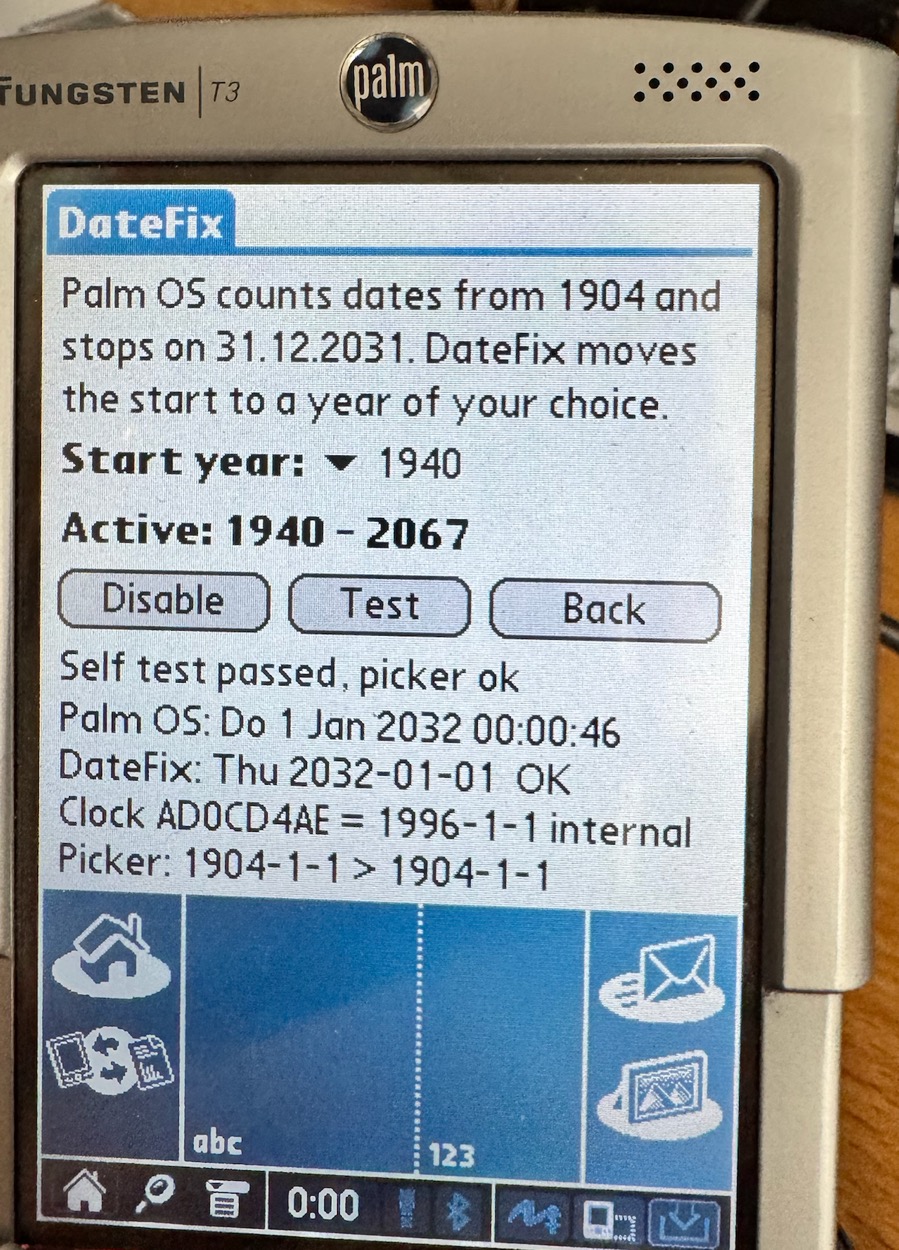
(Fig. 18: The main screen of DateFix during the investigation: the last line shows what the date picker was called with (internal years: 1904-1-1))
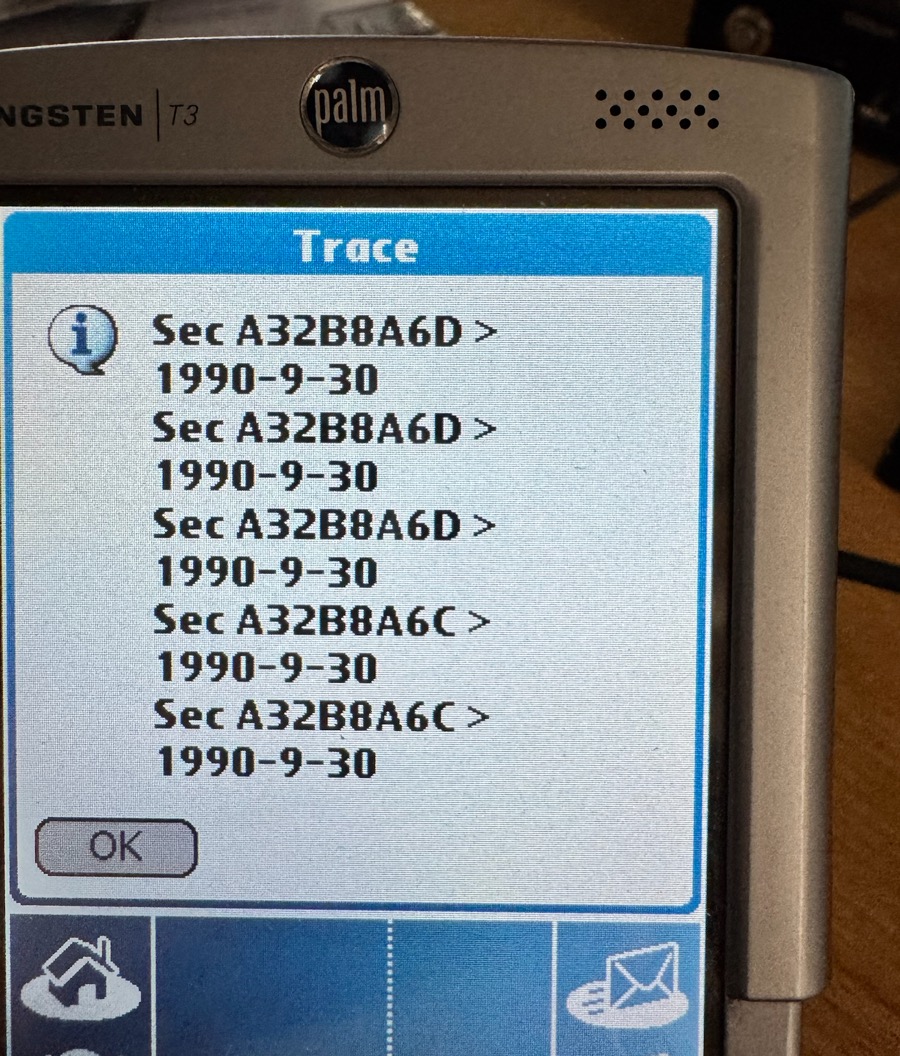
(Fig. 19: Show Trace after opening the picker in Tasks: Tasks asks for "today" with TimSecondsToDateTime and gets the right answer, 1990-9-30 (= 2026-09-30))
The line Picker: 1904-1-1 > 1904-1-1 shows what the picker was called with: year 0, January 1st. First I suspected that Tasks computes "today" in a way that DateFix does not cover. The trace says otherwise: Tasks asks the system correctly (Sec A32B8A6D > 1990-9-30). It was the task: an old entry without a due date is stored with the zero date, which is the first day of the window - 1940 with the new epoch, 1904 on an unpatched Palm. A new task opens on today's date. Nothing to fix.
The Control Center. When I watched the clock pass midnight on New Year's Eve 2031 in the 24-hour format, the Control Center showed 0:009 for a moment. I believe that the system does not erase the old, longer text - 23:59 has one character more than 0:00 - and it is gone after reopening it. It is cosmetic, and I have not checked whether an unpatched Palm does the same on an ordinary midnight.
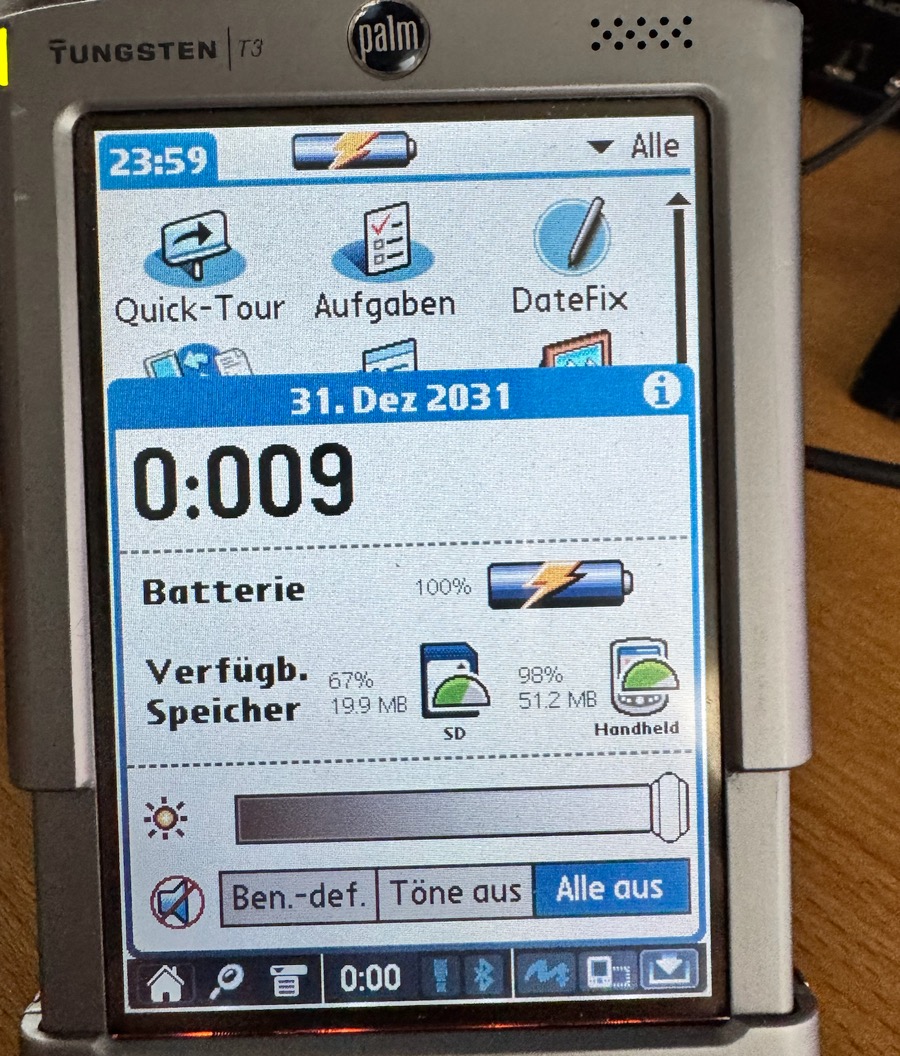
(Fig. 20: The Control Center right after 23:59:59 → 0:00: "0:009")
The clock in ClockProbe. After the epoch change ClockProbe showed "1996" on 1 January 2032, and the Palm itself was right. ClockProbe shows the raw value and the internal date - correct, but confusing. I built a Clock check into the main screen of DateFix itself instead: it shows what Palm OS displays, next to DateFix's own calculation from the raw clock value, with OK or MISMATCH.
A failure of mine that took down the Palm
I wanted a ROM image of the Tungsten T3 for the emulator, so I tried to read it from the device with pilot-xfer --rom. The T3 answered with a fatal error while HotSync read the Photos database from the flash:
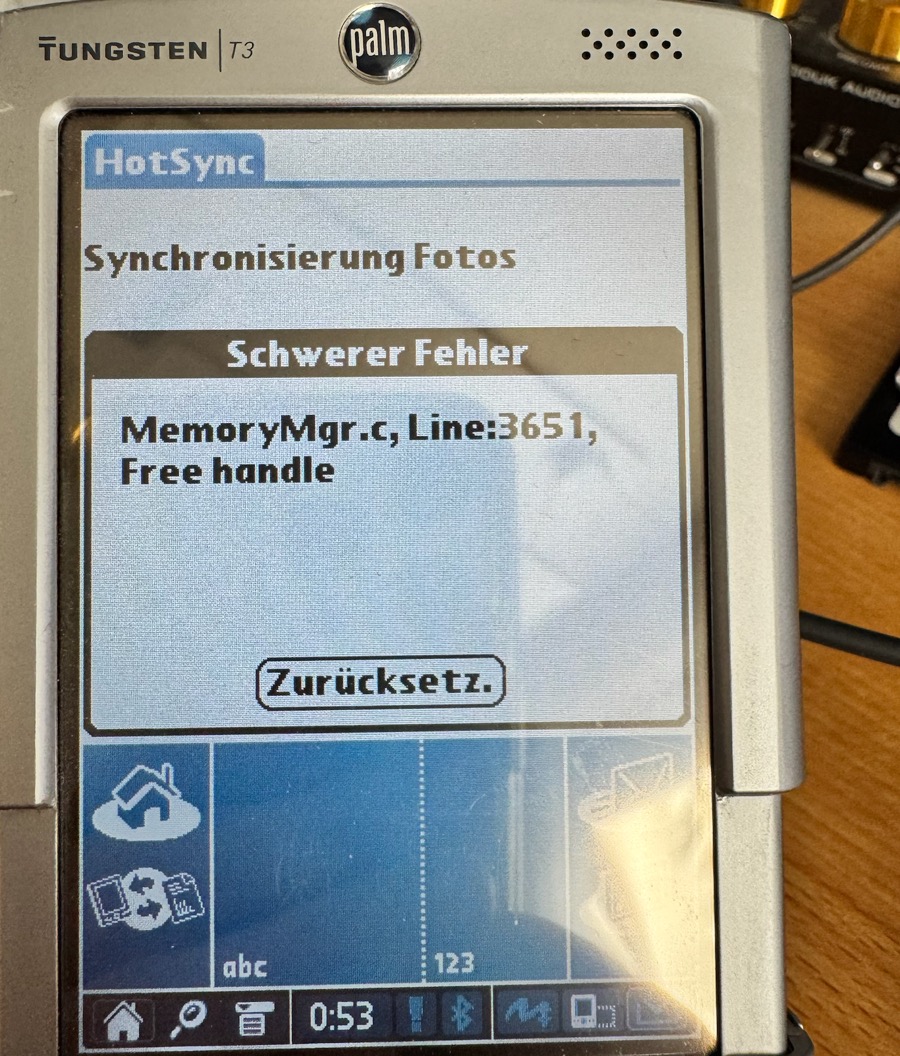
(Fig. 21: A T3 during "pilot-xfer --rom": "MemoryMgr.c, Line:3651, Free handle". A soft reset fixed it, but the ROM databases of the Photos software cannot be read cleanly over DLP)
A soft reset brought the T3 back, and nothing was lost, but the lesson is: do not back up the flash ROM of a T3 with pilot-xfer. The emulator I use has a T3-like Tungsten E2 ROM anyway.
Updating DateFix while it is active
A side effect of the design showed up as soon as I wanted to install a new build over an active one: HotSync answered with ERROR: pi_file_install failed (-301, PalmOS 0x0009). Error 9 is "database already exists". DateFix protects its own database while the patch is active, because the export table points into it - replace the code while a function points to it and the Palm crashes. The documented way out is Disable, which converts all data back. But that is refused after 2031 (for good reason - see below), and it is a clumsy way to update a program.
So there is Options → Prepare Update: it takes the patch out of the tables, lifts the protection, and keeps the data, the clock and the "enabled" state. HotSync can replace the program; the new version switches itself on again on sysAppLaunchCmdSyncNotify, which Palm OS sends to an application right after a HotSync installed it, and in the worst case when you open it.
My own HotSync app for macOS was part of the problem, because it only said "not installed" for this error. It now reads the Palm database header of every file in the queue (name, type, creator, size, and the version of an application from its tver resource), shows the files in red that cannot be installed, and names the reason if the Palm refuses one. That is HotSync 1.0.2 to 1.0.4.
The way back: Disable after 2031
Going back is where the model has a hard limit. Returning to the 1904 epoch moves every year 36 years earlier in the calendar: an entry in 2032 has no place in it. The first version of DateFix just refused with "2 dates are after 2031 and cannot be stored with the start year 1904", and offered only an OK button - a dead end that I found on the T3:
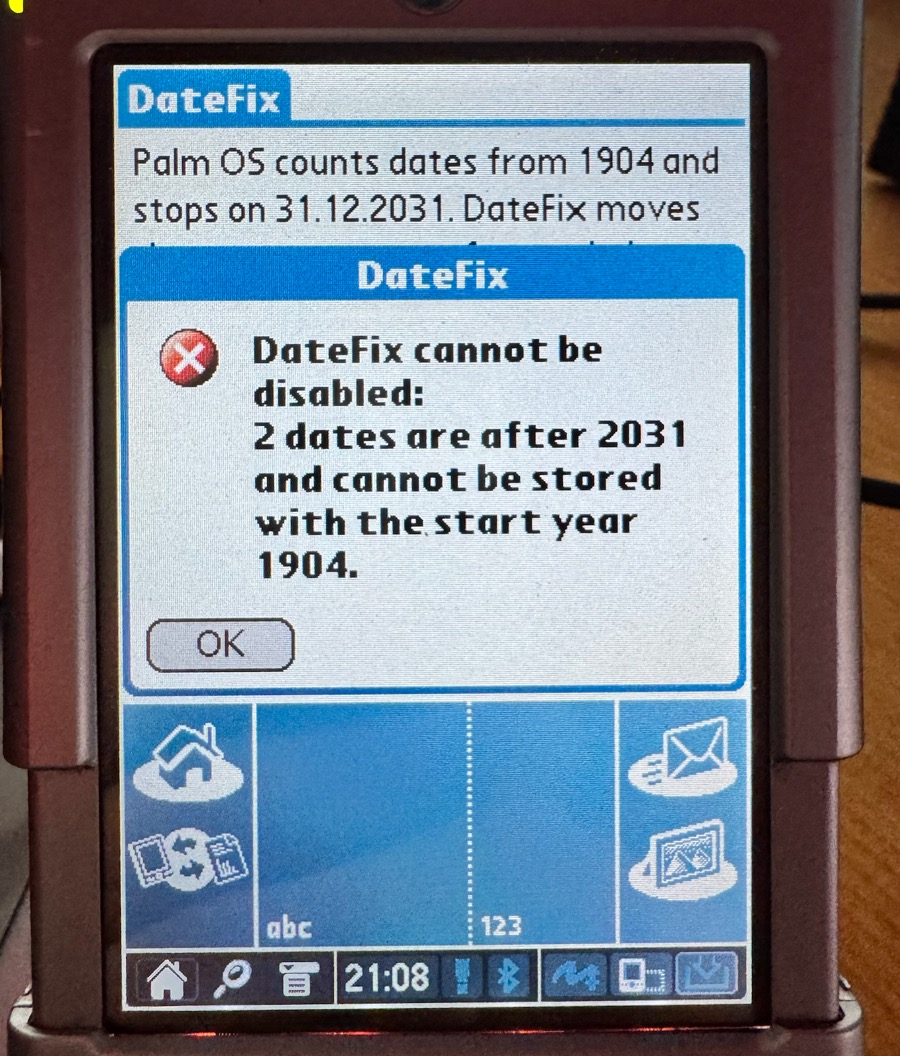
(Fig. 22: Disable on a Palm with entries after 2031: a dead end in the first version)
The current version asks instead: which database has how many entries beyond the window, and whether they may be set to 31 December 2031. Cancel leaves everything as it was. The clock is different: it must be inside the old window, otherwise Disable is refused, because the clock would be wrong on the old epoch. For an update, Prepare Update is the right tool, not Disable.
Testing without waiting for 2032
Testing a rollover in 2031 on a real device is possible but slow: the Palm must be set to 23:59:50 and one has to wait ten seconds. To do that in an emulator, I needed a clock that can be set. CloudpilotEmu, the Palm OS 5 emulator I use (with the Tungsten E2 ROM), ignores writes to the clock register of the emulated PXA processor (RCNR): TimSetSeconds had no effect, and within seconds the emulated Palm read the time of my Mac again. I wrote a small patch for CloudpilotEmu that keeps an offset to the host time, set when the operating system writes the counter, used for reads and for the alarm, and saved in the session. The repository has the patch and a script that builds the emulator with the same Emscripten version as the CI of CloudpilotEmu. With it, I could run the conversion of a Calendar appointment with an alarm and a repeat back and forth several times, watch the alarm fire on time, and watch the clock pass 2031 - all on the desk, without touching the real device.
The E2 emulator does not have a Tasks application, which is why I tested Tasks and Contacts only with host tests that build records byte by byte, as the applications store them, and on the T3.
The icon
A small thing, but a program that is installed for decades should look like something. The icon is a calendar page with the year 2032 - the first year that did not exist - and a green check mark for "works beyond 2031". It is drawn as a vector graphic, exported in every size the launcher knows (black and white, 16 grey levels and 256 colours at 160×160, double density in 8 and 16 bit for the 320-pixel screens of Palm OS 5), and assembled into an icon family. The low-resolution versions are placed pixel by pixel - a threshold on the colour drawing loses the binder rings.
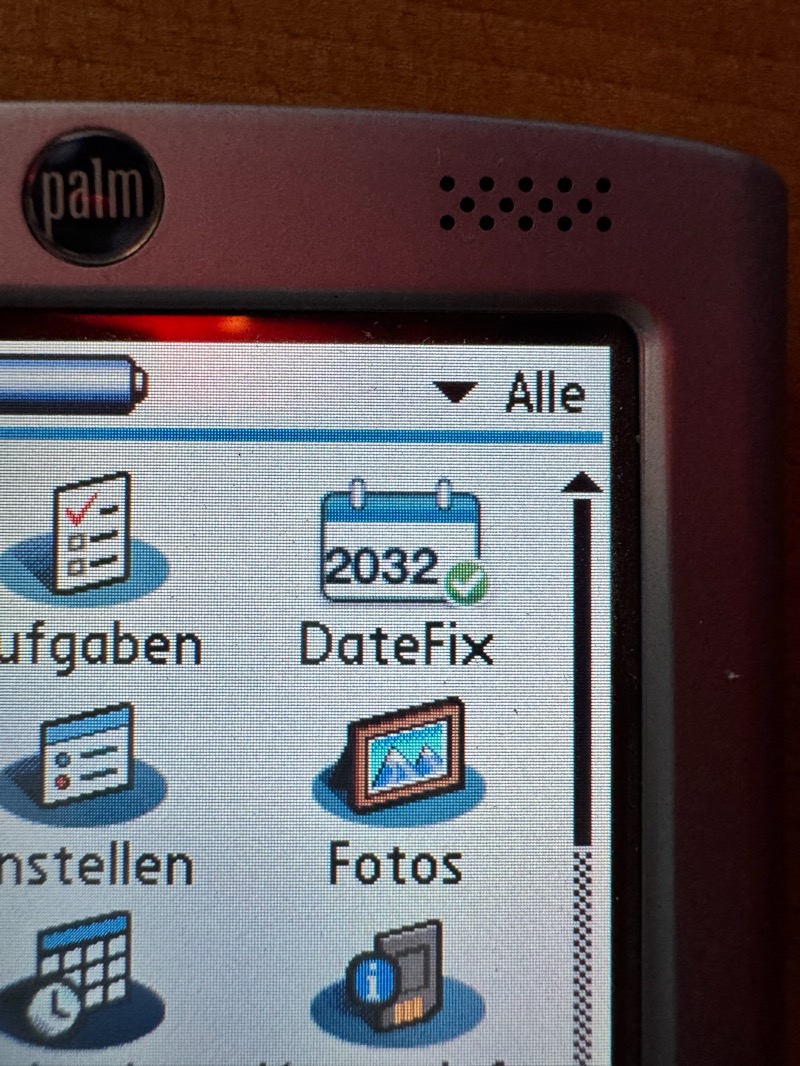
(Fig. 23: The icon on a Tungsten T3 (double density))
(Fig. 24: and on the m515 (Palm OS 4.1, 160x160))
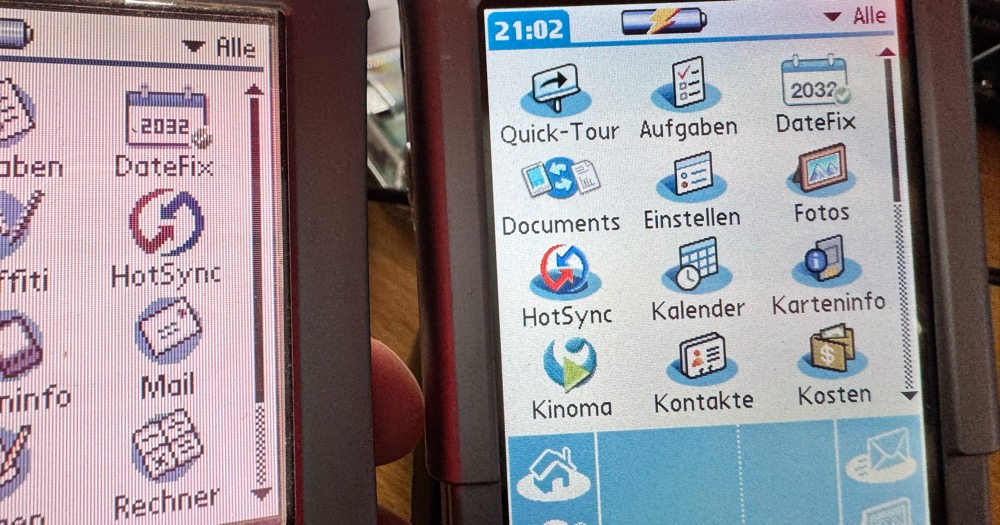
(Fig. 25: Both Palms side by side)
Using DateFix
Before you start:
- Make a HotSync backup and, if your device has a card slot, insert an SD card - DateFix copies the databases it is about to change to
/PALM/DateFixfirst. - Enabling converts your stored dates. A date before the start year cannot be represented; with the default 1932, a birthday in 1925 is set to 1932. DateFix counts these and asks.
- Emergency exit: a soft reset while holding the navigator up button starts the Palm without extensions. Then open DateFix and tap Disable, or delete it.
- Palm OS below 3.5 is not supported.
Then:
- Install
DateFix.prcwith HotSync or from a card. - Open DateFix, choose the start year (the default is 1932), tap Enable, and confirm the conversion.
- Test runs a self test. The Clock check shows what Palm OS displays next to DateFix's own calculation.
- From now on, DateFix installs itself again after every reset.
- To watch the rollover, tap New Year: the clock is set to 31 December 2031, 23:59:50, and Back returns to the real time.
- To update DateFix later: Options → Prepare Update, then HotSync the new version.
The source is on GitHub: github.com/User7142/palm-datefix. Every change is built and tested there with the same toolchain I use on my Mac, and from 2.0.0-beta.6 on, the .prc of a release is the one built there. The ready-to-install .prc is attached to the latest release.
If you try it on another device - a T5, a TX, a LifeDrive, a Zire or a Clié - please tell me: the device, its Palm OS version, the line of the Test button, the Clock check lines and what Show Trace says. I expect it to work on all Palm OS 5 devices, because DateFix locates its entry points by decoding the ROM instead of using fixed numbers (and patches nothing if it cannot find them), but I can only confirm what I have held in my hands. On GitHub there is a form for a device report that asks for exactly these lines.
Limitations
- Only Date Book+ 3.0H and TimeCopy 1.4 are in the patch table. Every other application that computes or draws years itself, and every other version, is not changed. An application in ROM needs a RAM copy under its own creator, and the hardware button and alarms still start the ROM version.
- HotSync with a desktop transfers the internal dates. The desktop software and its conduits know nothing about the moved epoch.
- The window is 128 years (7 bits for the year). Nothing outside 1932-2059 can be stored with the default start year.
- Databases of other applications - Note Pad, Voice Memo, third-party calendars - are not converted, because I do not know their record formats. Date Book+ 3.0H needs nothing extra: in the emulator it kept appointments, floating events, journal entries, templates and To Dos in the standard databases, which DateFix converts, and its own database stayed empty.
- Run in the Tungsten E2 emulator, not yet on a real device: a reminder for 2032 that fires at the 2031/2032 rollover, an entry from 2025 read with the clock in 2033, the World Clock in 2033. Time-dependent games were not tested at all.
Related work and thanks
Tavisco's NaivePalmdayMitigation. I read its source after a reader pointed me to it, and it deserves a fair description, because the basic idea is the same. It is a hack for HackMaster or X-Master (Palm OS 3.5 to 4.x) that patches two traps. DateTemplateToAscii calls the original with the year plus 56, and SelectDay is a reimplementation of the Palm OS 4.0 date picker that shows the year plus 56 as well. As I read the code, the clock has to be set 56 years back by hand, and the hack adds the 56 years whenever a year is drawn - in other words a manual shift of the epoch. The README is modest about it ("a mitigation, not a fix"), but mechanically it is the same family of solution as DateFix. And the number is clever: 56 years are exactly two 28-year cycles, so weekdays and leap years line up without any weekday patching (I assume that is why he chose it). My 36 years are not a multiple of 28, which is why DateFix needs its weekday functions at all - with the start year 1960, which DateFix allows, the offset is exactly 56 years and those patches do nothing.
What DateFix adds is mostly automation and coverage: it moves the clock itself and converts the stored dates (his README points out that existing entries end up in the wrong year), it patches more of the date API (DateToAscii, DateToDOWDMFormat, the weekday functions and the clock conversion, not only two functions), it runs on Palm OS 5 through the export tables, and it comes with a backup, a self test and an update path. The limits are the same for both: the packed date keeps its 7-bit year, the window is 128 years, and applications that draw the year themselves instead of calling the system still need patches of their own.
Thanks to pilot-link, to the authors of CloudpilotEmu - a Palm OS 5 emulator in the browser is a miracle - to Dmitry Grinberg for the Tungsten E2 ROM it runs, and to everybody who keeps PalmDB alive. The toolchain I built DateFix with is the one from my article Building Palm OS Applications on macOS (Apple Silicon).
In the repository there is a complete fix log with every measurement, every dead end and every photo that I could not fit in here.
Comments on "DateFix: Keeping a Palm Alive After December 31st, 2031"
Comments are moderated before publication. Only substantive and constructive comments will be approved.