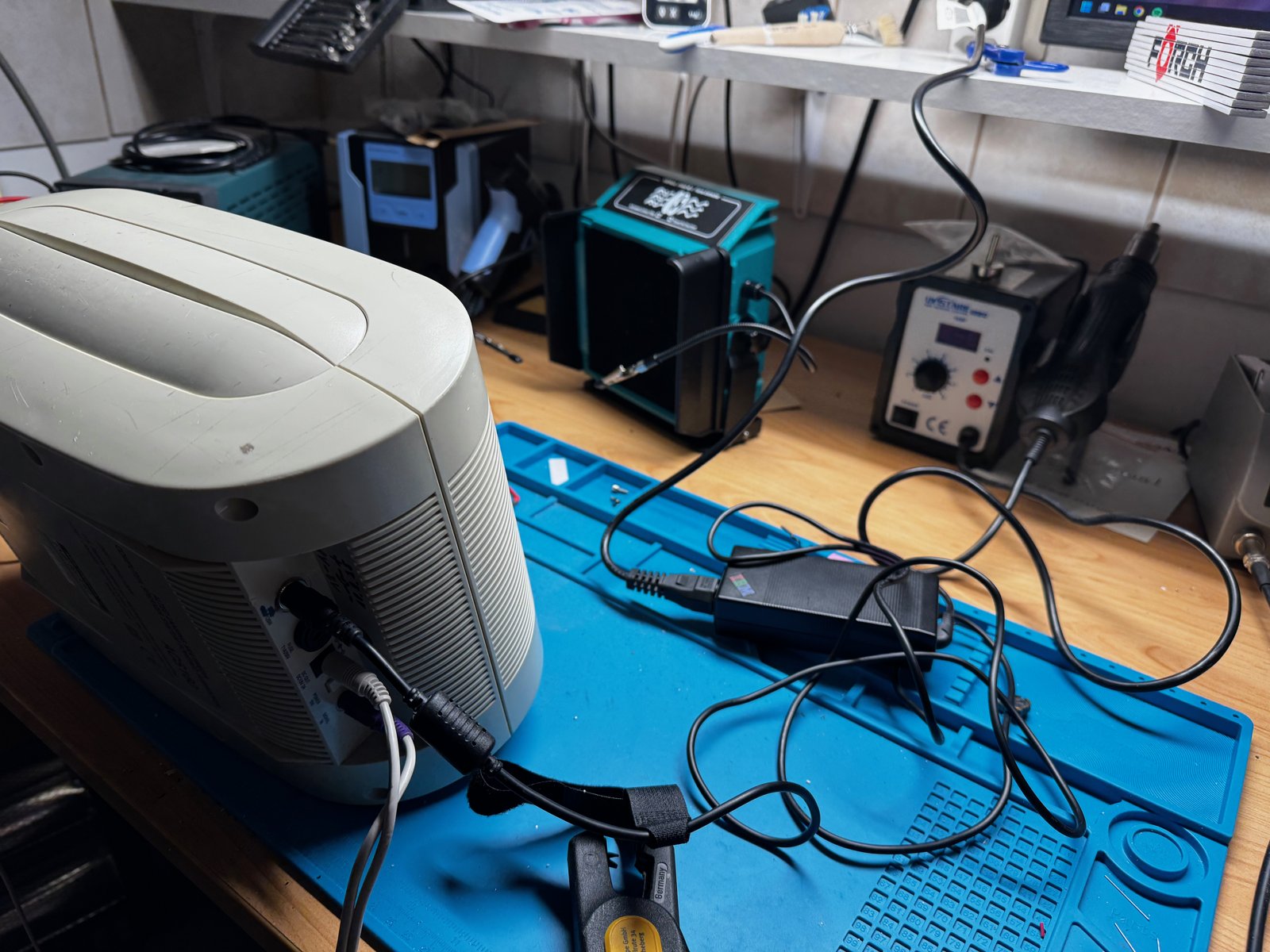
(Fig. 1: The Altec Lansing subwoofer on my workbench)
My Altec Lansing subwoofer had one annoying problem: it hummed. In the end, the cause was the built-in transformer - and the fix was to throw it out and power the subwoofer from an old IBM notebook power supply instead.
The subwoofer is the heart of the system: the amplifier for all speakers is inside, and it also supplies the power for the satellites (DC OUT 13V, 2A):
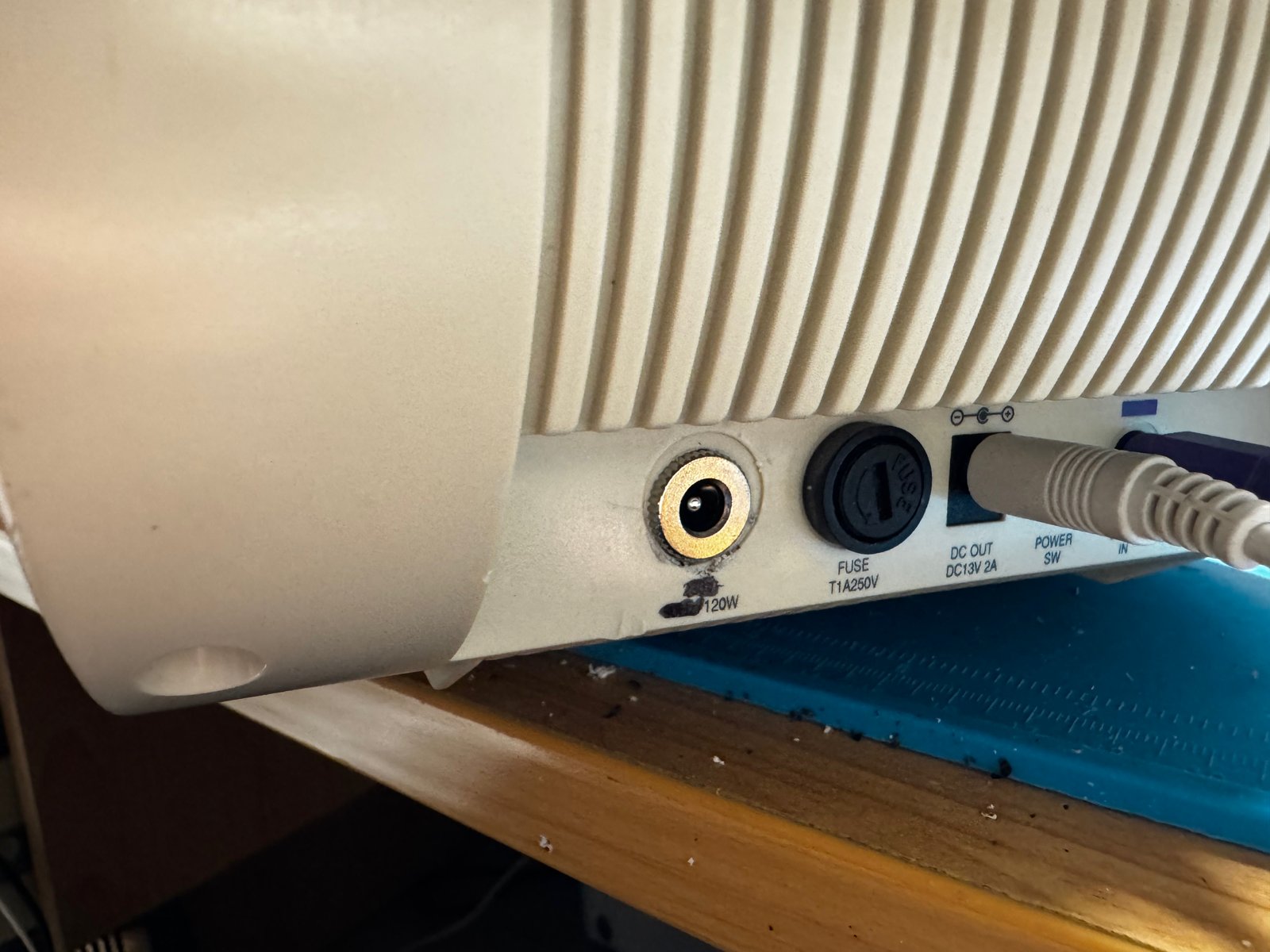
(Fig. 2: The back panel: power input, fuse (T1A 250V) and DC OUT 13V 2A)
Opening the Subwoofer
The screws of the case sit deep inside long holes:

(Fig. 3: One of the deep screw holes of the case)
Inside, there is a large toroidal transformer, the amplifier board and a big heat sink:
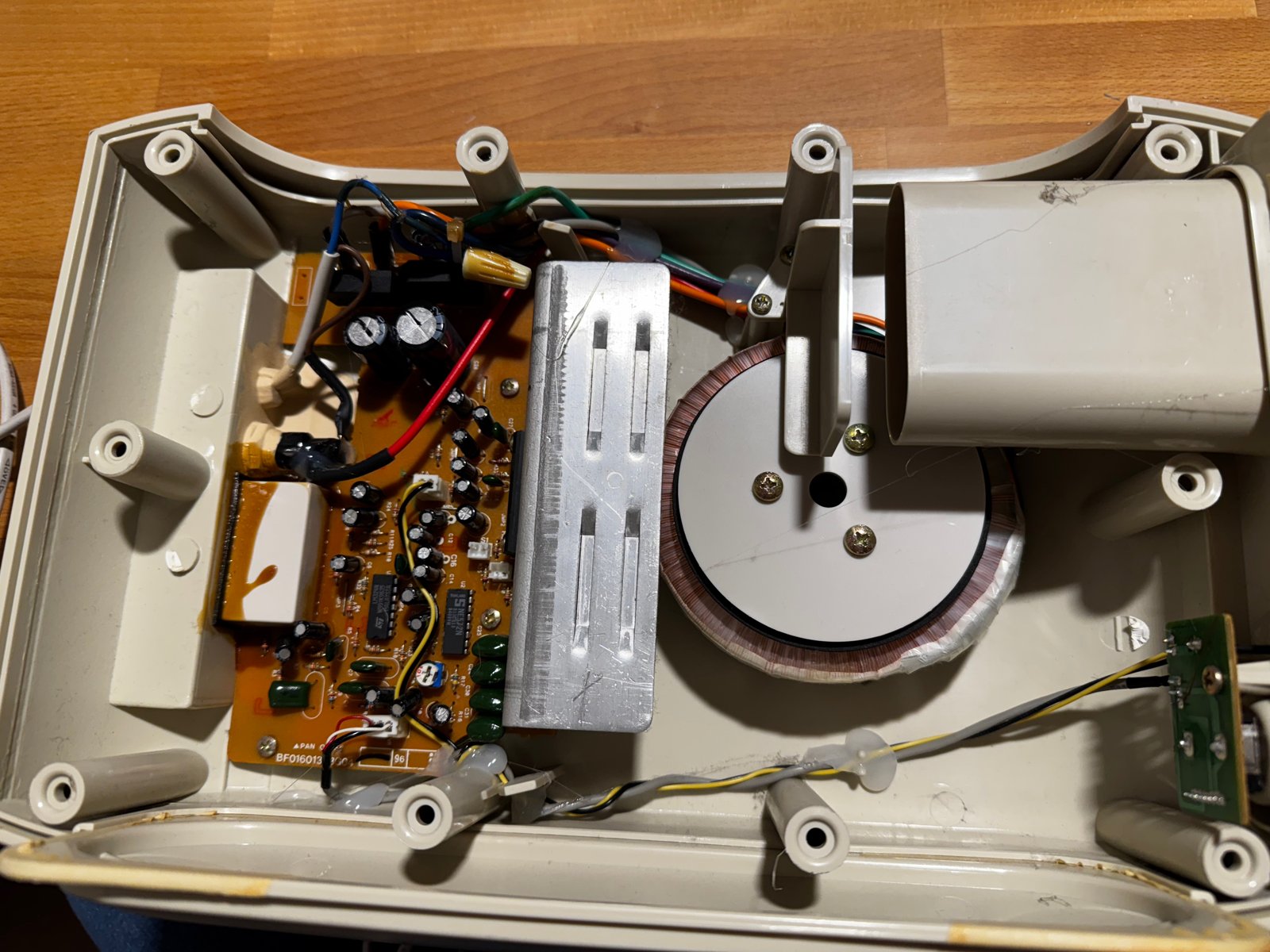
(Fig. 4: The opened subwoofer: amplifier board, heat sink and toroidal transformer)
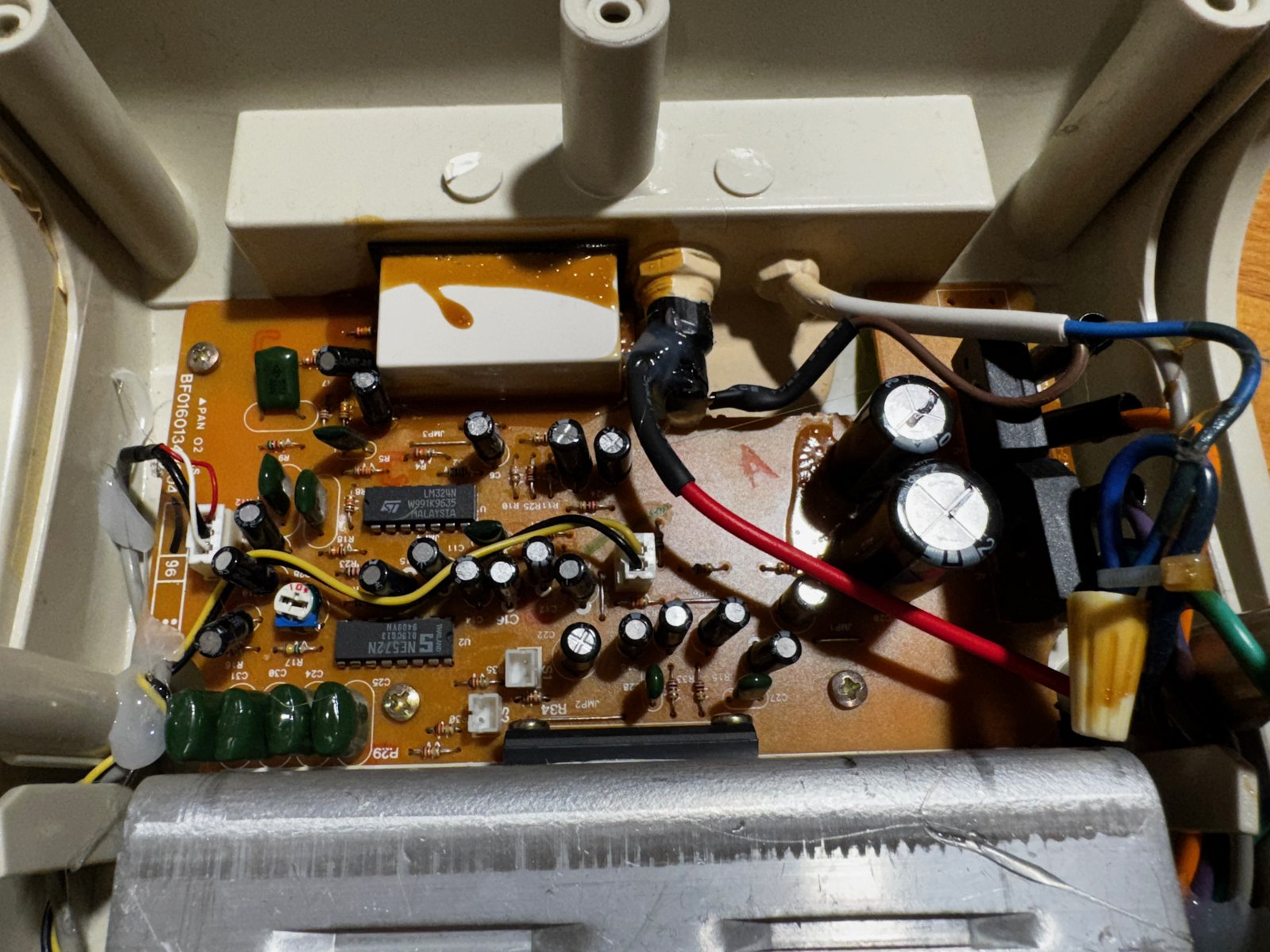
(Fig. 5: The amplifier board)
The Transformer
The toroidal transformer is rated for AC 225V / 50Hz and has a built-in thermal fuse:
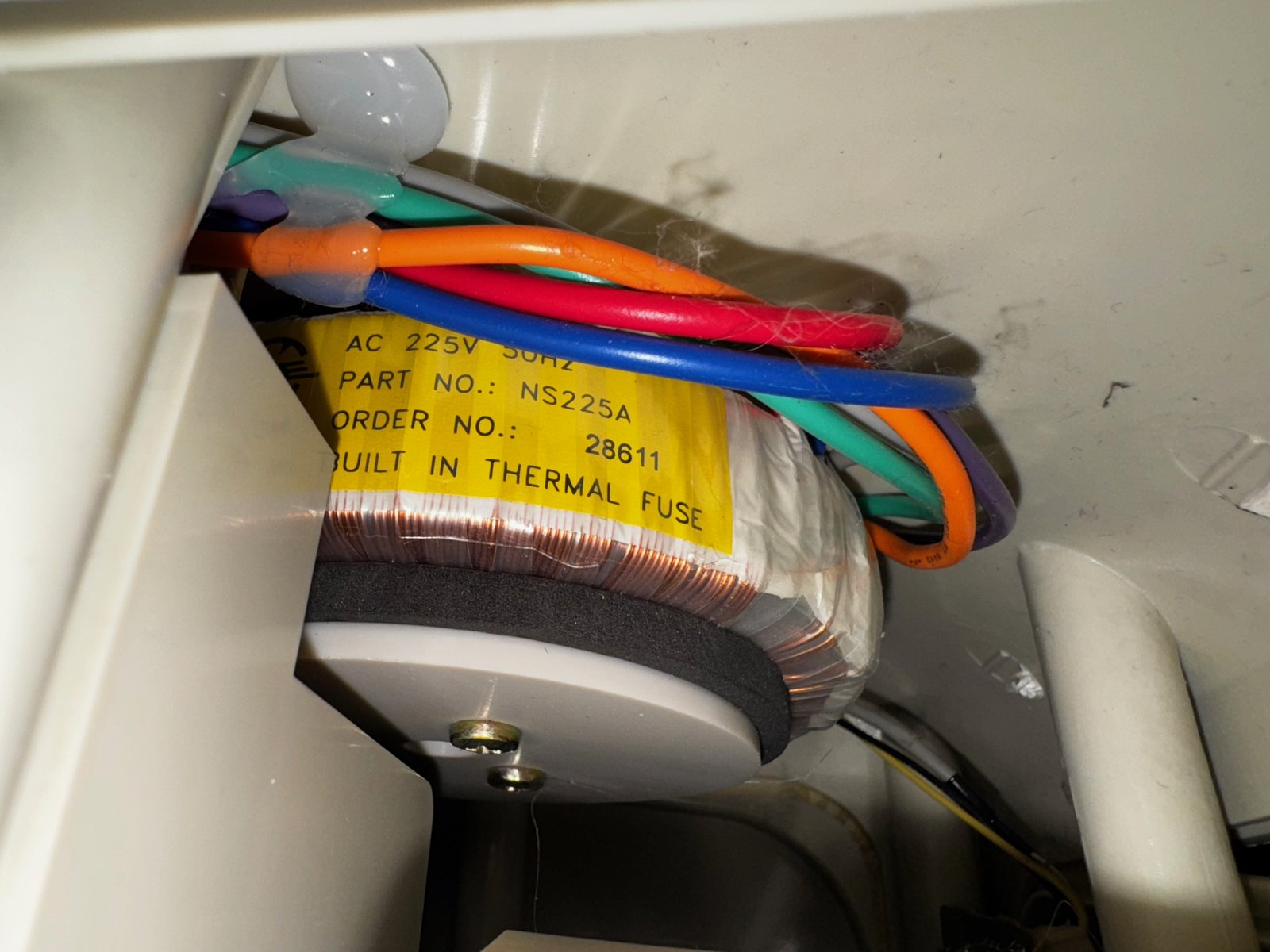
(Fig. 6: The transformer label: AC 225V 50Hz, part no. NS225A, built-in thermal fuse)
This is what it sounded like. The hum is quiet, so you have to listen closely - best with headphones. In a loud room, you probably wouldn't notice it at all:
(Video: The hum of the opened subwoofer with the original transformer)
This transformer was the source of the hum. My first idea was to soak it in impregnating varnish, which fixes loose windings in place. But then I had a closer look at what the transformer actually does for the board.
Measuring
On the power supply part of the board, two bridge rectifiers (KBU608) and two large filter capacitors turn the AC voltage from the transformer into DC. I measured the DC voltage after the rectifiers and got around 18-19V:
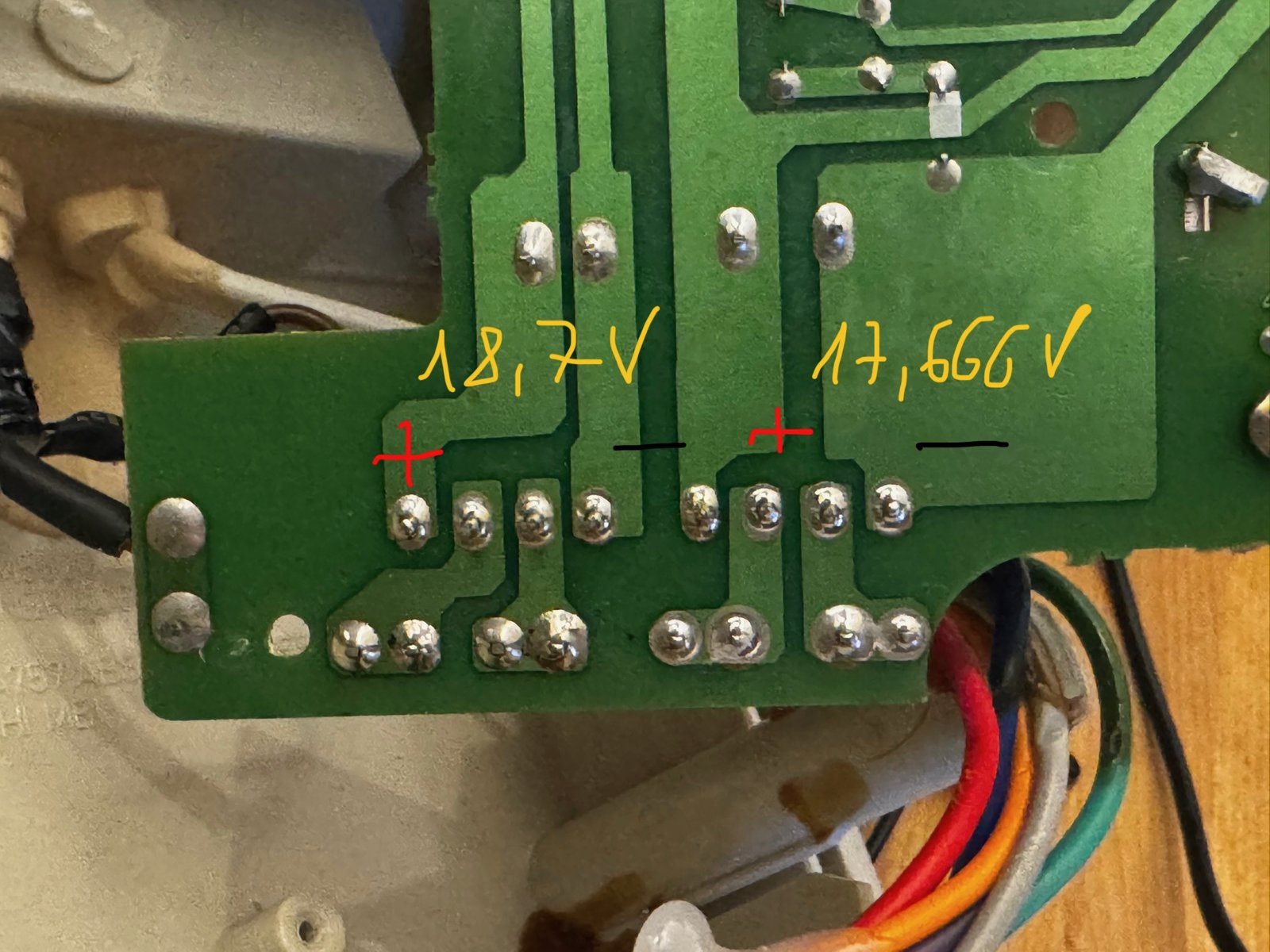
(Fig. 7: The measured DC voltages: 18.7V and 17.666V)
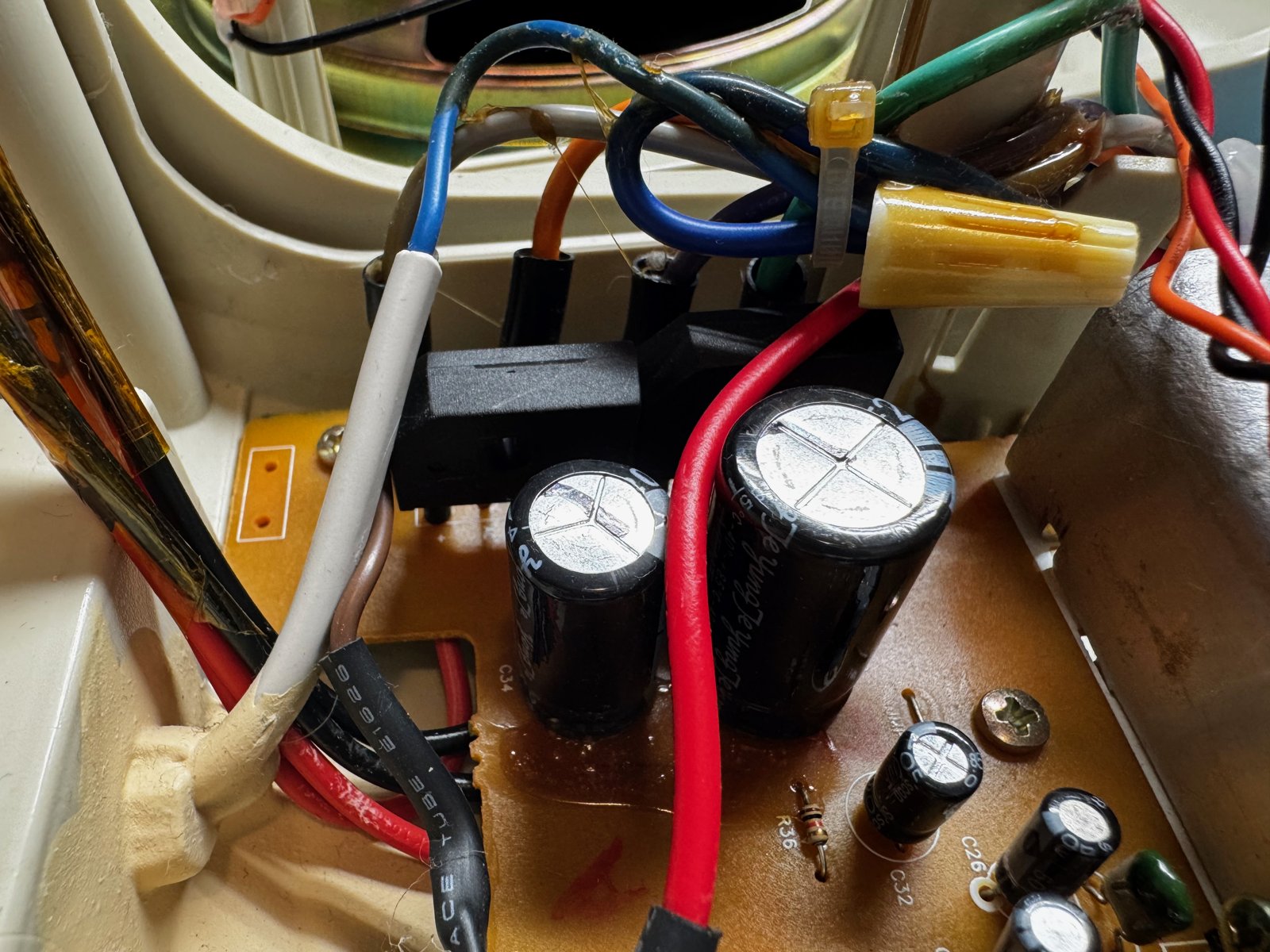
(Fig. 8: The rectifiers and filter capacitors)
So the amplifier does not need the AC voltage at all - it runs on DC. With my lab power supply, I tested how low I could go. If I remember correctly, it still worked fine at around 12V.
Running on the lab power supply at 18V, the hum was gone - for comparison with the video above:
(Video: The subwoofer on the lab power supply at 18V - no hum)
The Fix: A Notebook Power Supply
That opened up a much simpler solution than repairing the transformer: replace it with an external DC power supply. I still had an old 16V power supply from an IBM notebook - right in the range the board needs.
I removed the transformer and put a DC jack where the old power cable used to come out of the case. It fit nicely:
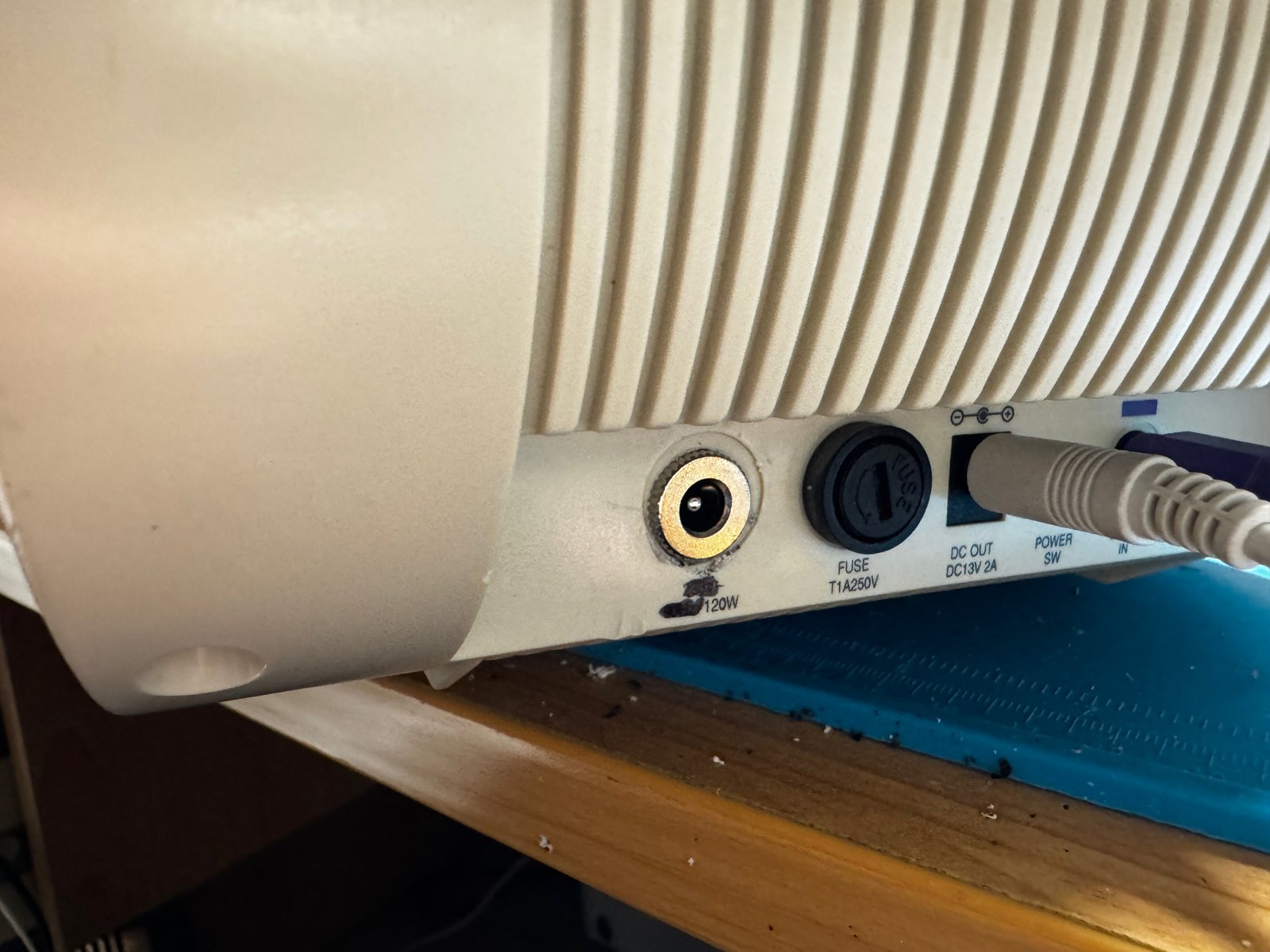
(Fig. 9: The new DC jack in the opening of the old power cable)
Inside, the wires are now joined with lever connectors:
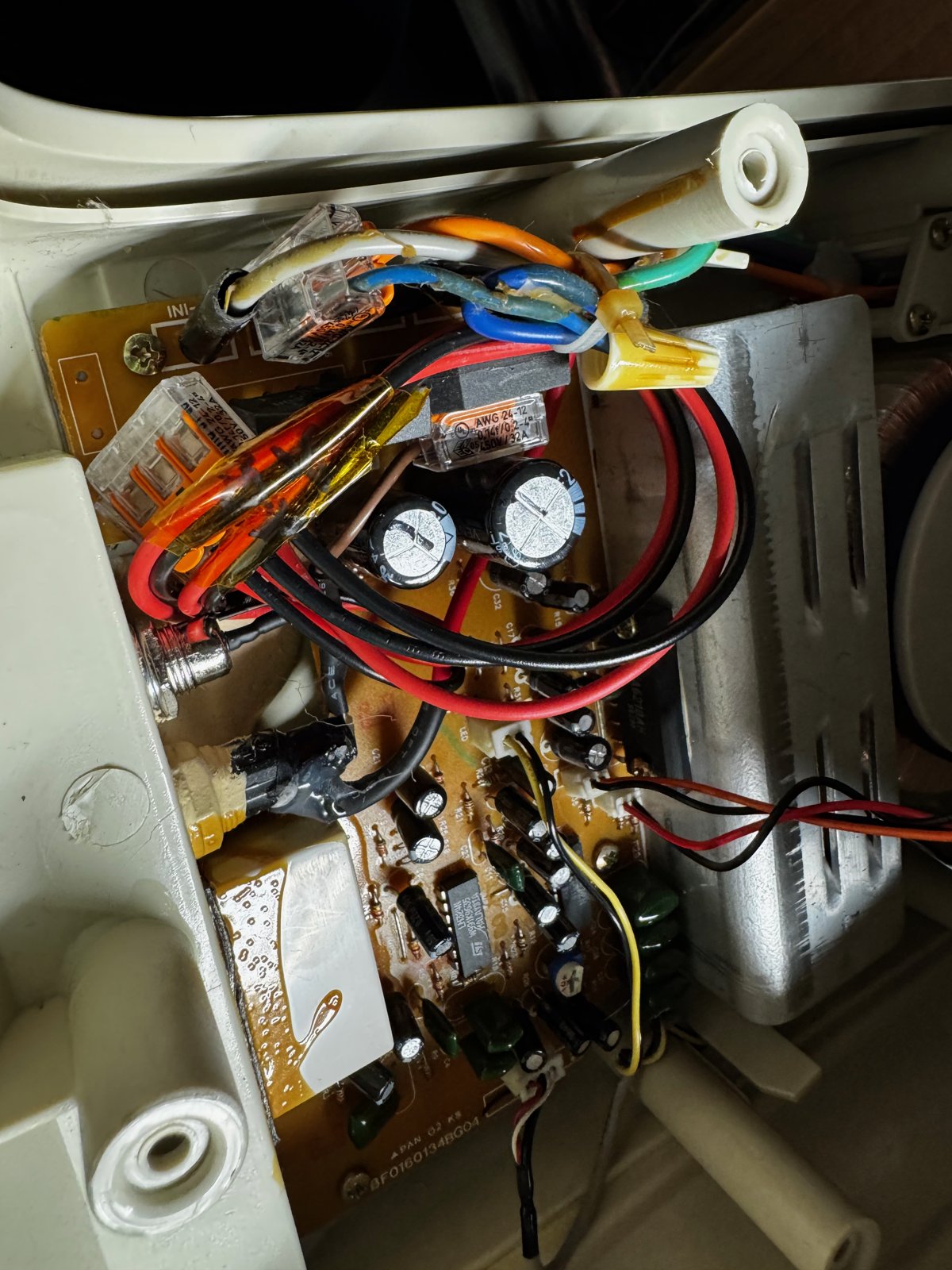
(Fig. 10: The wires now joined with lever connectors)
So that I (or someone else) will still know in a few years what goes in there, I wrote the voltage range (12-18V), the polarity and the date next to the jack.
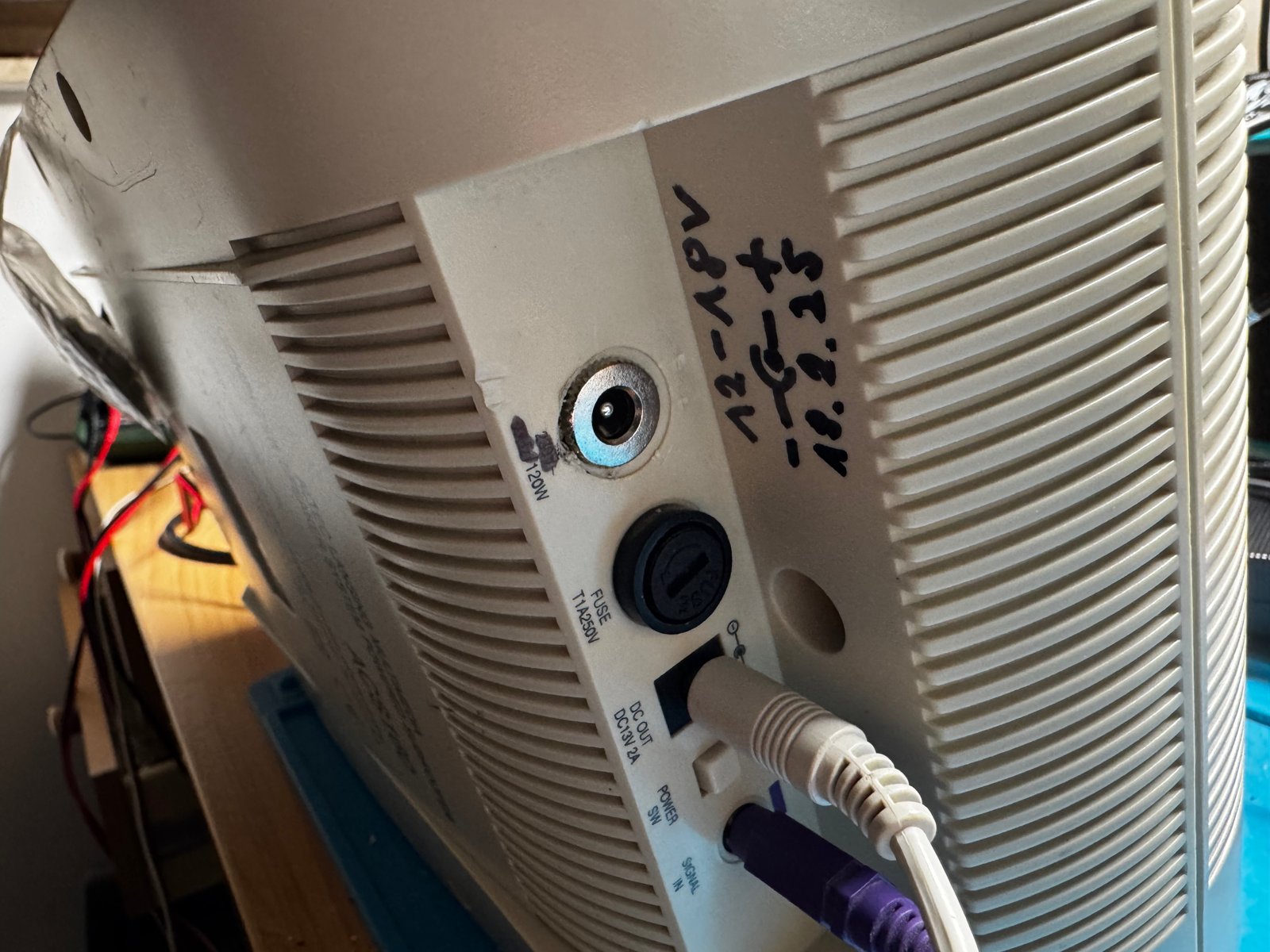
(Fig. 11: Voltage range, polarity and date written next to the new jack)
Result
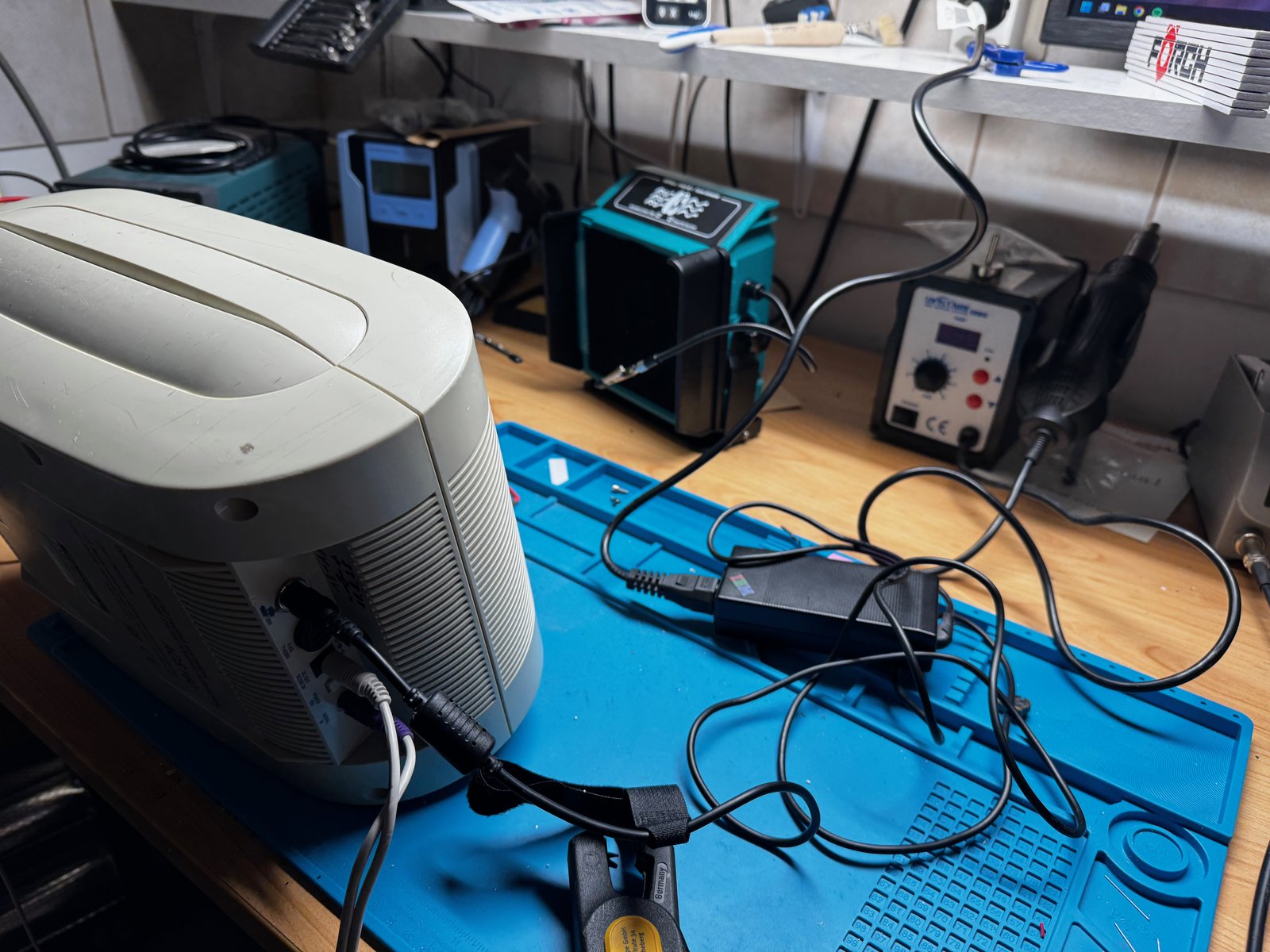
(Fig. 12: The subwoofer running on the IBM notebook power supply)
The subwoofer now runs on the notebook power supply - and without any hum.
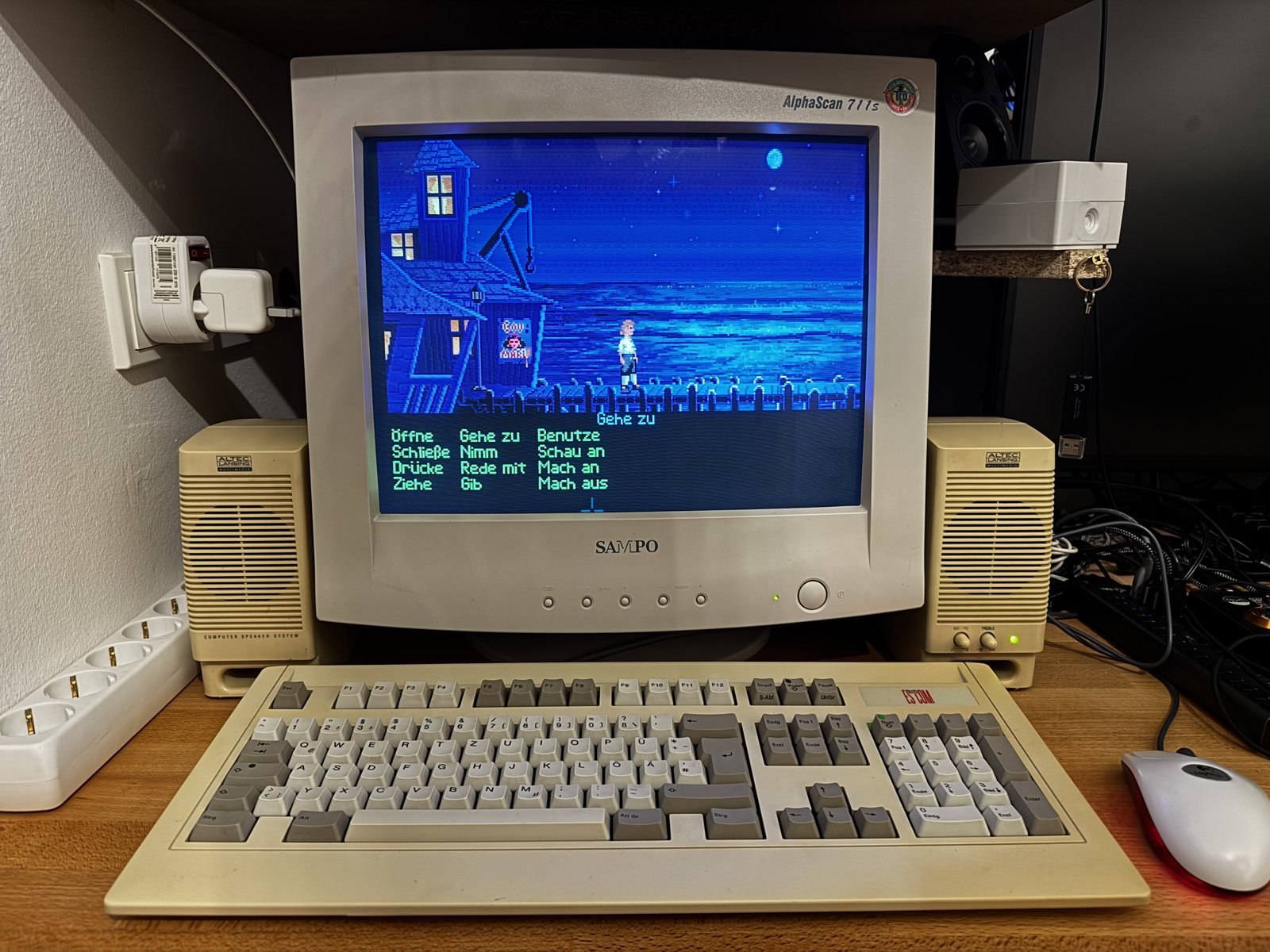
(Fig. 13: Back in use: the Altec Lansing speakers next to my Sampo monitor, with The Secret of Monkey Island)
Comments on "Fixing a humming subwoofer"
Comments are moderated before publication. Only substantive and constructive comments will be approved.