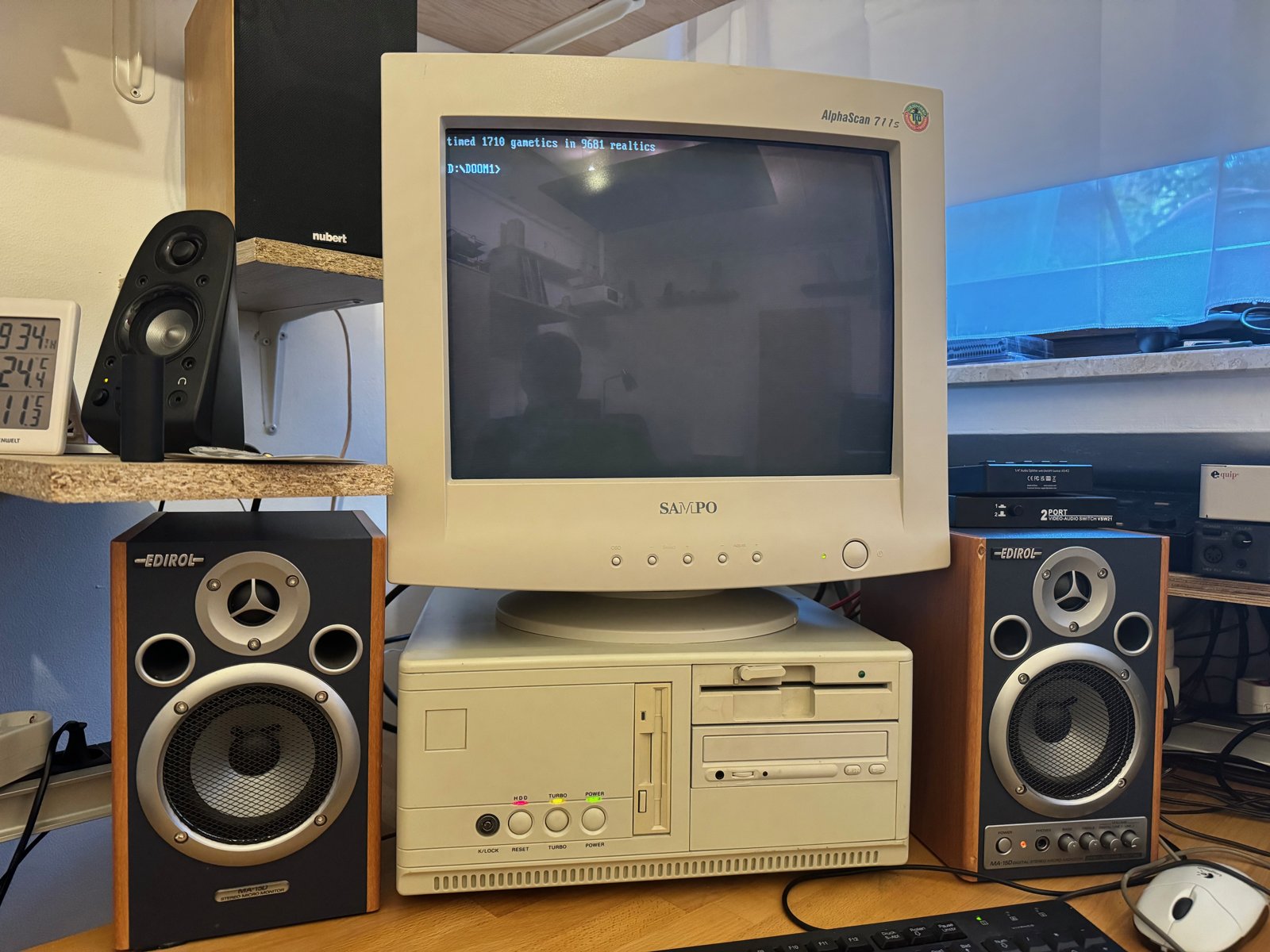
(Fig. 1: My 386 DOS gaming system with the Sampo AlphaScan 711s CRT)
System Overview
In spring 2024, I built this old machine to experience some old DOS games again:
| Component | Specification | Release Date |
|---|---|---|
| CPU | AMD Am386DX 40MHz (without FPU) | 1985 |
| RAM | 20MB | 1985 |
| Motherboard | PC-Chips M321 Rev 2.4 with 64KB cache | 1992 |
| Power Supply | 200W (?) AT power supply | 1984 |
| Hard Drive | 20GB Seagate HDD (limited to 2GB, 500MB partition) | 1992 |
| Sound | Sound Blaster Pro 2 CT1600 / MDR-401x MIDI card (MPU-401 compatible) / Roland MT-32 (a hardware-modded RA-50) / Edirol MA-15D speakers | 1991 / 1984 / 1987 |
| Graphics | Tseng Labs ET4000AX 1MB | 1990 |
| Input Devices | Logitech Wheel Mouse M-BT58 via PS/2-to-serial adapter / modern PS/2/USB keyboard via KVM switch | 1983 / 1987 / 1993 |
| Display | 17" CRT (Sampo AlphaScan 711s) | ca. 1999 |
| Network | 3Com EtherLink III with Microsoft TCP/IP-32 3.11b |
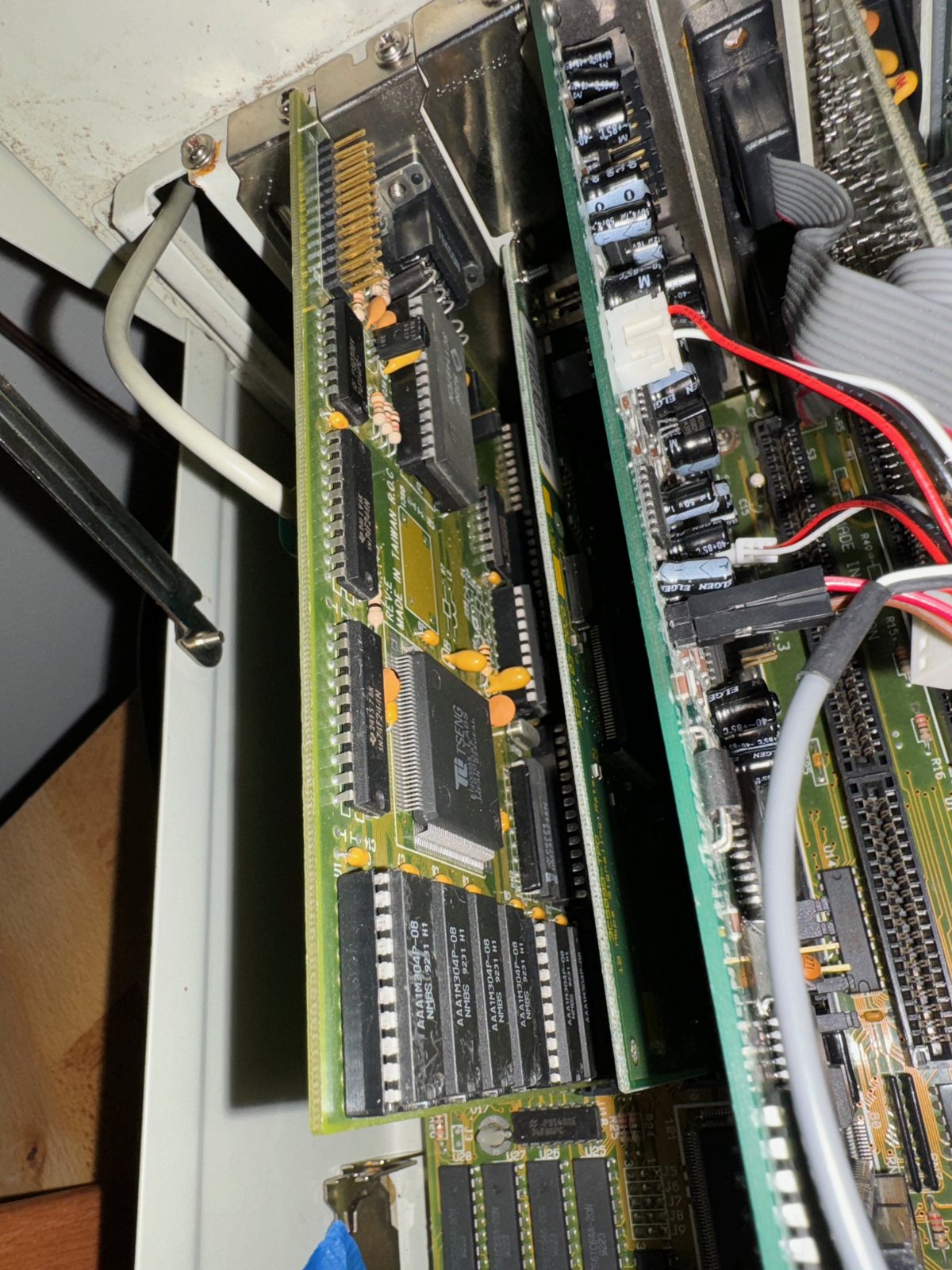
(Fig. 2: The Tseng Labs ET4000 graphics card and the 3Com EtherLink III network card)
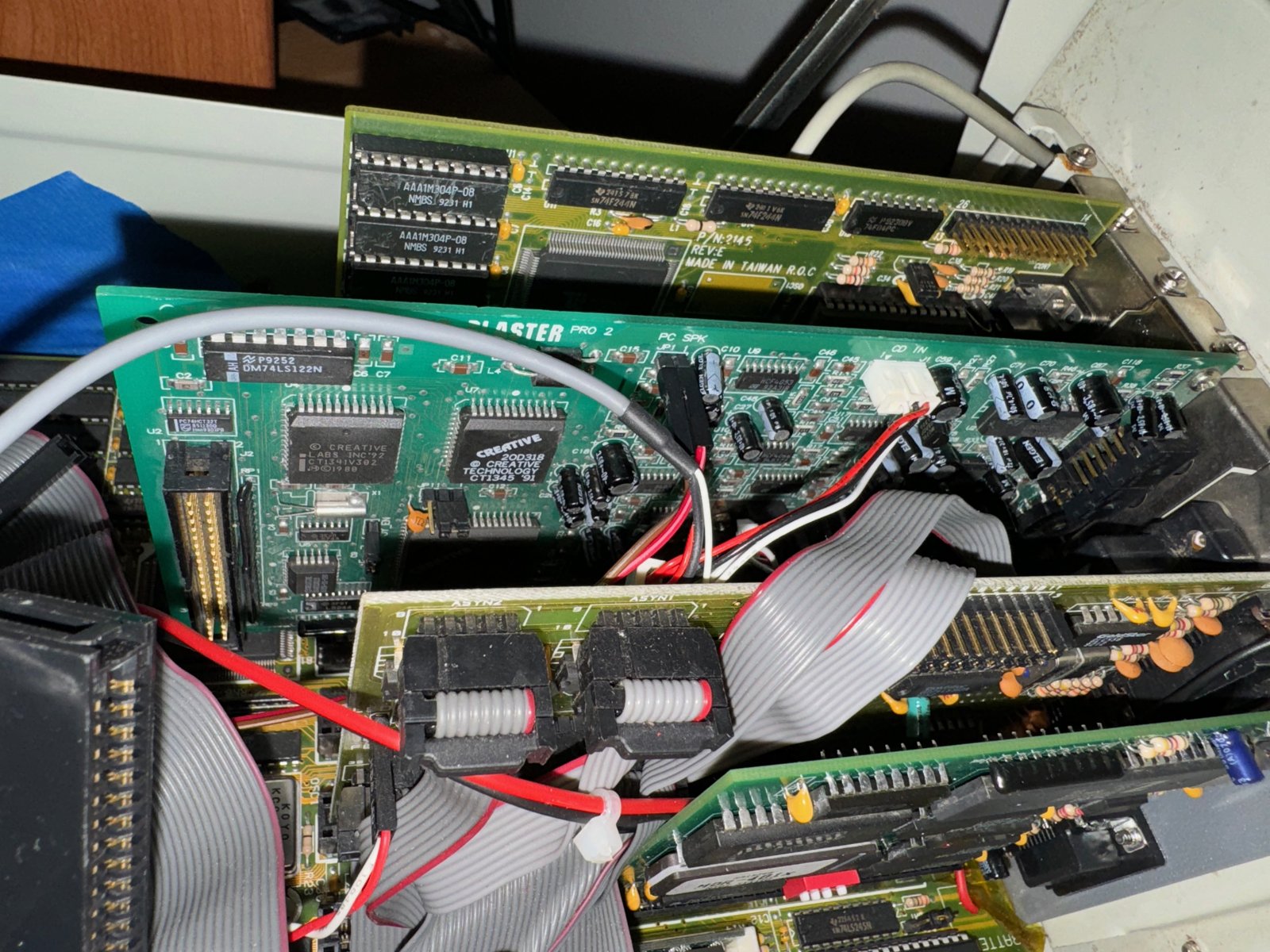
(Fig. 3: The Sound Blaster Pro 2 CT1600)
The BIOS and HWiNFO confirm the setup: an AMD 386DX with 40 MHz, no math co-processor, 64KB of cache and 20MB of RAM in total. (HWiNFO reports the sound card as a CT1335, which is wrong - it is a Sound Blaster Pro 2 CT1600.)
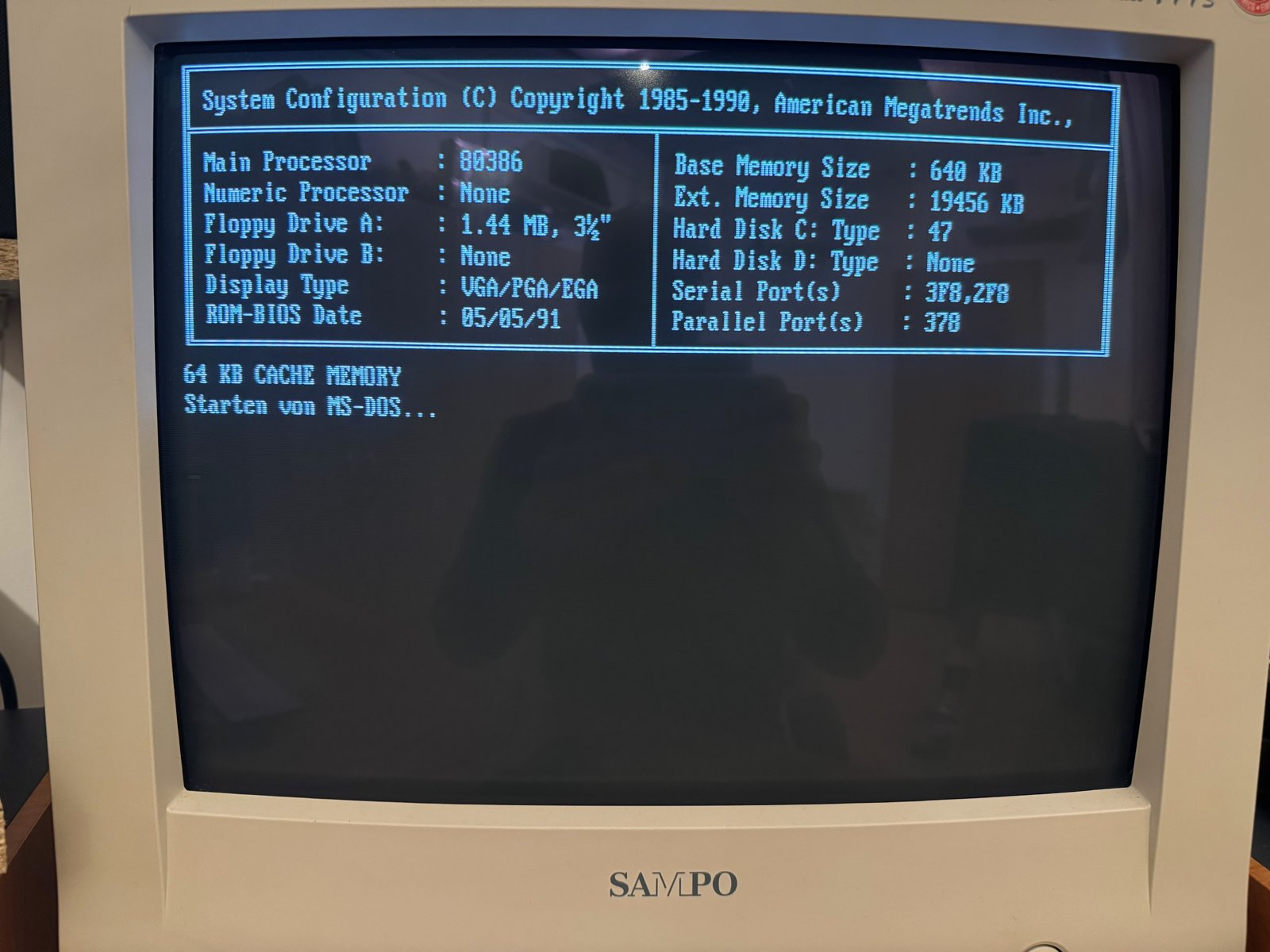
(Fig. 4: The AMI BIOS system configuration)
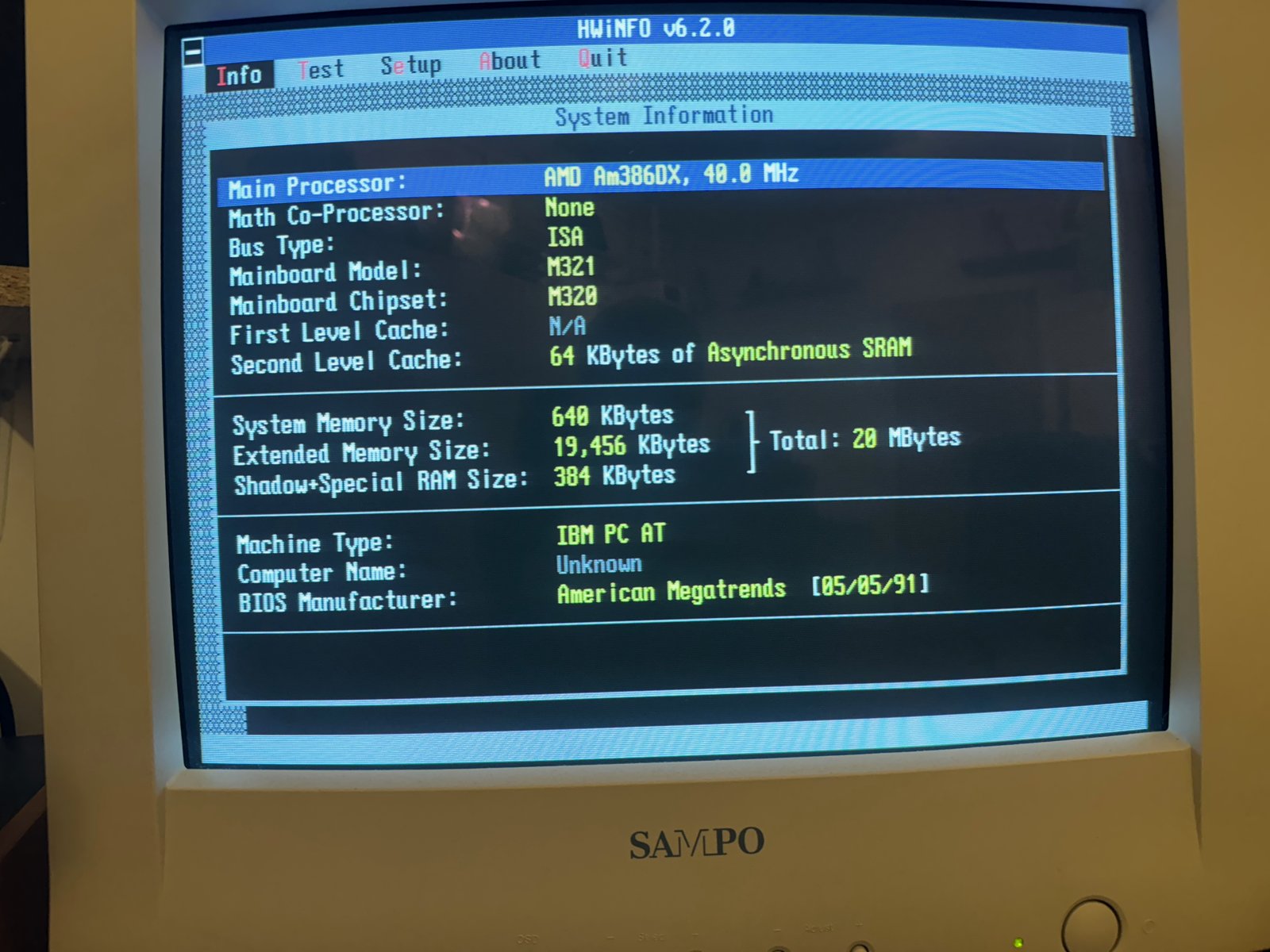
(Fig. 5: HWiNFO: AMD Am386DX at 40 MHz, PC-Chips M321, 20MB RAM)
According to the Landmark Speed Test, it performs like a 43 MHz AT:
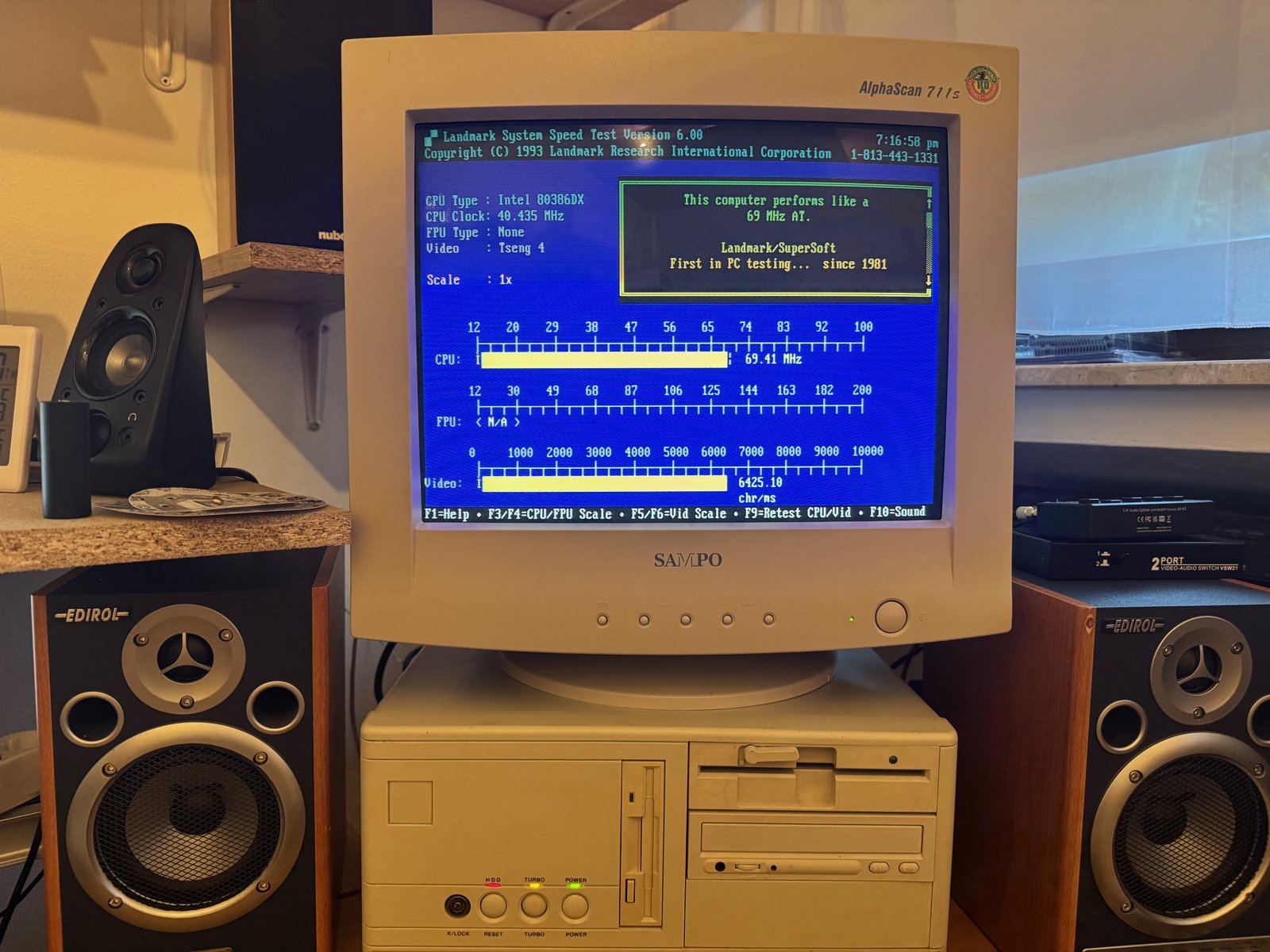
(Fig. 6: Landmark System Speed Test)
The installation of DOS 6.22 and Windows 3.11 for Workgroups is not complicated, and there are many other articles that explain it. So in this article, I only want to describe the problems I had and how I solved them:
- Graphics card (70Hz in DOS and Windows)
- MIDI setup
- Network card
- A game that crashed while saving
Graphics Card
The system has a Tseng Labs ET4000AX with 1MB of video memory. It is a good choice for a 386 or 486 build, because it was faster in DOS games than the Trident 8900 or the Cirrus Logic GD542x series, which came out at the same time. So 2D games run really well.
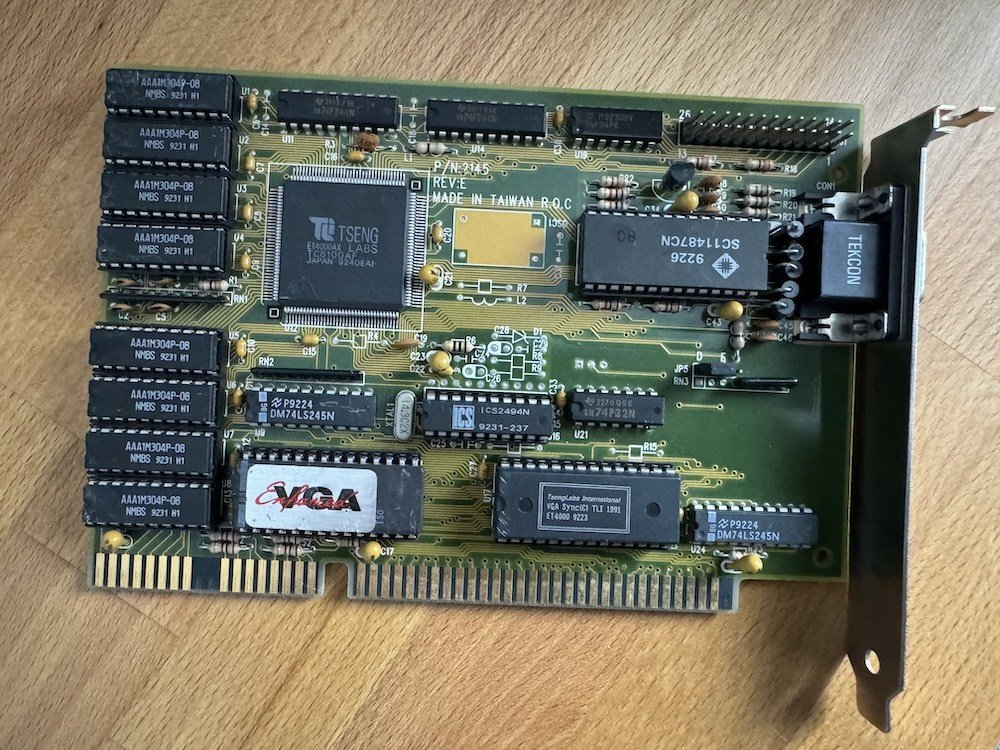
(Fig. 7: The Tseng Labs ET4000AX)
In DOS, I had 70Hz by default. In Windows 3.11, however, I was stuck at 56Hz in 800x600, even with the drivers from Vogonsdrivers:
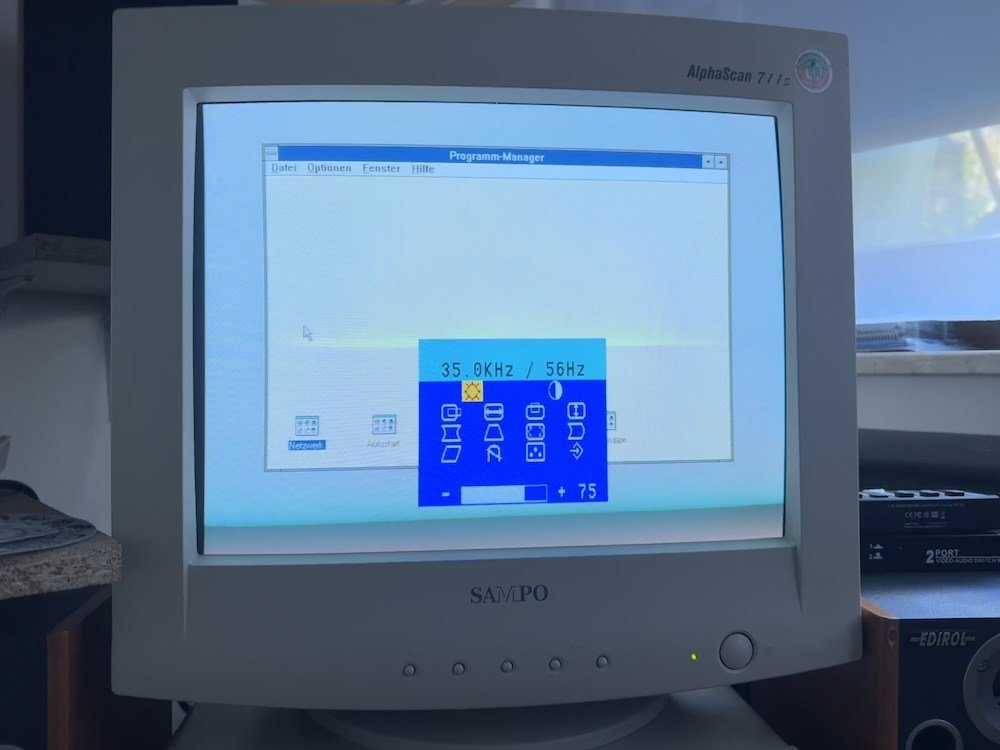
(Fig. 8: 56Hz in Windows 3.11)
With some help on Vogons, I found the solution: Tseng's VMODE.COM utility can set the refresh rate. With VMODE 48K, I got 800x600 with 72Hz:
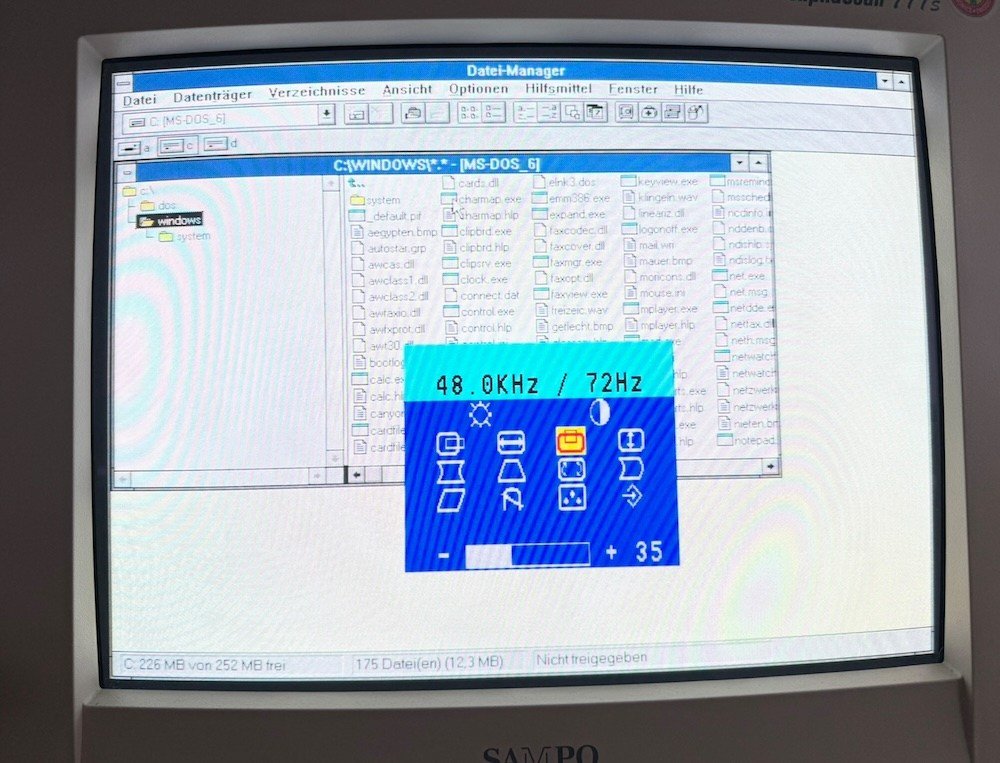
(Fig. 9: 72Hz in Windows 3.11)
All the details - driver installation, the VMODE settings and how to add them to autoexec.bat - are in a separate article: Installing a Tseng Labs ET4000 for 70Hz at 640x480 or 800x600 in Windows 3.11.
MIDI Setup
For music, there is an MDR-401x MIDI card. It is MPU-401 compatible and supports the intelligent mode, which many older games need for the Roland MT-32. My MT-32 is actually a Roland RA-50 that was modified in hardware to an MT-32. The sound and MIDI hardware is not fixed to this machine: over time, it has also been in my HP Vectra 386/33N.
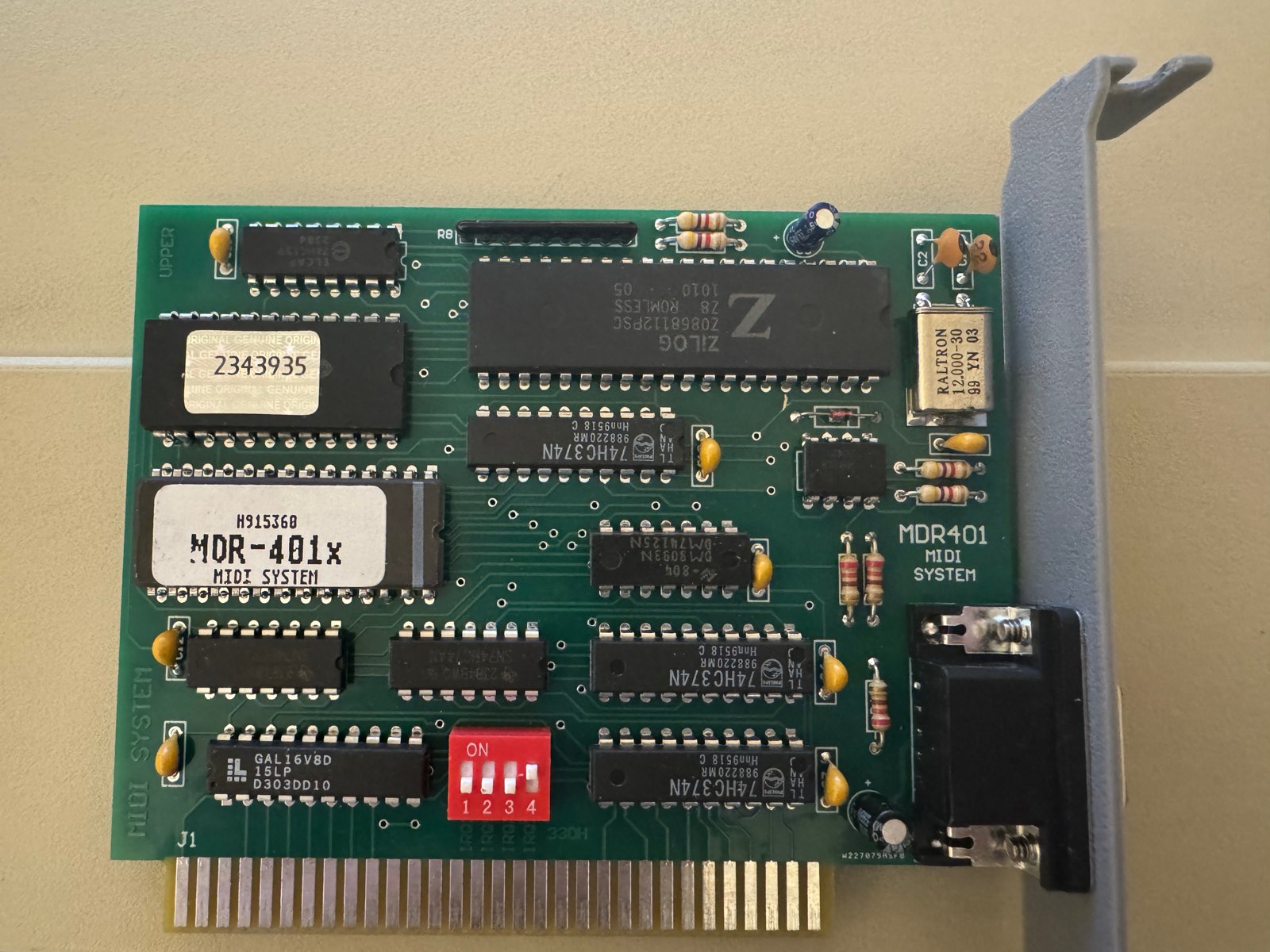
(Fig. 10: The MDR-401x MIDI card)
How I set up the MT-32 with the MPU-401 card in DOS is described in its own article: Roland MT-32 with an MPU-401 card under MS-DOS.
Network Card
For the network, a 3Com EtherLink III is installed. In Windows for Workgroups 3.11, I use Microsoft TCP/IP-32 3.11b as the network protocol.
To exchange files with my Mac, I set up a Samba server. That got its own article, too: Setting up a Samba server for Windows 3.11 and macOS 15.2.
Jazz Jackrabbit Crashes While Saving
Jazz Jackrabbit ran quite well on the 386 - but whenever I tried to save, the whole system froze. Not even Ctrl+Alt+Esc worked anymore, only the reset button:
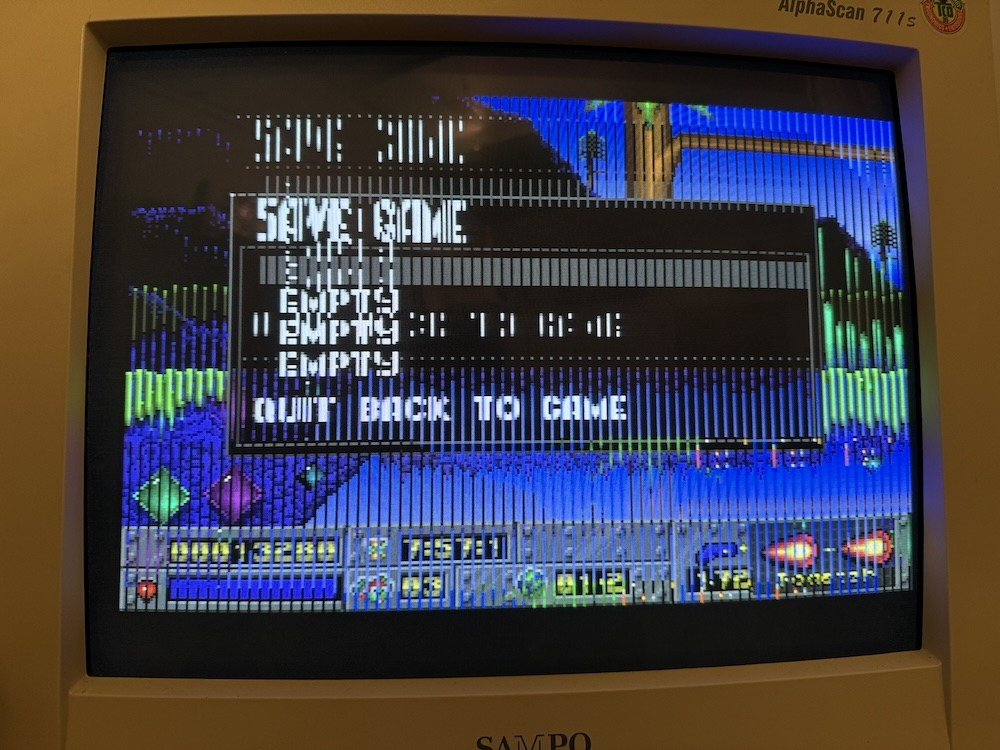
(Fig. 11: Jazz Jackrabbit frozen while saving)
The game also ran at 59Hz instead of 70Hz. Starting it with JAZZ /VGA fixed the refresh rate, but not the crash. Different versions of the game (CD version 1.3 and the floppy version) all had the same problem.
The solution was simple: I had not installed the driver for my Sound Blaster Pro 2 (CT1600). After installing it, saving worked without any crash:
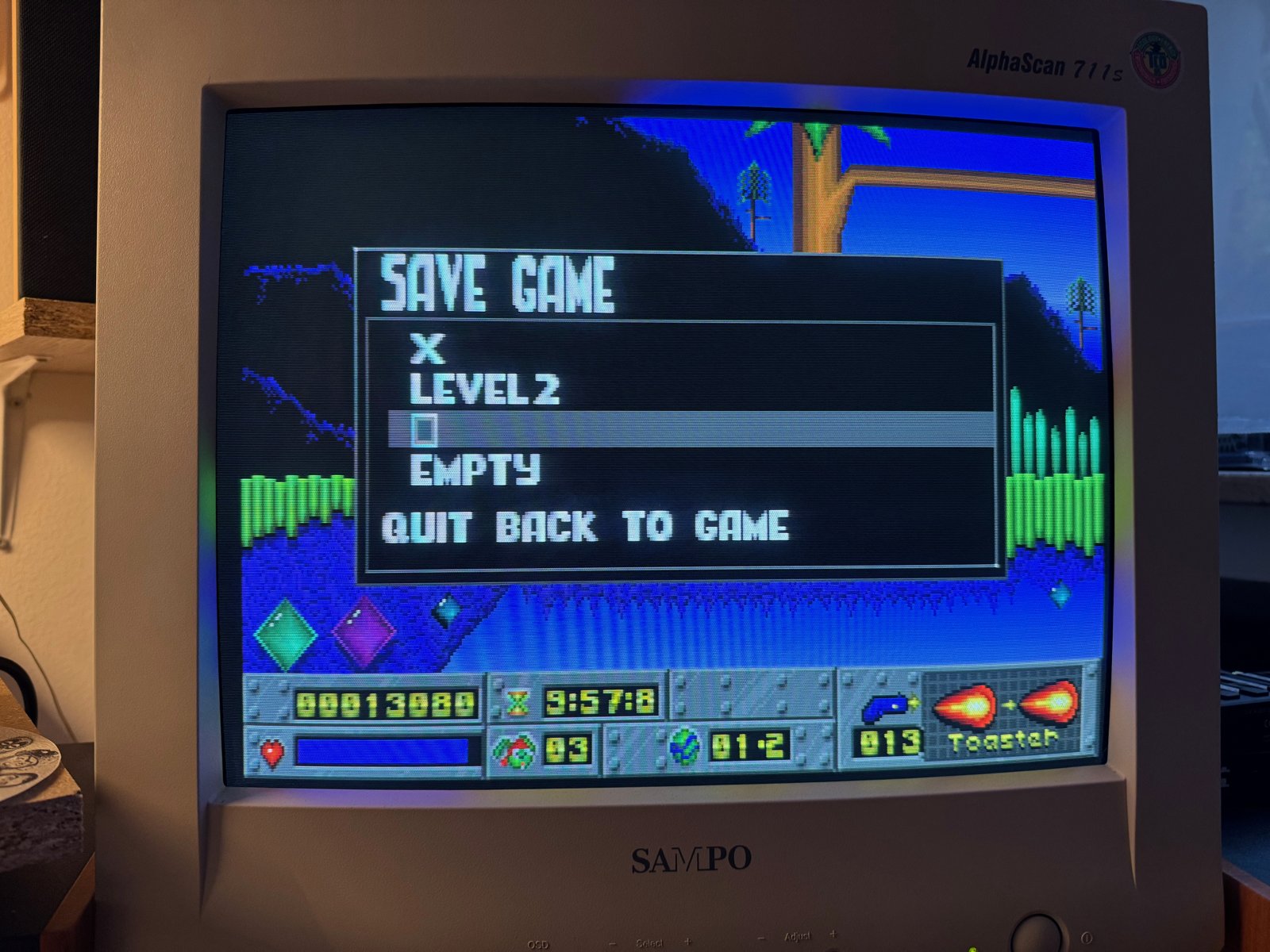
(Fig. 12: Saving works after installing the Sound Blaster Pro driver)
(I had the same problem on my Pentium MMX 233 MHz with an AWE64. There, configuring the sound card in the game as a "Sound Blaster 16" fixed it. The thread on Vogons: Cannot save in Jazz Jackrabbit 1.)
Mouse and KVM Switch
The 386 only has serial ports for a mouse, so I use a PS/2-to-serial adapter. In December 2024, I built two adapters myself, based on scorp's Arduino based PS/2 to Serial Mouse Adapter. Its streaming mode works with my KVM switch (equip SW 0407 C), which was not the case with the adapter from serdashop.
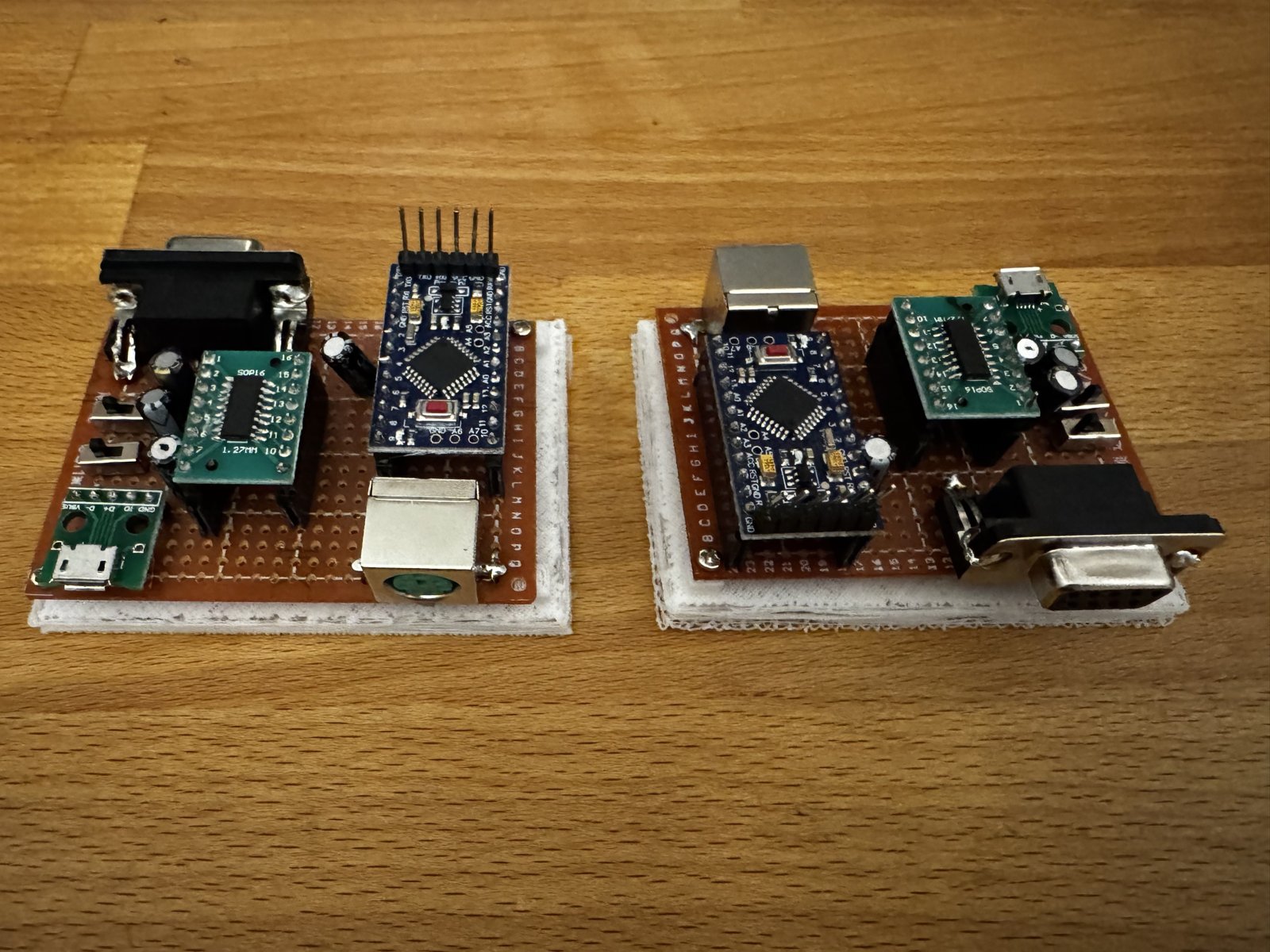
(Fig. 13: Two self-built PS/2-to-serial mouse adapters)
One of these self-built adapters is now used in the 386.
Result
Now, the 386 runs DOS games with 70Hz, MT-32 music and a mouse via the KVM switch - and Windows 3.11 at 72Hz.
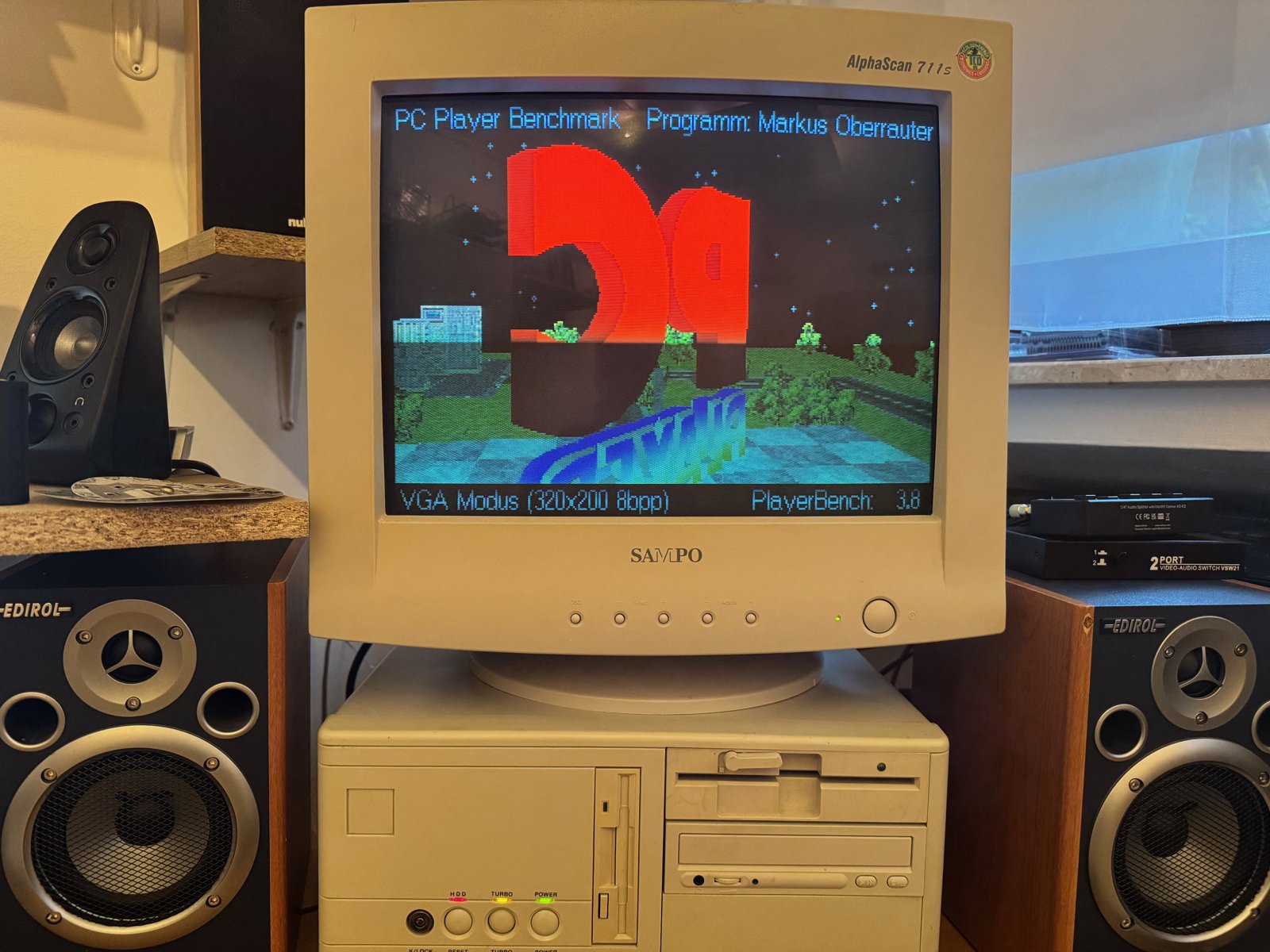
(Fig. 14: PC Player Benchmark in VGA mode)
Comments on "Setting up an old 386 computer"
Comments are moderated before publication. Only substantive and constructive comments will be approved.